Join the AI Workshop and learn to build real-world apps with AI. A hands-on, practical program to level up your skills.
requestAnimationFrame() is a relatively recent browser API. It gives a more predictable way to hook into the browser render cycle.
It’s currently supported by all modern browsers (and IE 10+)
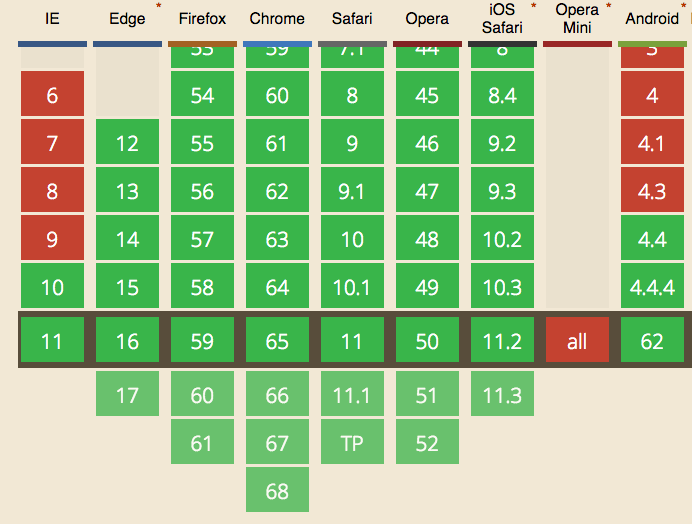
It’s not an API specific to animations, but that’s where it is used the most.
JavaScript has an event loop. It continuously runs to execute JavaScript.
In the past, animations were performed using setTimeout() or setInterval(). You advance the animation a little, then call setTimeout() to run this code again after a few milliseconds:
const performAnimation = () => {
  //...
  setTimeout(performAnimation, 1000 / 60)
}
setTimeout(performAnimation, 1000 / 60)
or
const performAnimation = () => {
  //...
}
setInterval(performAnimation, 1000 / 60)
You can stop an animation by getting the timeout or interval reference, and clearing it:
let timer

const performAnimation = () => {
  //...
  timer = setTimeout(performAnimation, 1000 / 60)
}

timer = setTimeout(performAnimation, 1000 / 60)

//...

clearTimeout(timer)
The
1000 / 60interval between theperformAnimation()calls is determined by the monitor refresh rate, which is in most of the cases 60 Hz (60 repaints per second), because it’s useless to perform a repaint if the monitor cannot show it due to its limitations. It leads to ~16.6ms of time we have at our disposal to display every single frame.
The problem with this approach is that even though we specify this precision accurately, the browser might be busy performing other operations, and our setTimeout calls might not make it in time for the repaint, and it’s going to be delayed to the next cycle.
This is bad because we lose one frame, and in the next the animation is performed 2 times, causing the eye to notice the clunky animation.
Check this example on Glitch: animation built using setTimeout().
requestAnimationFrame is the standard way to perform animations, and it works very differently even though the code looks similar to the setTimeout/setInterval approach:
let request

const performAnimation = () => {
  request = requestAnimationFrame(performAnimation)
  //animate something
}

requestAnimationFrame(performAnimation)

//...

cancelAnimationFrame(request) // stop the animation
This example on Glitch shows an animation built using requestAnimationFrame().
Optimization
requestAnimationFrame() has been very CPU-friendly since its introduction, causing animations to stop if the current window or tab is not visible.
When requestAnimationFrame() was introduced, setTimeout/setInterval still ran even if the tab was hidden. Since this approach also proved successful for battery savings, browsers later implemented throttling for those timers, allowing at most 1 execution per second when the tab is in the background.
Using requestAnimationFrame the browser can further optimize the resource consumption and make the animations smoother.
Timeline examples
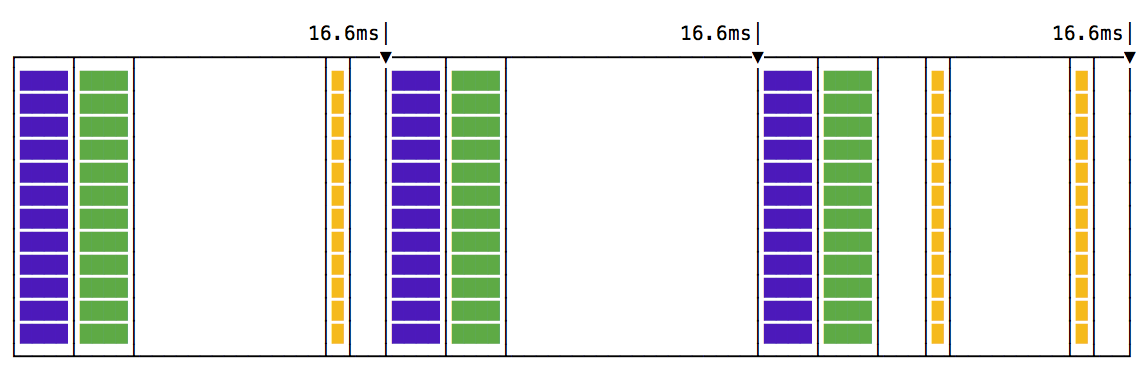
This is the ideal timeline when you use setTimeout or setInterval:
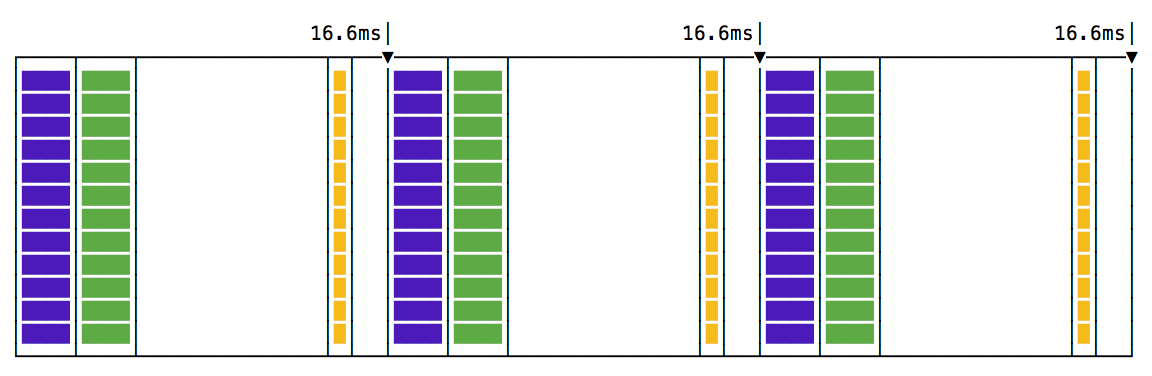
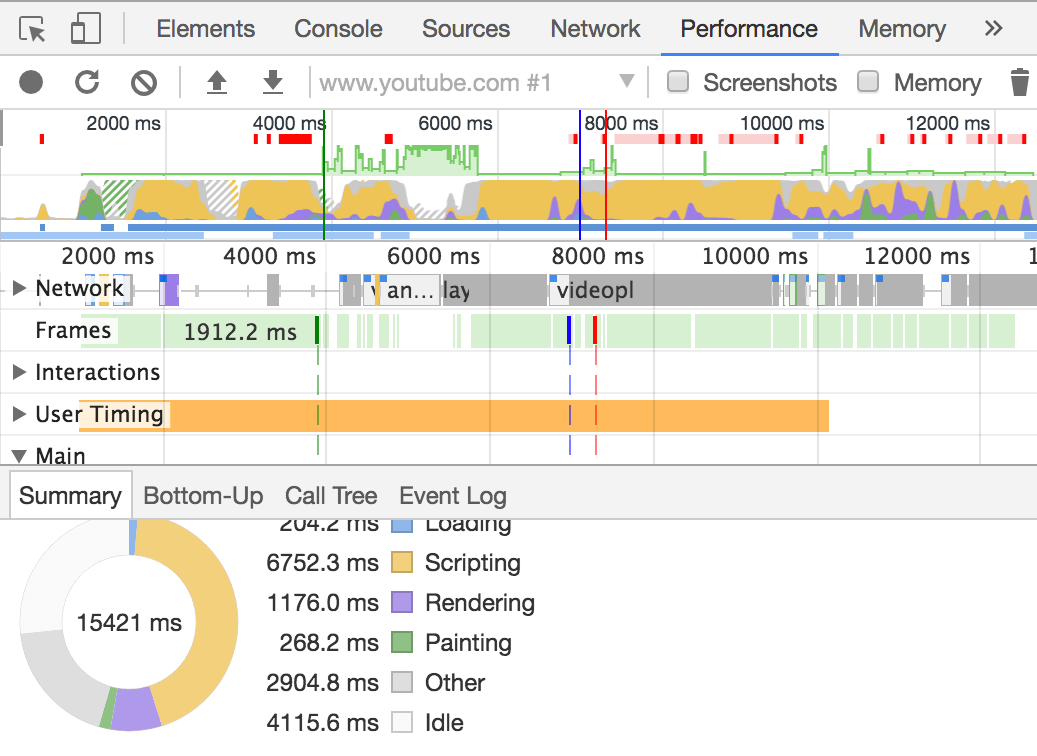
You have a set of paint (green) and render (purple) events, and your code is in the yellow box - by the way, these are the colors used in the Browser DevTools as well to represent the timeline:
The illustration shows the ideal case: painting and rendering at ~60 Hz (about every 16.6 ms), with your animation running in between, perfectly in sync.
If you used a higher frequency call for your animation function:
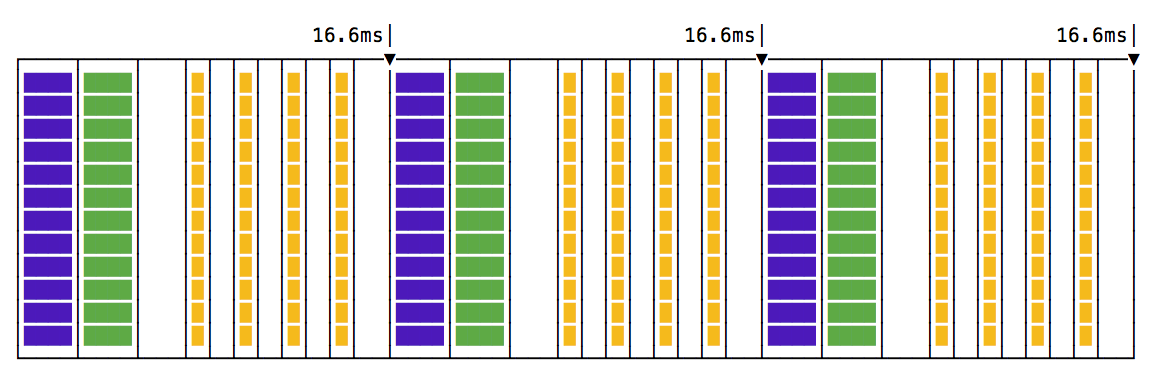
Notice how in each frame we call 4 animation steps, before any rendering happens, and this will make the animation feel very choppy.
What if setTimeout cannot run on time due to other code blocking the event loop? We end up with a missed frame:
What if an animation step takes a little bit more than you anticipate?
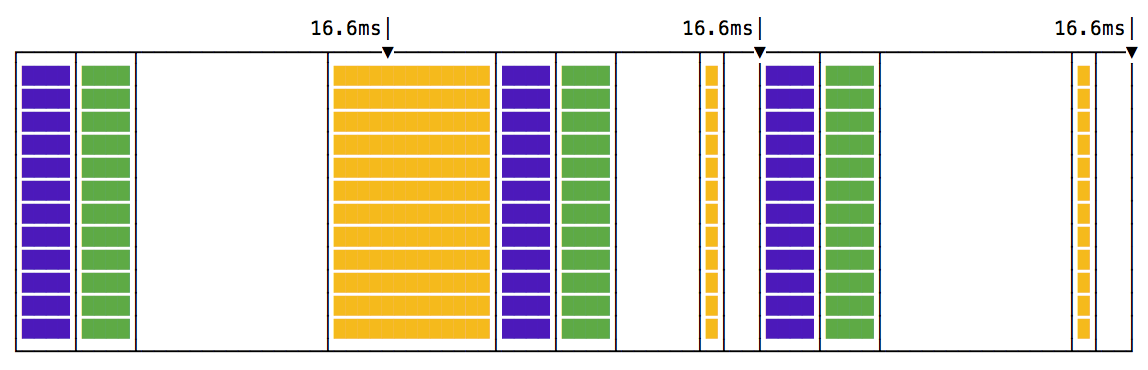
The render and paint events will be delayed as well.
This is how requestAnimationFrame() works visually:
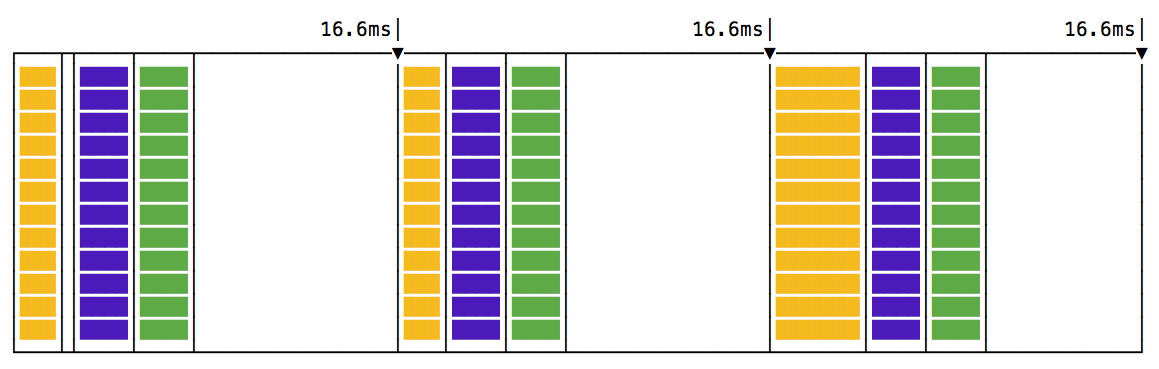
All the animation code runs before the rendering and painting events. This makes for a more predictable code, and there’s a lot of time to do the animation without worrying about going past the 16ms time we have at our disposal.
Check this great video by Jake Archibald on the topic.
Lessons in this unit:
| 0: | Introduction |
| 1: | Web Workers |
| 2: | BroadcastChannel API |
| 3: | Channel Messaging API |
| 4: | ▶︎ requestAnimationFrame |