Join the AI Workshop and learn to build real-world apps with AI. A hands-on, practical program to level up your skills.
Themes are just one customization you can make. There are many more!
Go to Preferences ➤ Settings (also reachable via Cmd+,) to see them:
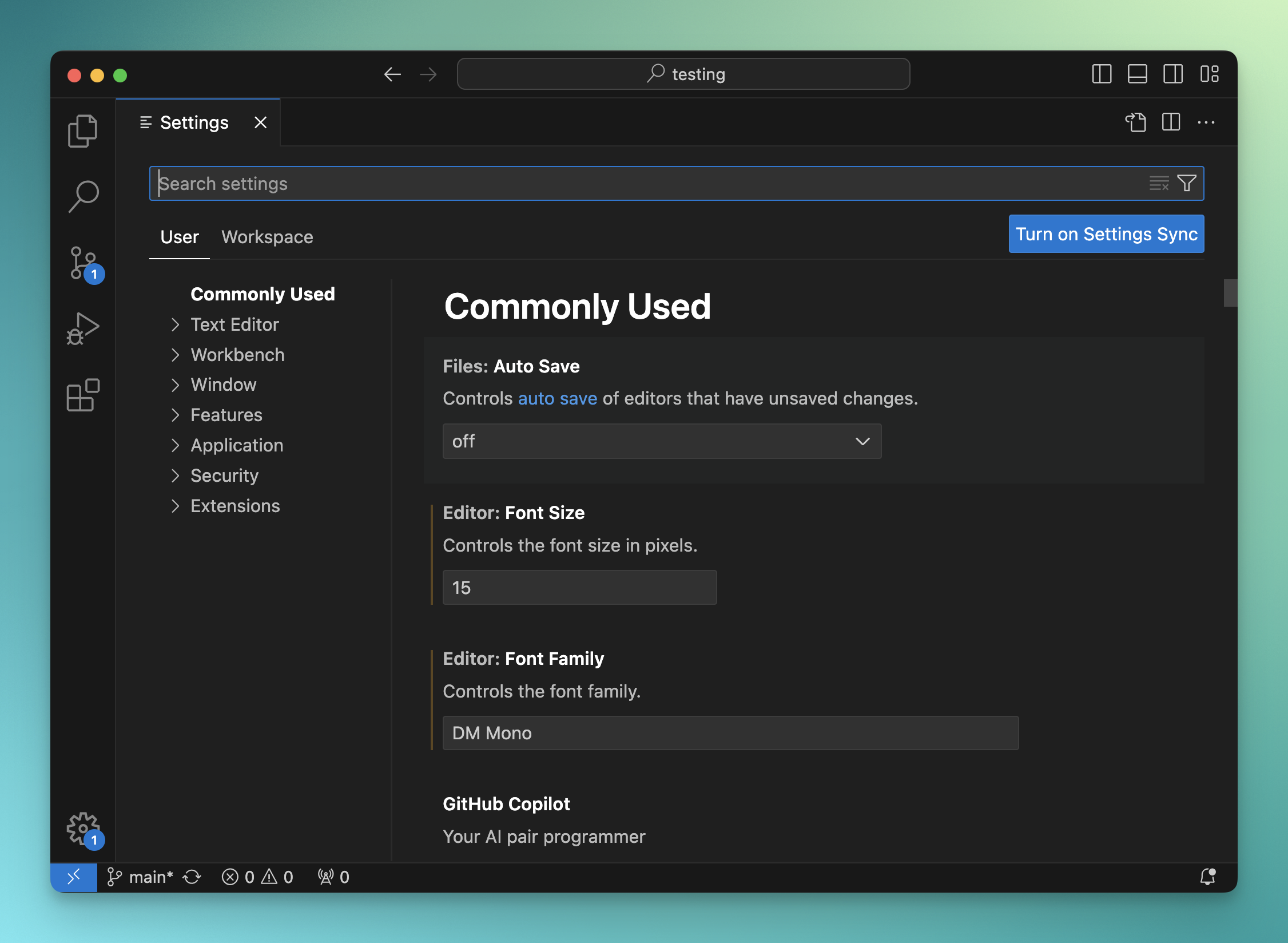
Everything is highly configurable, and it’s sometimes hard to make sense of it all.
Some nice configuration options I set in my VS Code setup:
- Workbench › Side Bar: Location “right”
- Editor › Minimap: Enabled: false
- Explorer: Confirm Delete: false
- Explorer: Confirm Drag And Drop: false
- Files: Trim Trailing Whitespace: true
- Editor: Quick Suggestions Delay: 0
You can experiment and read about VS Code. Everyone has different preferences.
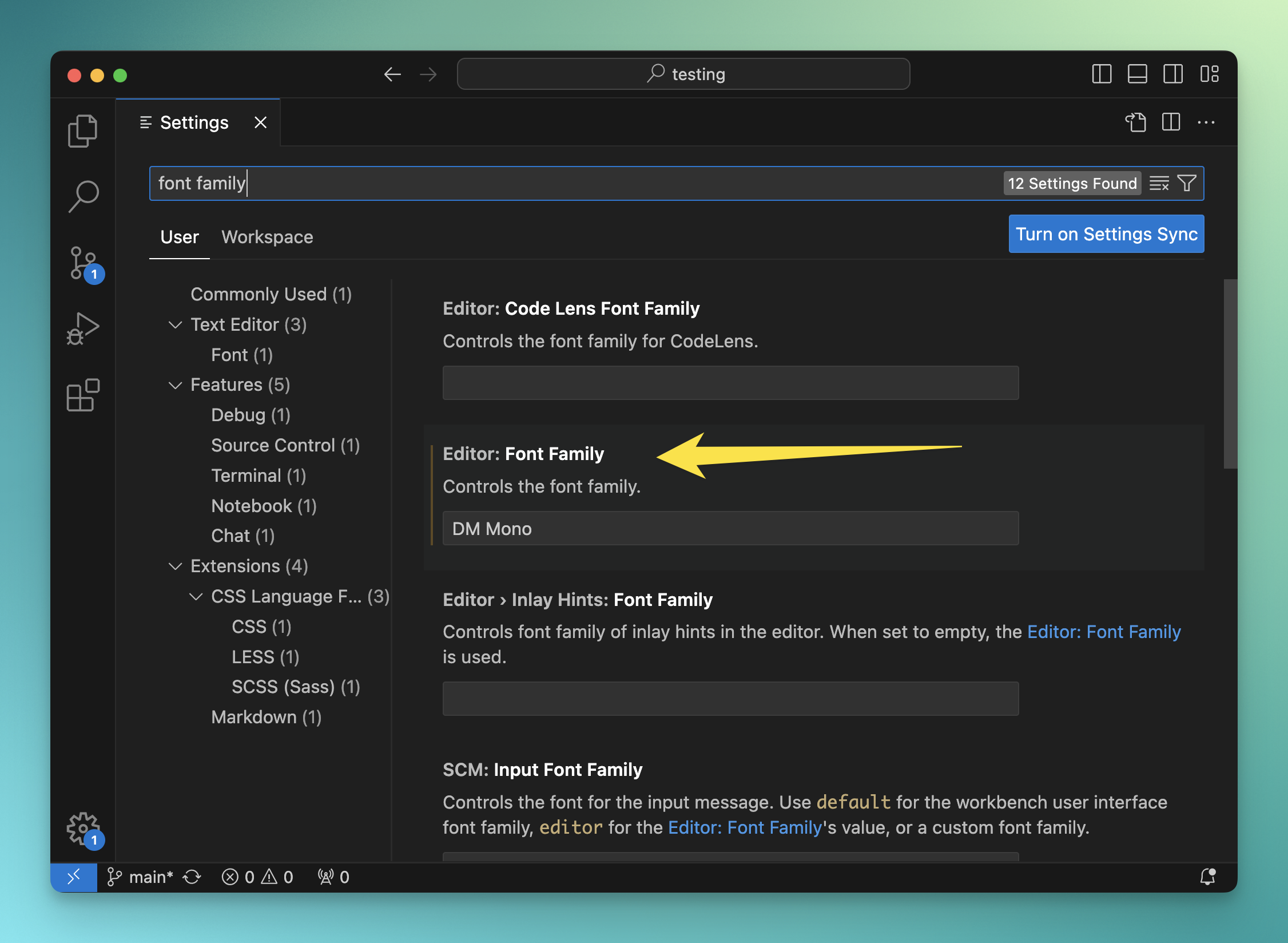
This is also the place where you can change the editor font.
I like the DM Mono font. Fira Code is cool too. It’s free, and has some very nice programming ligatures, which transform common constructs like !== and => into nicer symbols.
Enable it by installing the font on your computer and then setting the Editor: Font Family preference.
Lessons in this unit:
| 0: | Introduction |
| 1: | The interface |
| 2: | Opening folders |
| 3: | Editing |
| 4: | Search |
| 5: | Source control |
| 6: | Extensions |
| 7: | Themes |
| 8: | Recommended extensions |
| 9: | The command palette |
| 10: | Shortcuts |
| 11: | ▶︎ Customization |
| 12: | Terminal |
| 13: | How to use VS Code |