Join the AI Workshop and learn to build real-world apps with AI. A hands-on, practical program to level up your skills.
Sometimes I run into issues in VS Code when working on Astro projects. I don’t know if it’s VS Code, TypeScript, Astro—more likely a combination of it all.
Sometimes errors are subtle or confusing. For example, in one case I created a file and imported it, but I got a red line under the import saying Cannot find module ... or its corresponding type declarations.
You can try opening the VS Code command palette and executing Developer: Restart Extension Host or Developer: Reload Window, and more often than not, the error goes away.
Also try stopping npm run dev and restarting it.
As a final try, close VS Code and reopen it.
In one case I created a collection, but TS didn’t pick up the type of the posts correctly and returned any:
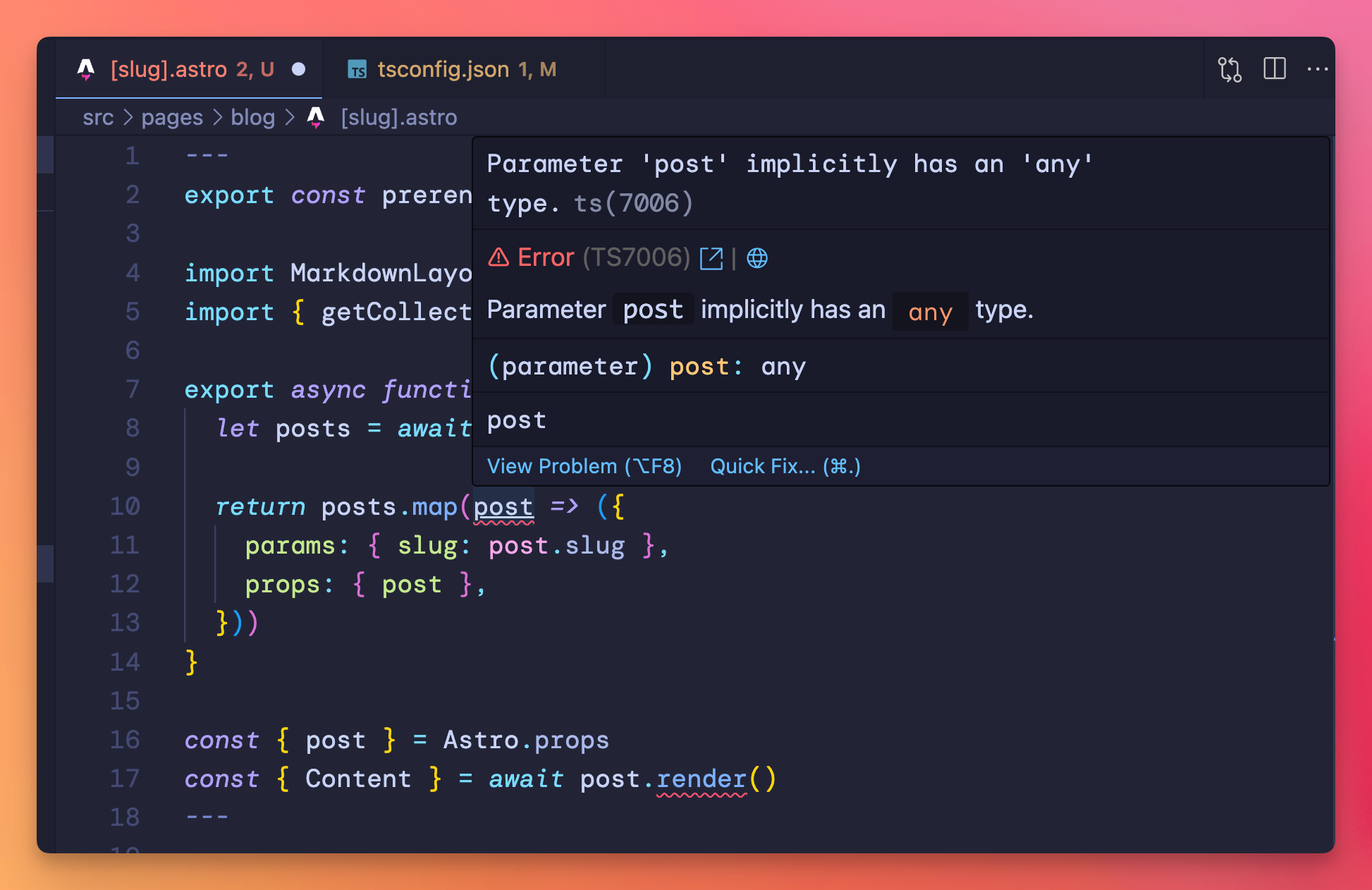
In this case, I had to create a Markdown file for my content collection first, corresponding to how I defined the collection in my content/config.ts in src/content/blog/test.md, and then the error went away.
That was easy.
Other times it’s an import error. First, check the path is correct.
If you’re using @ imports, check that tsconfig.json contains that mapping and that the file is saved.
{
  "extends": "astro/tsconfigs/strict",
  "compilerOptions": {
    "baseUrl": ".",
    "paths": {
      "@components/*": ["src/components/*"],
      "@layouts/*": ["src/layouts/*"],
      "@lib/*": ["src/lib/*"],
      "@data/*": ["src/data/*"],
      "@src/*": ["src/*"],
    }
  }
}
One issue a student of mine had with an Astro site that used content collections was that the TS types for that collection were not generated, and they had errors like “Property ‘render’ does not exist on type ‘never’”.
Running npx astro sync fixed the issue.