Join the AI Workshop and learn to build real-world apps with AI. A hands-on, practical program to level up your skills.
I’m a browser hopper.
I use a browser for too many hours a day and sometimes I just have to change browser, just to try something new.
Today it was the turn of Safari.
I like Safari, a lot. It’s light, no-frills, and very fast.
However, while opening a new tab with cmd-W I accidentally pressed cmd-Q, quitting the browser.
Chrome and Firefox provide a nice, optional confirmation dialog when trying to close them:
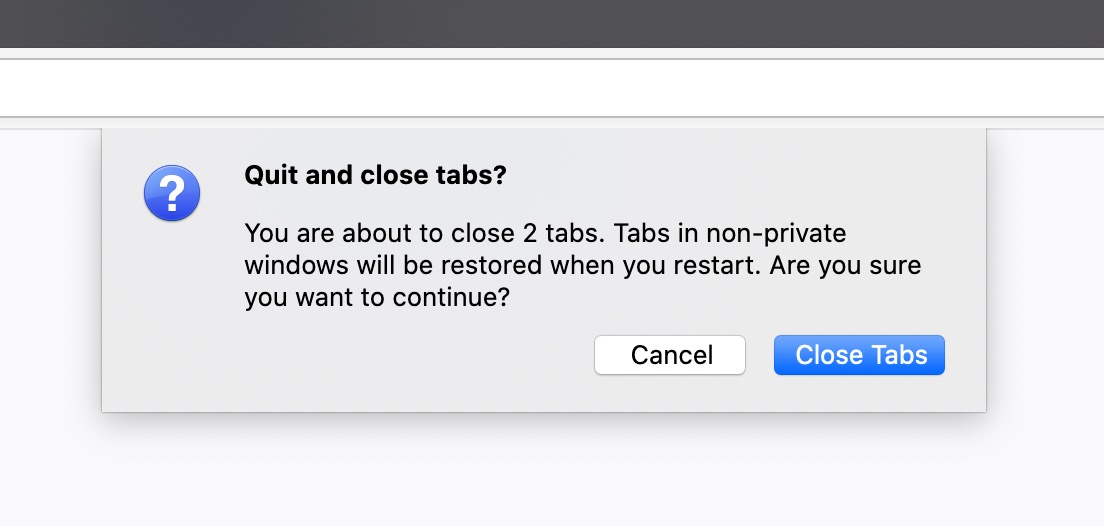
Safari does not have it.
So I re-mapped the cmd-Q to cmd-option-Q.
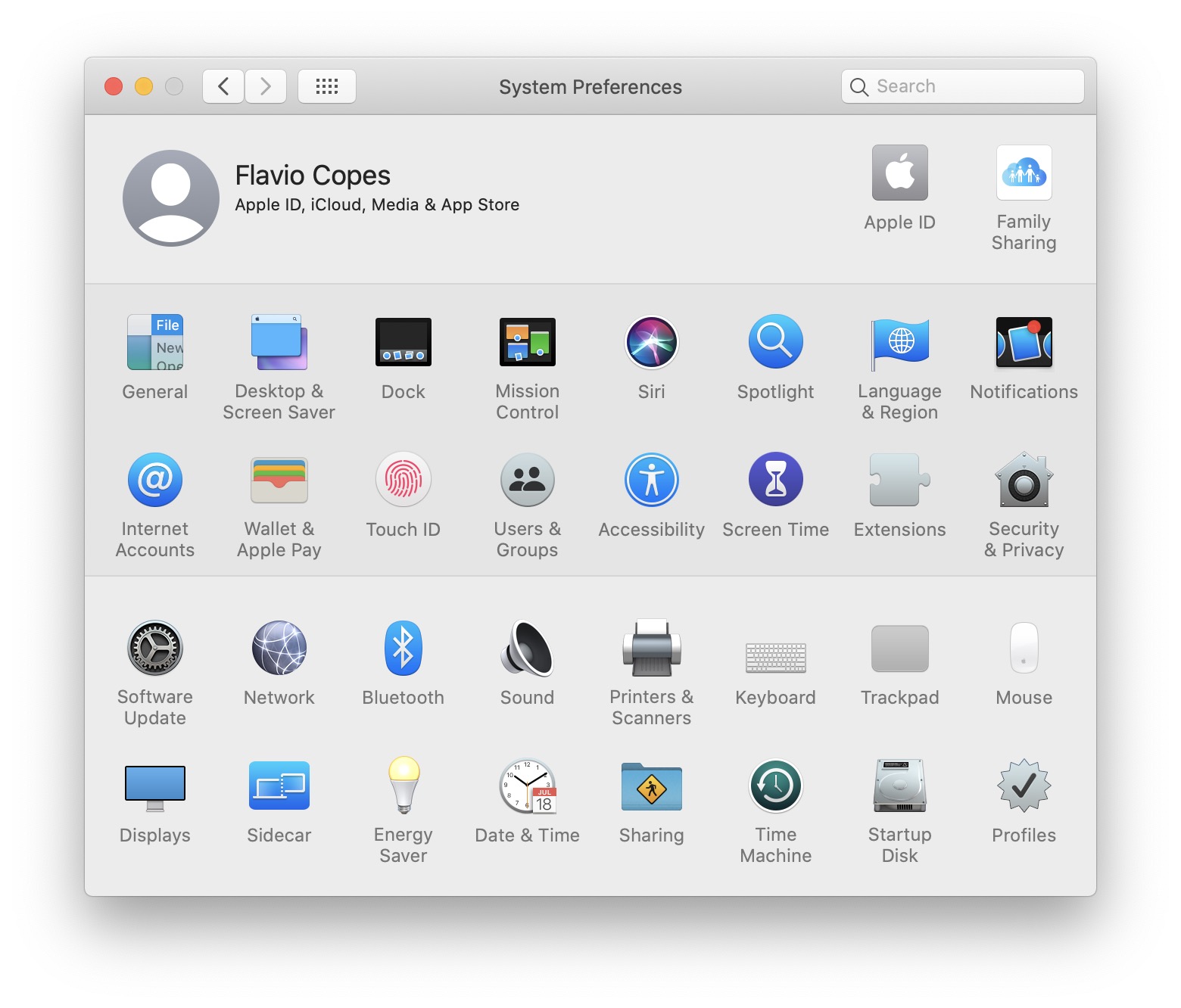
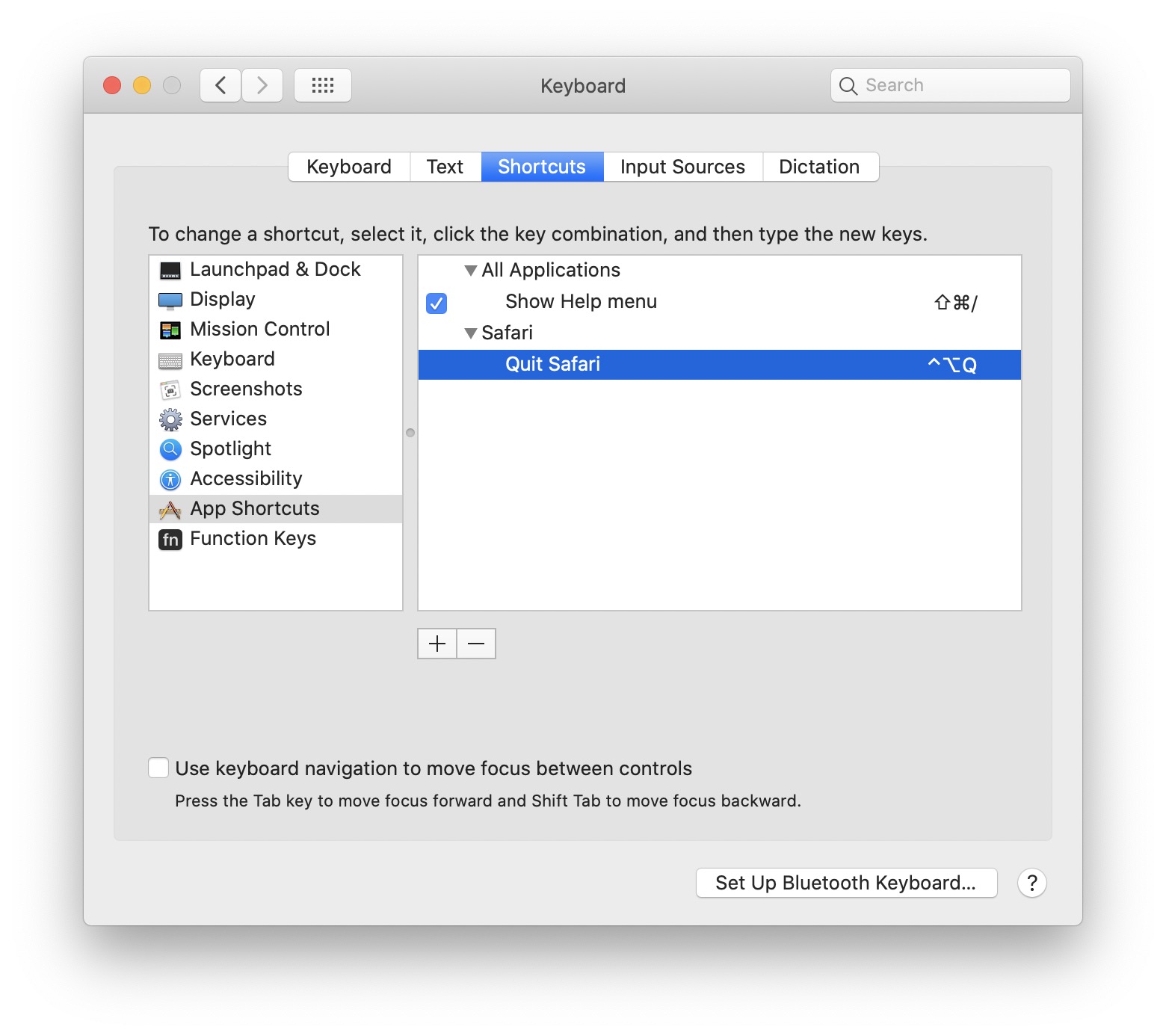
Here is how to do it: open System Preferences and click Keyboard.
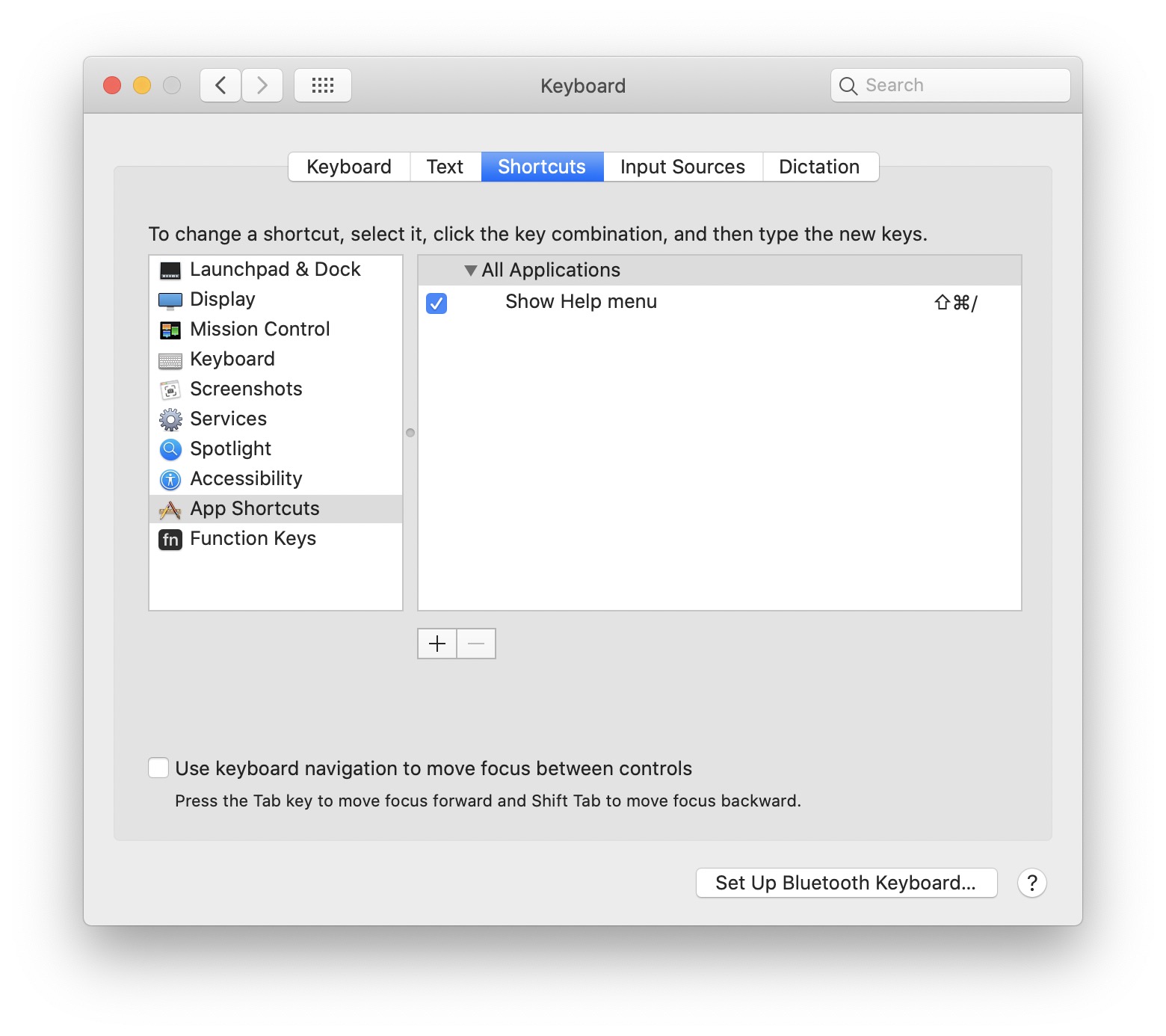
Click Shortcuts, then App Shortcuts:
Add a new shortcut, choose Safari, set the menu title to “Quit Safari”, and assign the new shortcut:
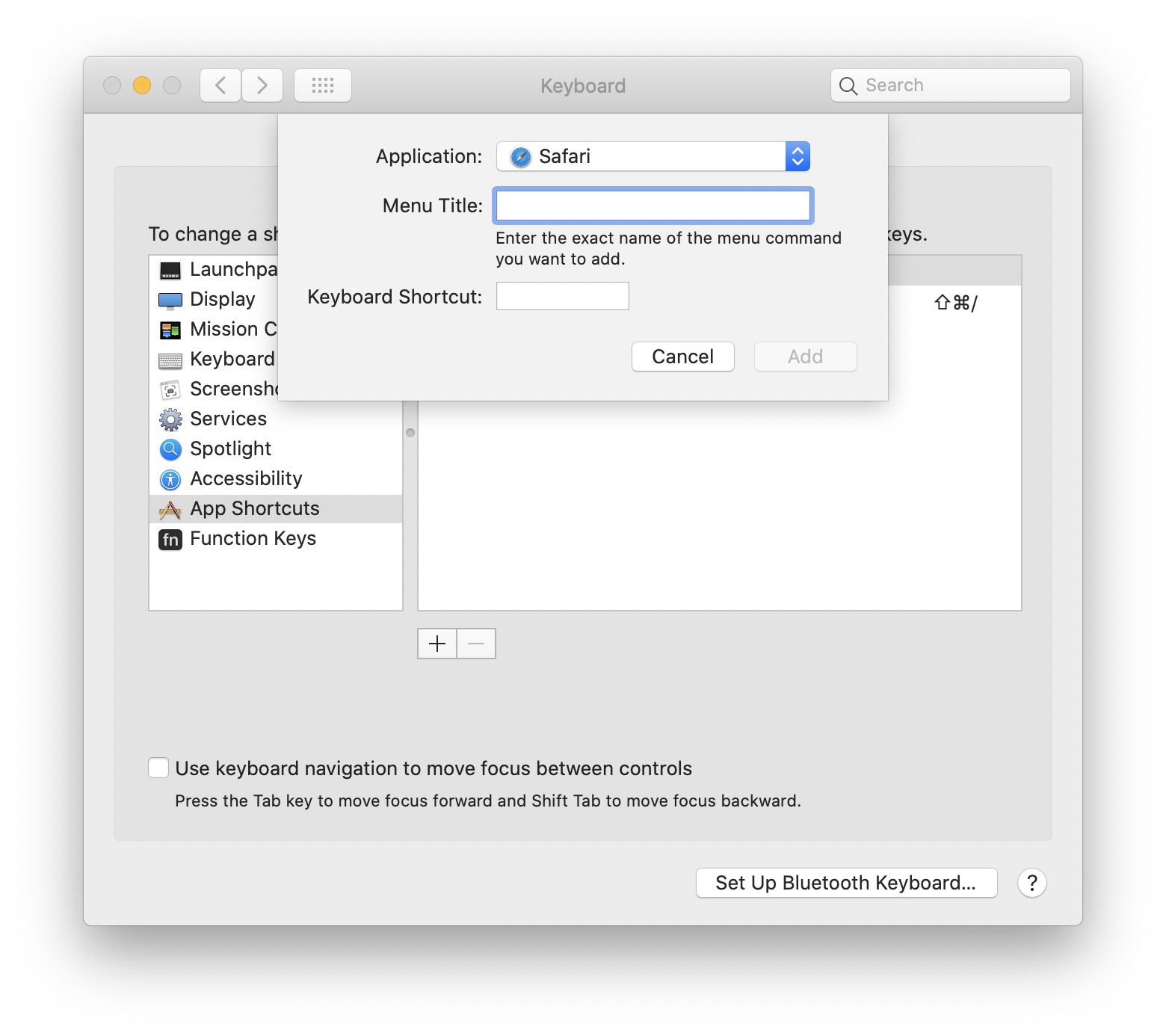
There it is:
Since this has the same title of the existing Quit Safari menu, the shortcut will now change:
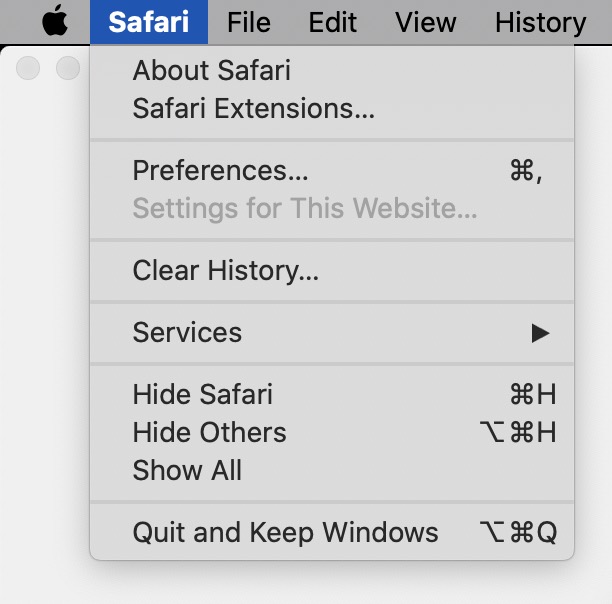
No more accidental quitting.