Join the AI Workshop and learn to build real-world apps with AI. A hands-on, practical program to level up your skills.
We’ve seen types for basic values.
For more complex structures we can use type aliases:
type Dog = {
  name: string
  age: number
}
Then when you create an object, you set this to be its type:
const jack: Dog = {
  name: 'Jack',
  age: 3
}
Note that we can have an optional property using ?: when defining the type, like this:
type Dog = {
  name: string,
  age?: number //optional
}
To do the same thing we can also use interfaces:
interface Dog {
  name: string
  age: number
}
They work in the same way as type aliases:
const jack: Dog = {
  name: 'Jack',
  age: 3
}
Why use one vs another? There are a few differences, but generally you can use one, or another, no big deal.
Type aliases or interfaces are not limited to typing objects, of course:
interface Pair {
  a: number;
  b: number;
}

const multiply = (nums: Pair) => {
  return nums.a * nums.b
}

multiply({ a:1, b: 2 })
If you pass an object with an unknown property, TS will raise an error:
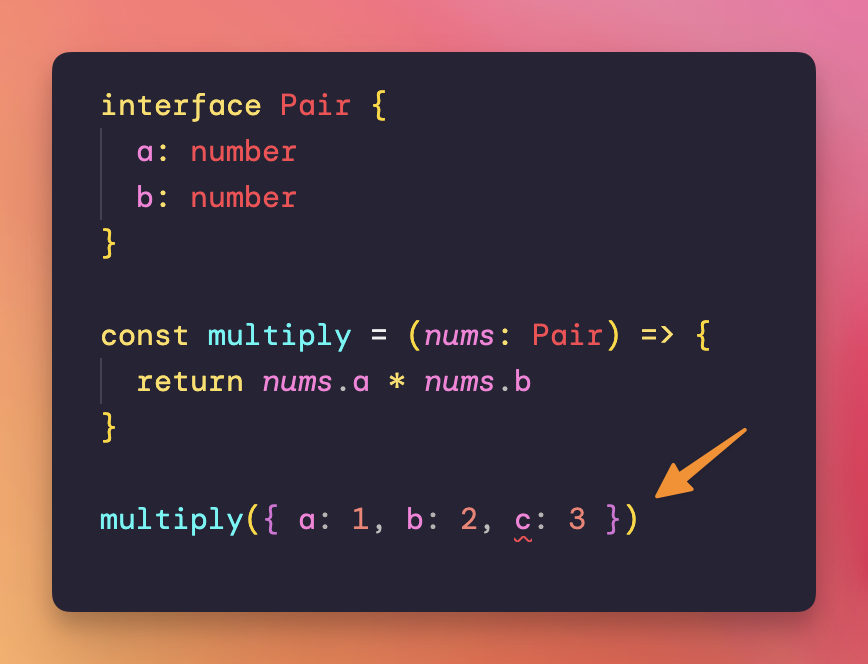
“Object literal may only specify known properties, and c does not exist in type Pair”