Join the AI Workshop and learn to build real-world apps with AI. A hands-on, practical program to level up your skills.
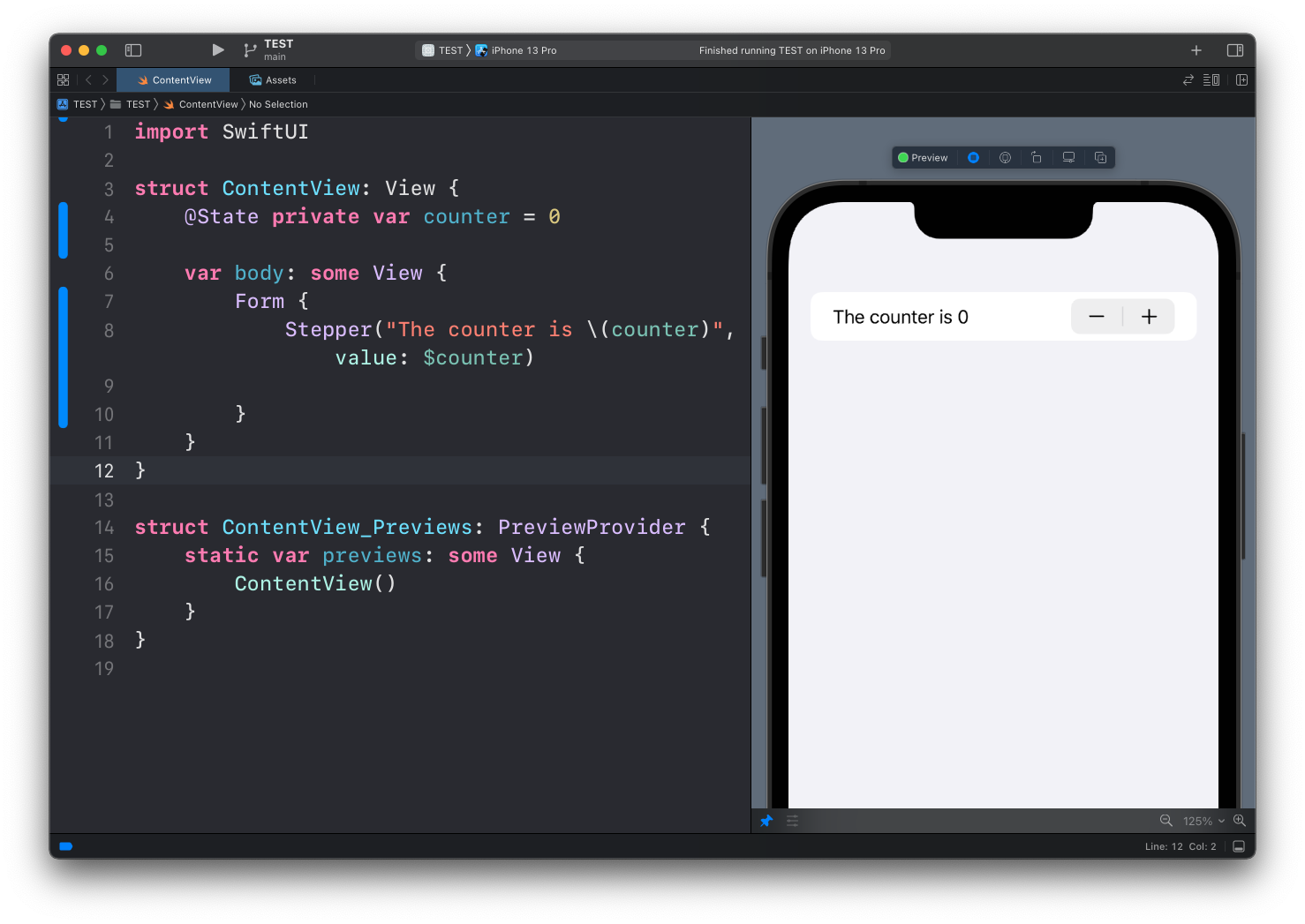
Another useful control we can use in forms is the Stepper view, which lets us select a number and gives a - and + button to decrease or increase it.
We link it to the value of a property with a @State property wrapper, in this case counter:
struct ContentView: View {
    @State private var counter = 0

    var body: some View {
        Form {
            Stepper("The counter is \(counter)", value: $counter)
        }
    }
}
You can use the in parameter of Stepper to limit the range of values it can accept:
Stepper("The counter is \(counter)", value: $counter, in: 0...10)When you reach a limit, the control to increase or decrease will be gray and non-interactive.
Lessons in this unit:
| 0: | Introduction |
| 1: | NavigationView |
| 2: | TabView |
| 3: | SF Symbols |
| 4: | Forms |
| 5: | TextField in Forms |
| 6: | Toggle in Forms |
| 7: | Slider in Forms |
| 8: | ▶︎ Stepper in Forms |
| 9: | Picker in Forms |
| 10: | DatePicker in Forms |