Join the AI Workshop and learn to build real-world apps with AI. A hands-on, practical program to level up your skills.
After TextField and Toggle, another common form control is Picker. It lets us choose an option among a series of possible ones.
First thing we need to do is to have an array with a list of options:
var cities = ["Rome", "Milan", "Venice", "Florence"]Then we need a property to store the selected choice. We wrap it with @State as that’s something that will change based on the user’s input:
@State private var selected = "Rome"Finally we use a Picker view. We pass 2 parameters. The first is a label, the second is the property used for the selected item, and in the closure we add a Text view for each different option, using a ForEach view:
Picker("What's your favorite city?", selection: $selected) {
    ForEach(cities, id: \.self) {
        Text($0)
    }
}
Here’s the full code of our ContentView:
struct ContentView: View {
    var cities = ["Rome", "Milan", "Venice", "Florence"]

    @State private var selected = "Rome"

    var body: some View {
        Form {
            Picker("What's your favorite city?", selection: $selected) {
                ForEach(cities, id: \.self) {
                    Text($0)
                }
            }
        }
    }
}
You can try to run it, and it shows correctly, with the default option visualized:
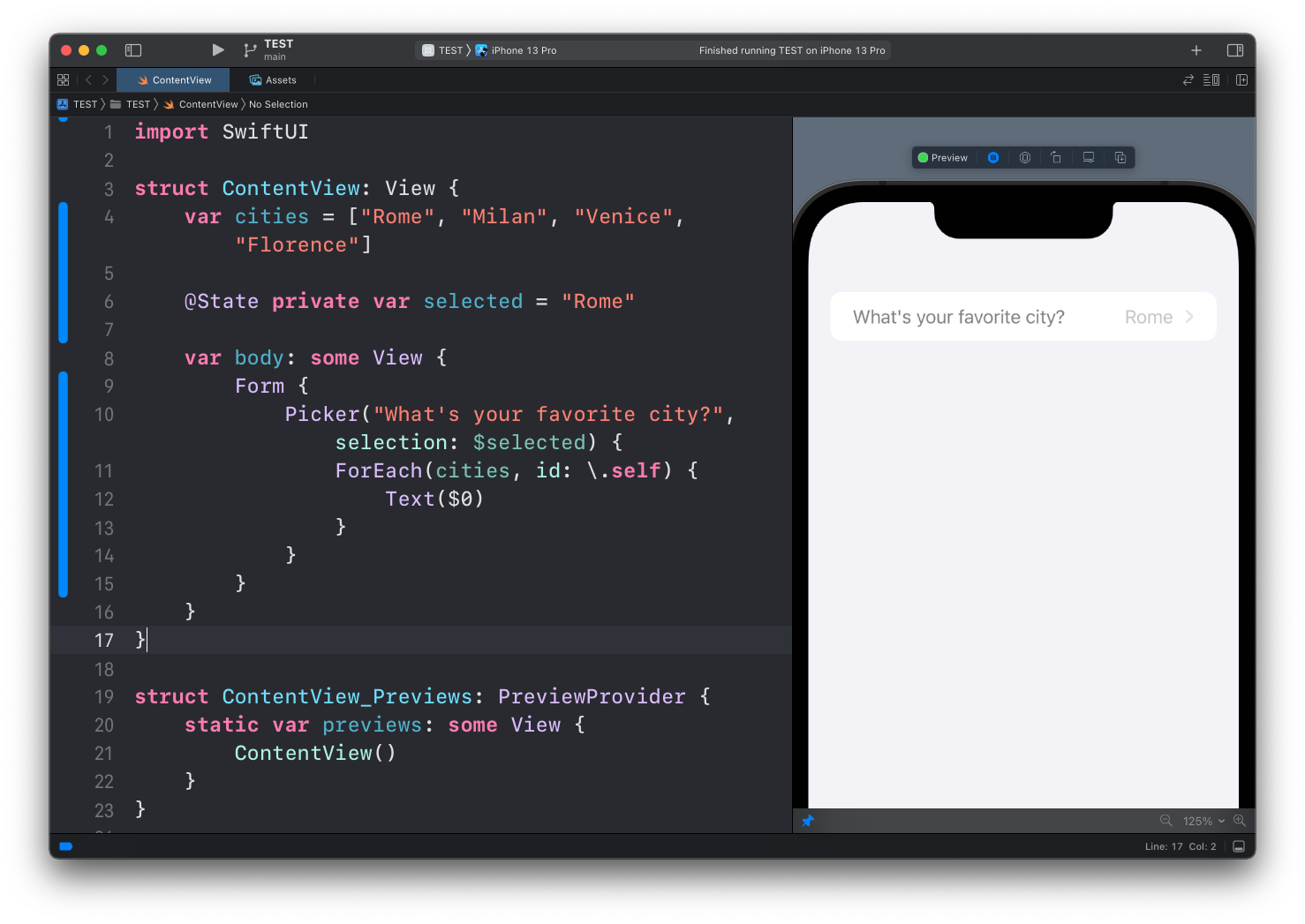
But even in preview mode, or in the Simulator, you can’t tap it.
Why?
Because you need to wrap it all inside a NavigationView:
struct ContentView: View {
    var cities = ["Rome", "Milan", "Venice", "Florence"]

    @State private var selected = "Rome"

    var body: some View {
        NavigationView{
            Form {
                Picker("What's your favorite city?", selection: $selected) {
                    ForEach(cities, id: \.self) {
                        Text($0)
                    }
                }
            }
        }
    }
}
We’ll talk about
NavigationViewin another lesson.
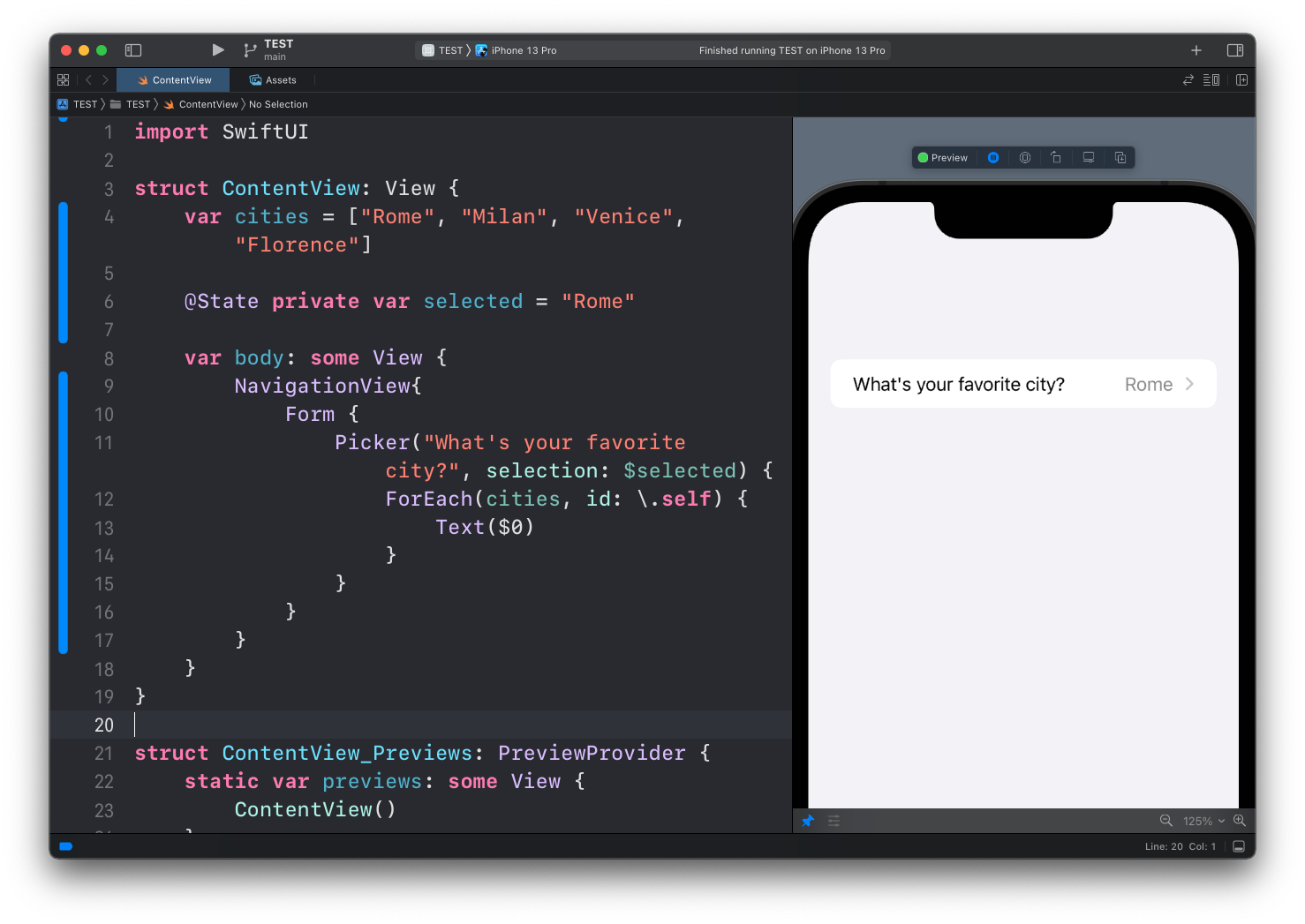
Now running it again, you can see the label turned black instead of gray:
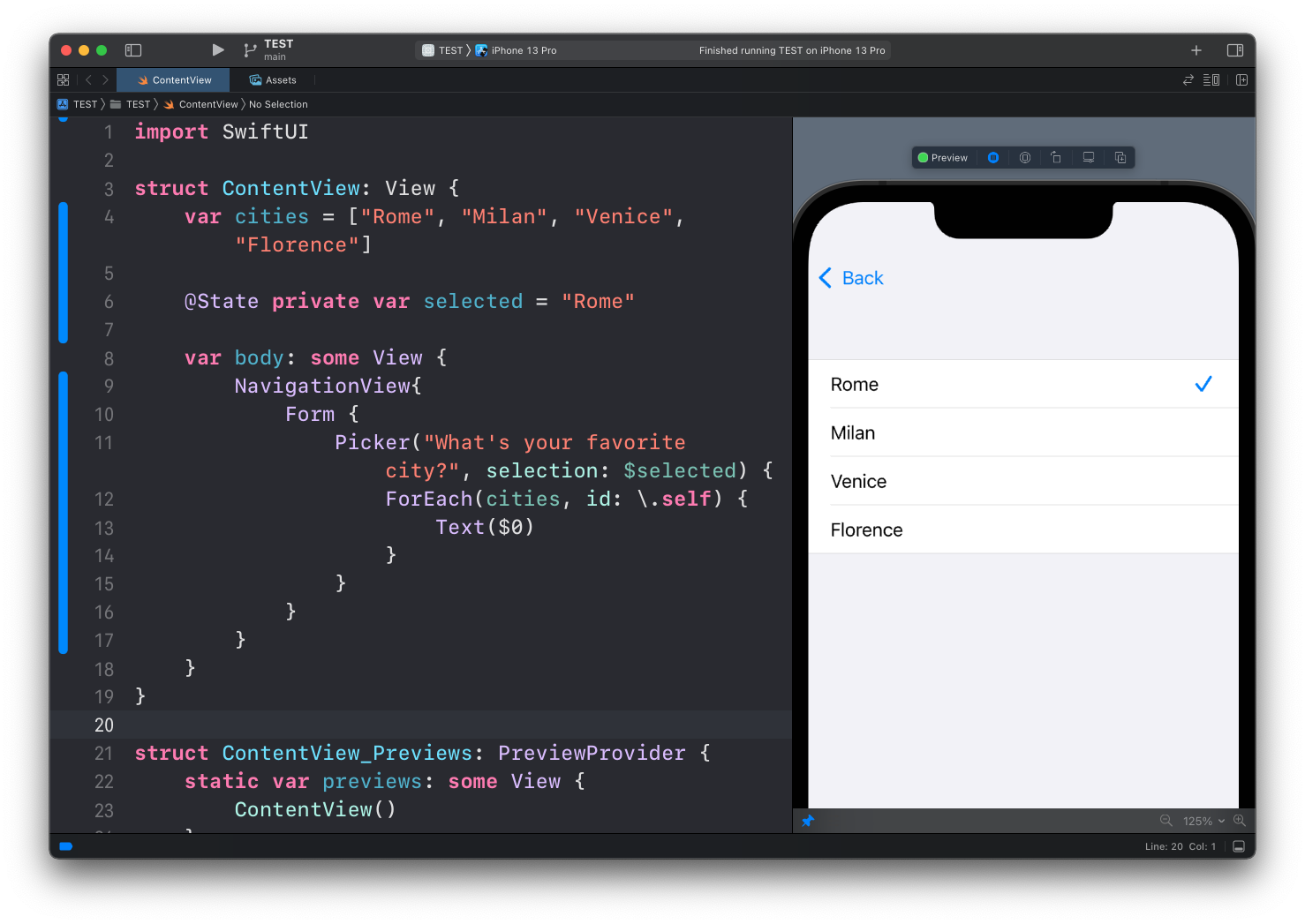
You can tap it, and you’ll see the options list, with a navigation link to go back:
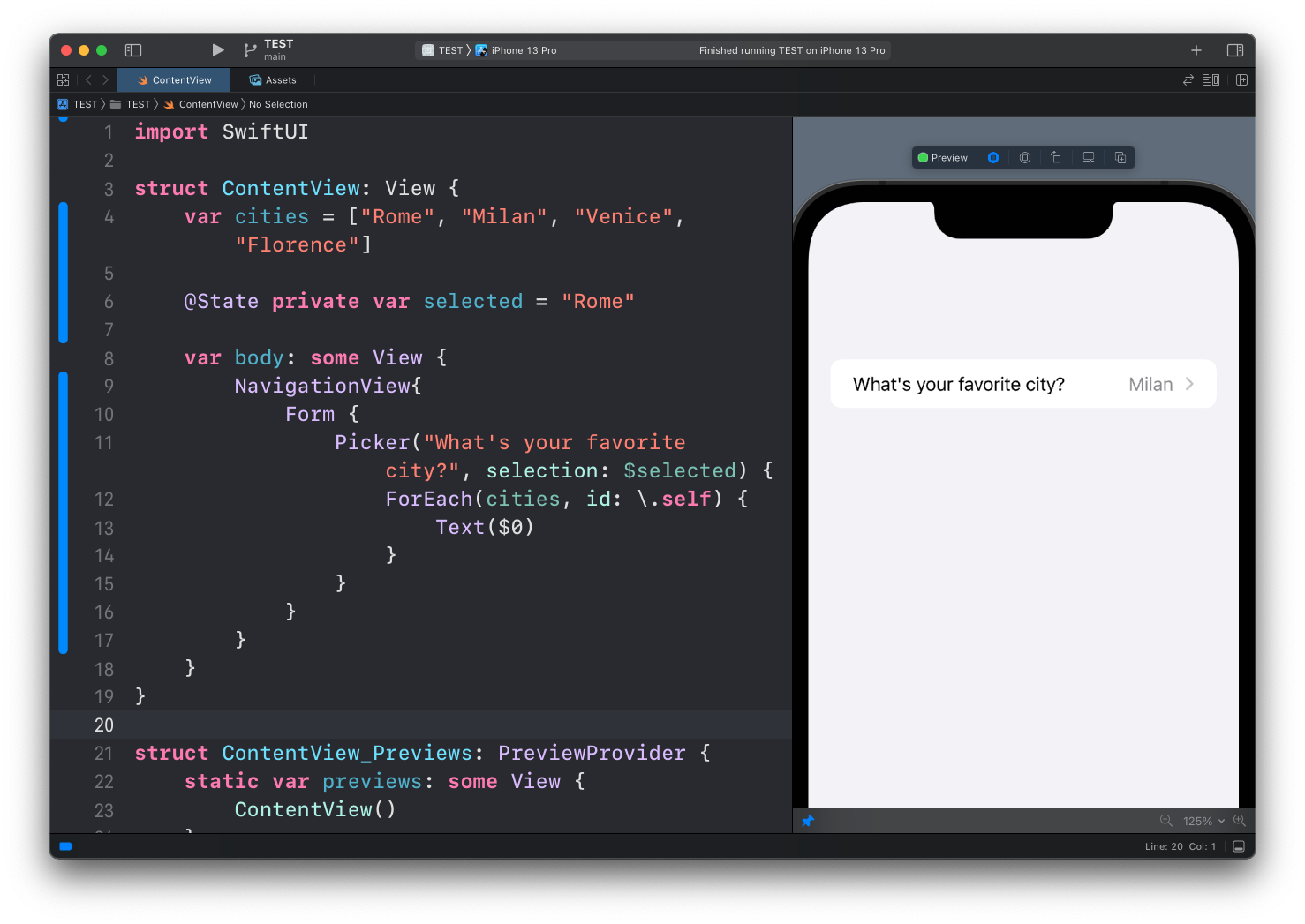
Tap one, and you’ll see the selected option being visualized instead of the default one:
You can also avoid using an array for the options and use a Text view directly, but you need to use the tag() modifier on each view to identify each option:
struct ContentView: View {
    @State private var selected = "Rome"

    var body: some View {
        NavigationView {
            Form {
                Picker("What's your favorite city?", selection: $selected) {
                    Text("Rome")
                        .tag("Rome")
                    Text("Milan")
                        .tag("Milan")
                    Text("Venice")
                        .tag("Venice")
                    Text("Florence").tag("Florence")
                }
            }
        }
    }
}Lessons in this unit:
| 0: | Introduction |
| 1: | NavigationView |
| 2: | TabView |
| 3: | SF Symbols |
| 4: | Forms |
| 5: | TextField in Forms |
| 6: | Toggle in Forms |
| 7: | Slider in Forms |
| 8: | Stepper in Forms |
| 9: | ▶︎ Picker in Forms |
| 10: | DatePicker in Forms |