Join the AI Workshop and learn to build real-world apps with AI. A hands-on, practical program to level up your skills.
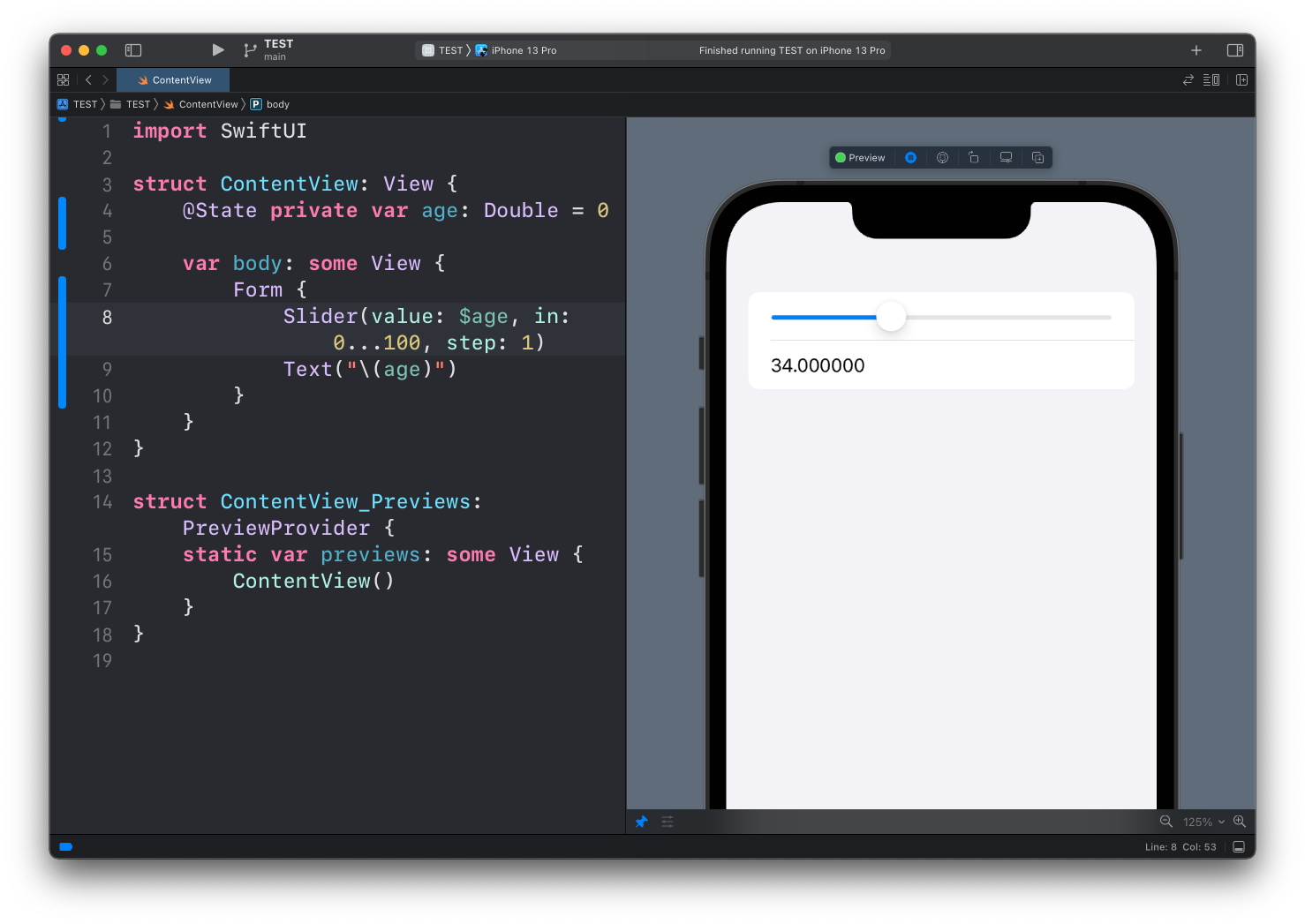
When we use the Slider view to select a value, we have to use a Double value and this causes a problem, because when it’s time to show the value in a Text view, number 34 appears as 34.000000, despite us using a step value of 1, meaning we can only select integer values in our slider:
struct ContentView: View {
    @State private var age: Double = 0

    var body: some View {
        Form {
            Slider(value: $age, in: 0...100, step: 1)
            Text("\(age)")
        }
    }
}
Let’s see how we can format this value to show 34 instead.
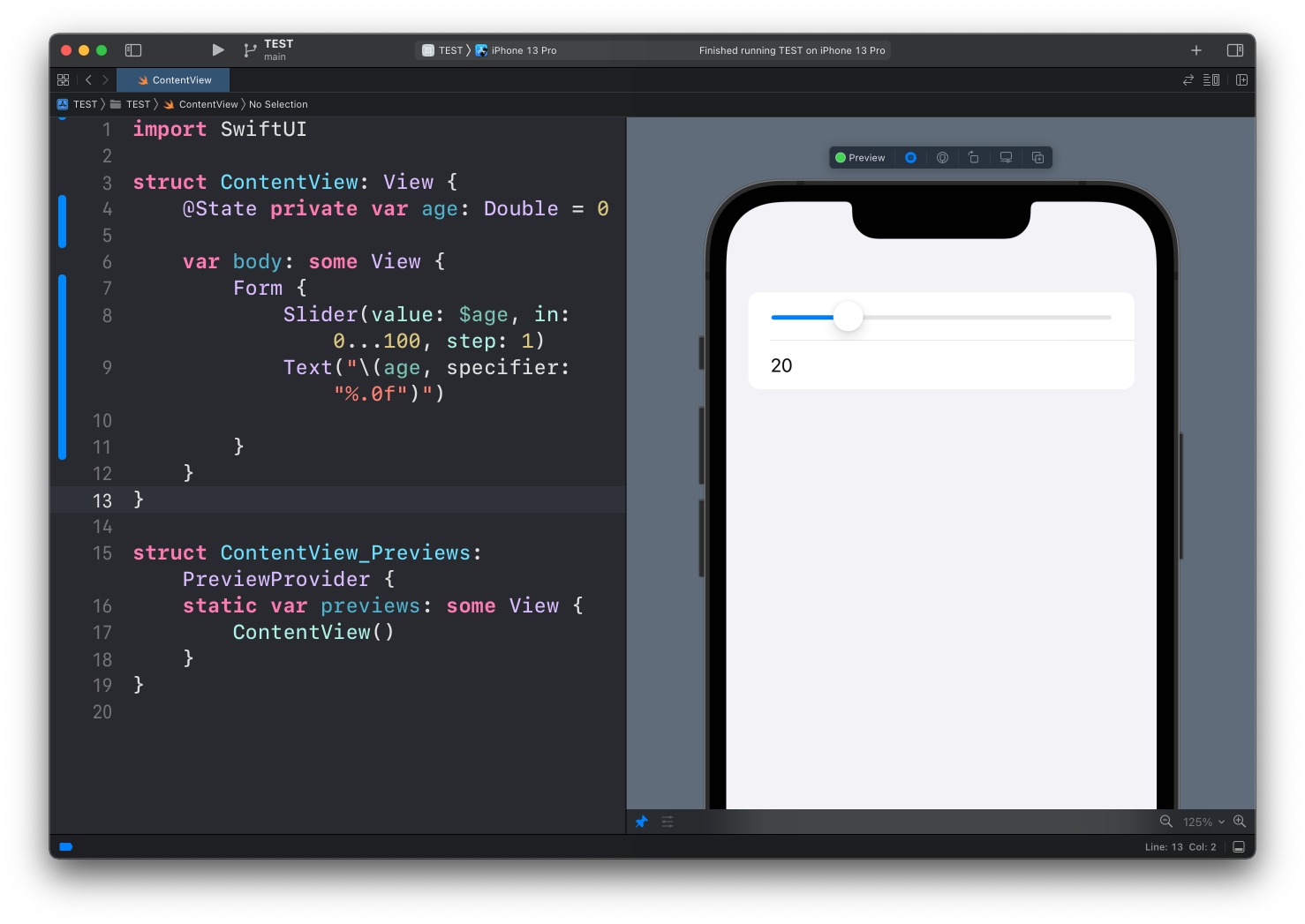
When we interpolate the value of age in the Text view, we can provide an additional parameter called specifier.
This specifier lets us use a string format specifier. You can look up the available options in the Apple documentation for String.
In our case, we can use %.0f:
Text("\(age, specifier: "%.0f")")See? Now we get 20 instead of 20.000000:
Lessons in this unit:
| 0: | Introduction |
| 1: | Button View |
| 2: | Label |
| 3: | Images |
| 4: | List |
| 5: | ForEach |
| 6: | Alert |
| 7: | ▶︎ Formatting Decimals in Text |