Join the AI Workshop and learn to build real-world apps with AI. A hands-on, practical program to level up your skills.
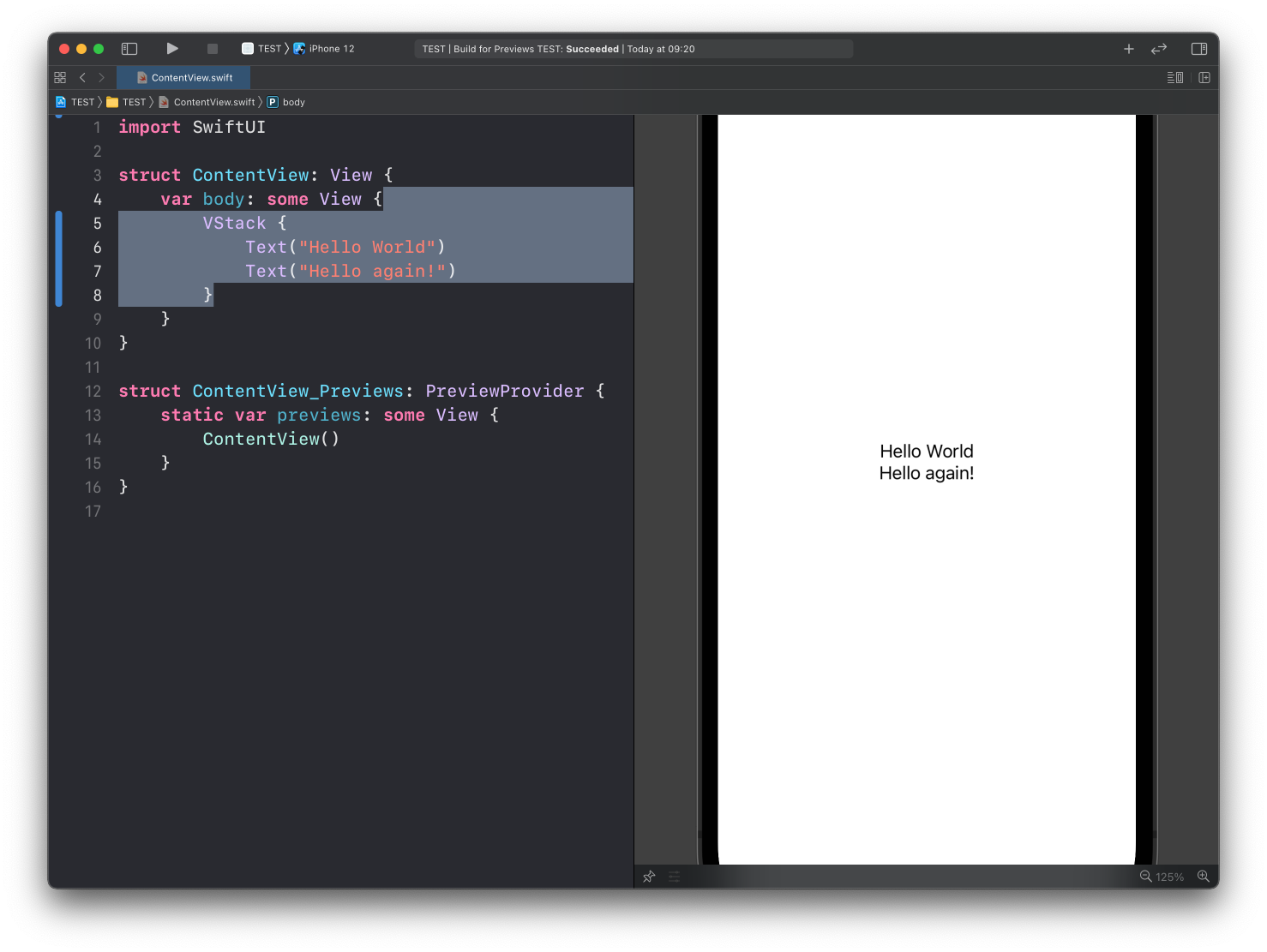
In the previous SwiftUI lesson we saw how views can be arranged using stacks:
VStack {
    Text("Hello World")
    Text("Hello again!")
}
Let’s talk about spacing.
See how there’s no space between the two Text views? That’s because it’s the default behavior of VStack.
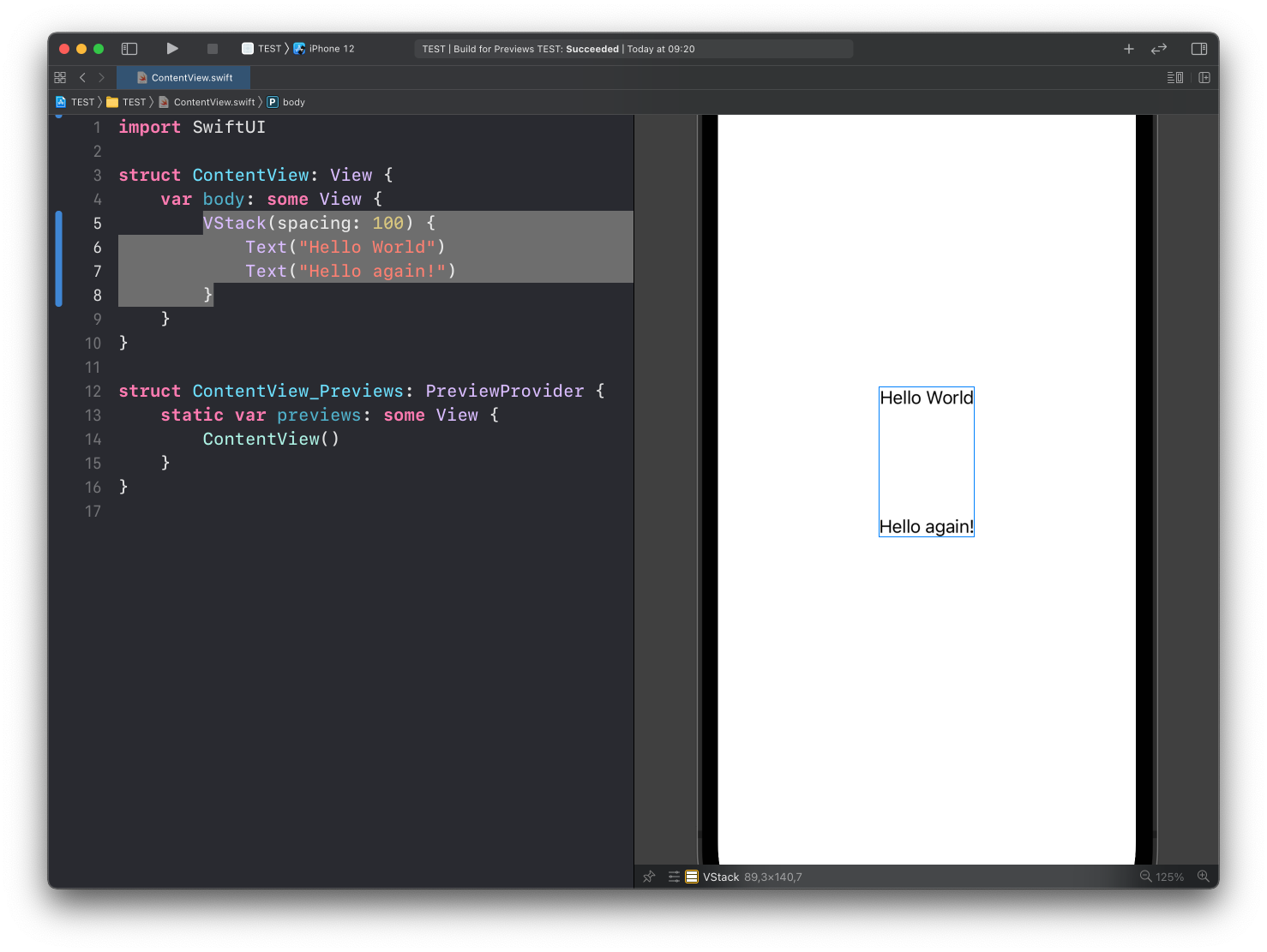
VStack accepts a spacing parameter:
VStack(spacing: 100) {
    Text("Hello World")
    Text("Hello again!")
}
This adds 100 points of space between the views in the VStack.
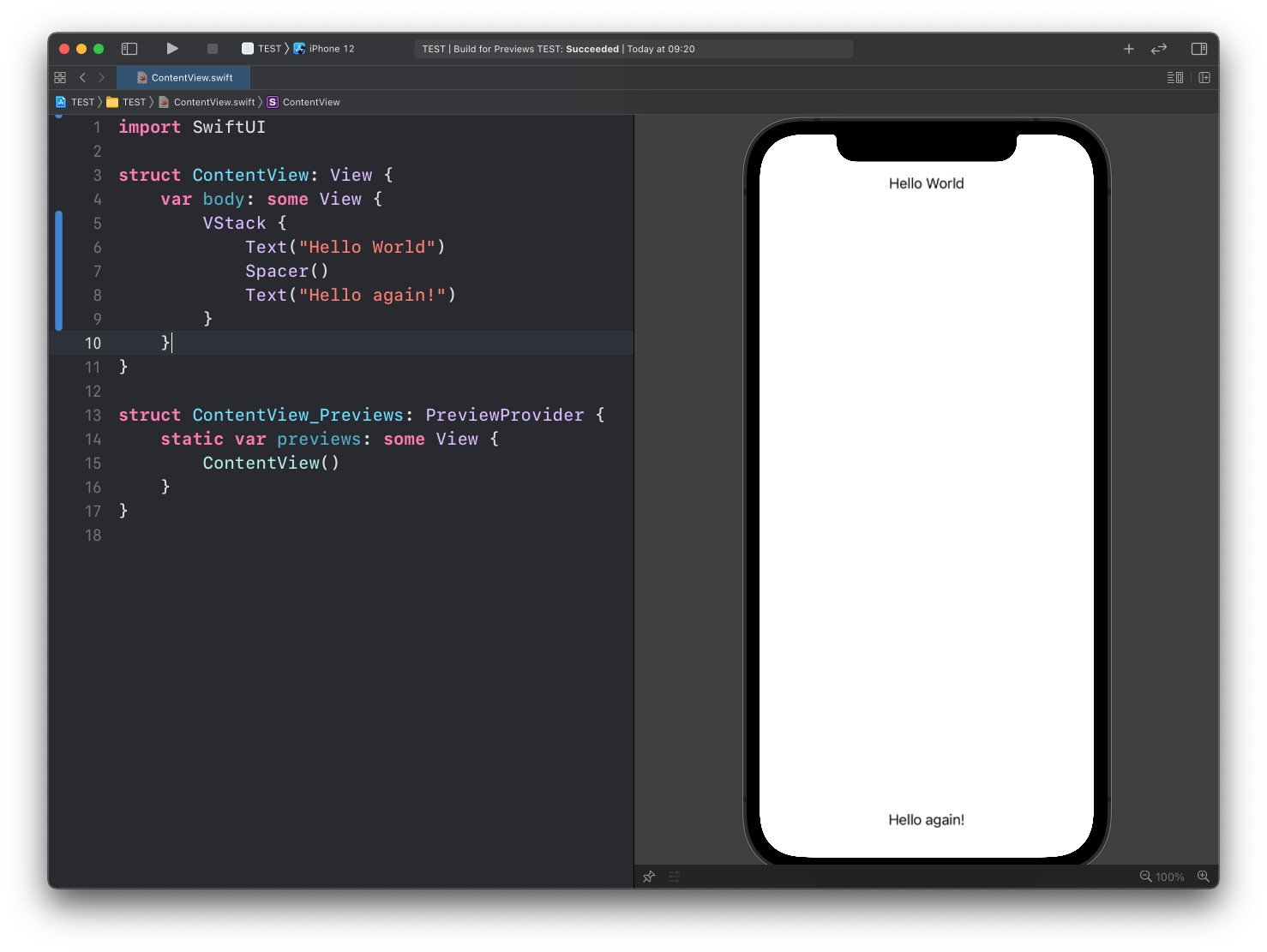
You can also use a Spacer view:
VStack {
    Text("Hello World")
    Spacer()
    Text("Hello again!")
}
Spacer takes up as much available space as it can:
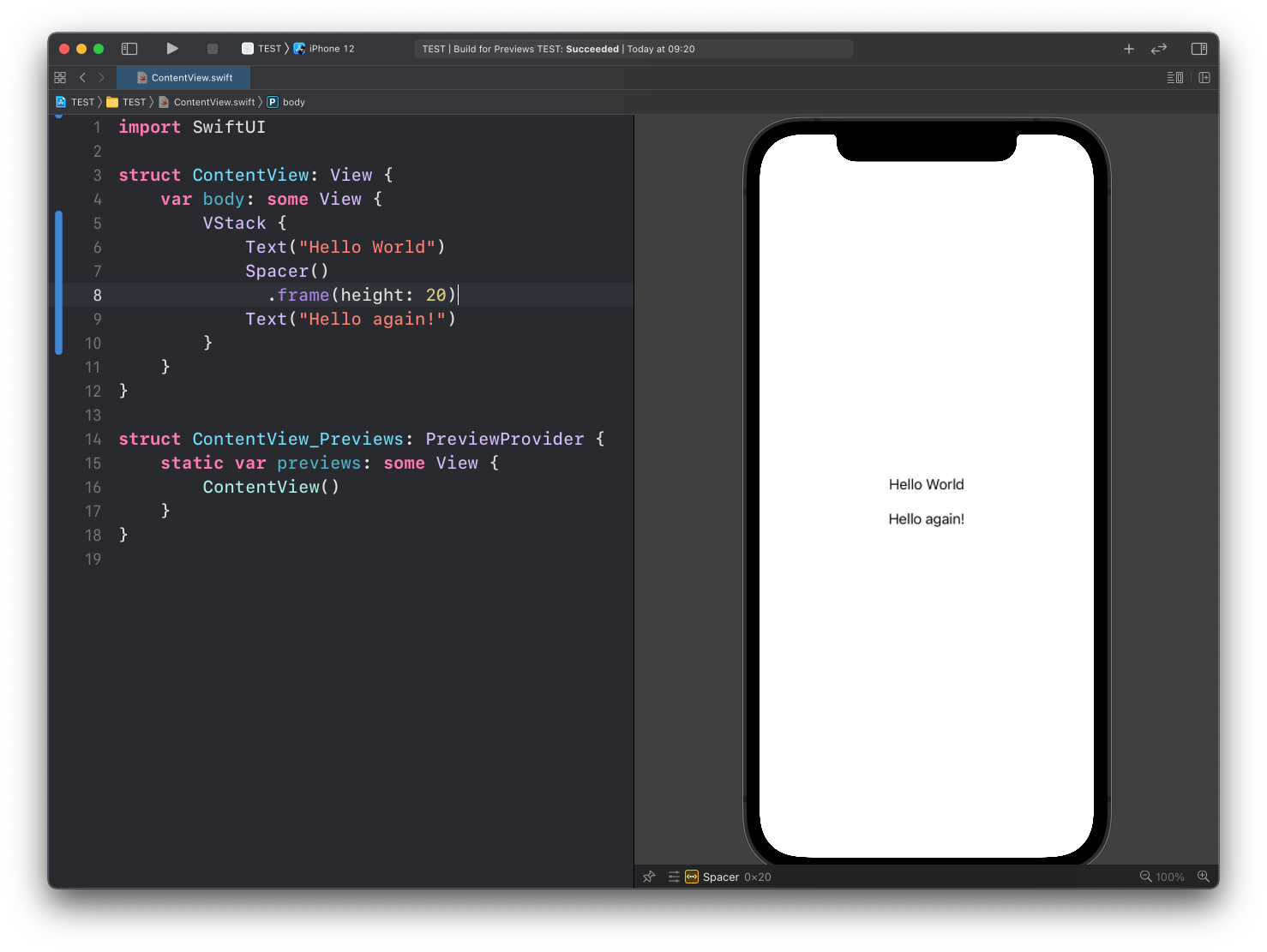
You can limit it to a specific set of points using the frame() modifier:
VStack {
    Text("Hello World")
    Spacer()
      .frame(height: 20)
    Text("Hello again!")
}
Lessons in this unit:
| 0: | Introduction |
| 1: | Introduction to SwiftUI |
| 2: | Views and Modifiers |
| 3: | Properties |
| 4: | Stacks |
| 5: | ▶︎ Spacing |
| 6: | Conditional Views |