Join the AI Workshop and learn to build real-world apps with AI. A hands-on, practical program to level up your skills.
This tutorial belongs to the Swift series
Optionals are one key feature of Swift.
When you don’t know if a value will be present or absent, you declare the type as an optional.
The optional wraps another value, with its own type. Or maybe not.
We declare an optional adding a question mark after its type, like this:
var value: Int? = 10Now value is not an Int value. It’s an optional wrapping an Int value.
To find out if the optional wraps a value, you must unwrap it.
We do so using an exclamation mark:
var value: Int? = 10
print(value!) //10
Swift methods often return an optional. For example the Int type initializer accepts a string, and returns an Int optional:
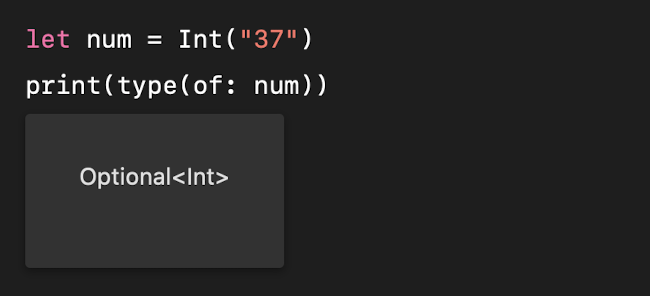
This is because it does not know if the string can be converted to a number.
If the optional does not contain a value, it evaluates as nil, and you cannot unwrap it:
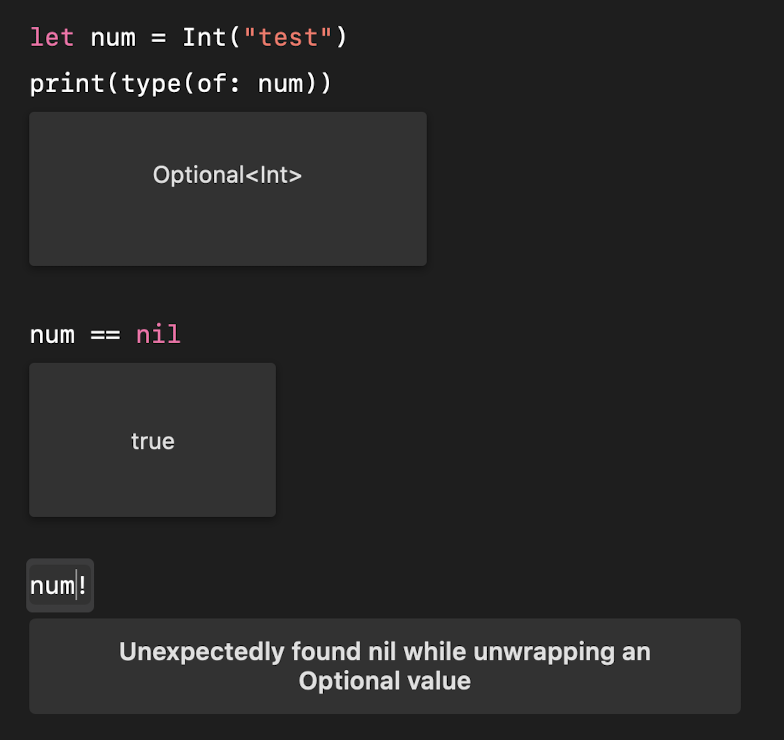
nil is a special value that can only be assigned to an optional:
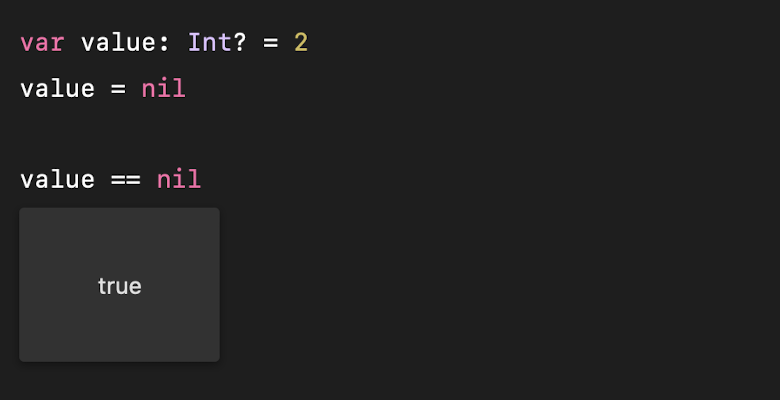
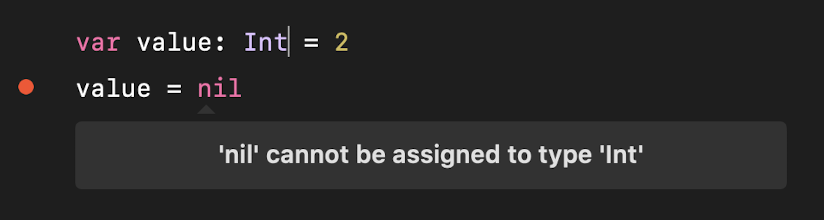
You typically use if statements to unwrap values in your code, like this:
var value: Int? = 2

if let age = value {
    print(age)
}Lessons in this unit:
| 0: | Introduction |
| 1: | Functions |
| 2: | ▶︎ Optionals and Nil |
| 3: | Enumerations |
| 4: | Structures |
| 5: | Classes |
| 6: | Objects |
| 7: | Protocols |
| 8: | Modules |