Join the AI Workshop and learn to build real-world apps with AI. A hands-on, practical program to level up your skills.
This tutorial belongs to the Swift series
Variables let us assign a value to a label, and are defined using the var keyword:
var name = "Roger"
var age = 8
Once a variable is defined, we can change its value:
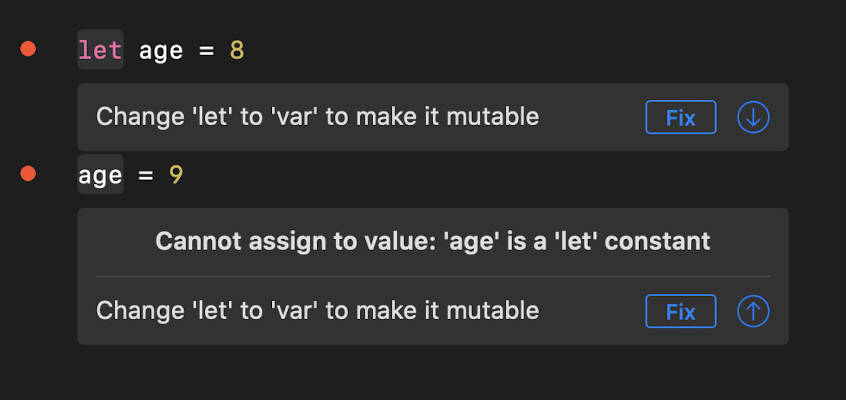
age = 9Variables that you do not want to change can be defined as constants, using the let keyword:
let name = "Roger"
let age = 8
Changing the value of a constant is forbidden.
When you define a variable and you assign it a value, Swift implicitly infers its type.
8 is an Int value.
"Roger" is a String value.
A decimal number like 3.14 is a Double value.
You can also specify the type at initialization time:
let age: Int = 8but it’s common to let Swift infer it, and it’s mostly done when you declare a variable without initializing it.
You can declare a constant, and initialize it later:
let age : Int

age = 8
Once a variable is defined, it is bound to that type, and you cannot assign a different type to it, unless you explicitly convert it.
You can’t do this:
var age = 8
age = "nine"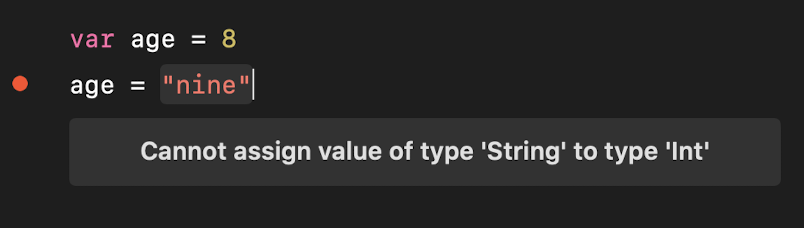
Int and String are just two of the built-in data types provided by Swift.