Join the AI Workshop and learn to build real-world apps with AI. A hands-on, practical program to level up your skills.
A database is composed of one or more tables.
Creating a table in SQL is done using the CREATE TABLE command.
At creation time you need to specify the table column names, and the type of data they are going to hold.
This is the syntax to create a people table with 2 columns, one an integer and the other a variable length string:
CREATE TABLE people (
  age INTEGER,
  name TEXT
);
NOTE: each SQL query must end with a semicolon.
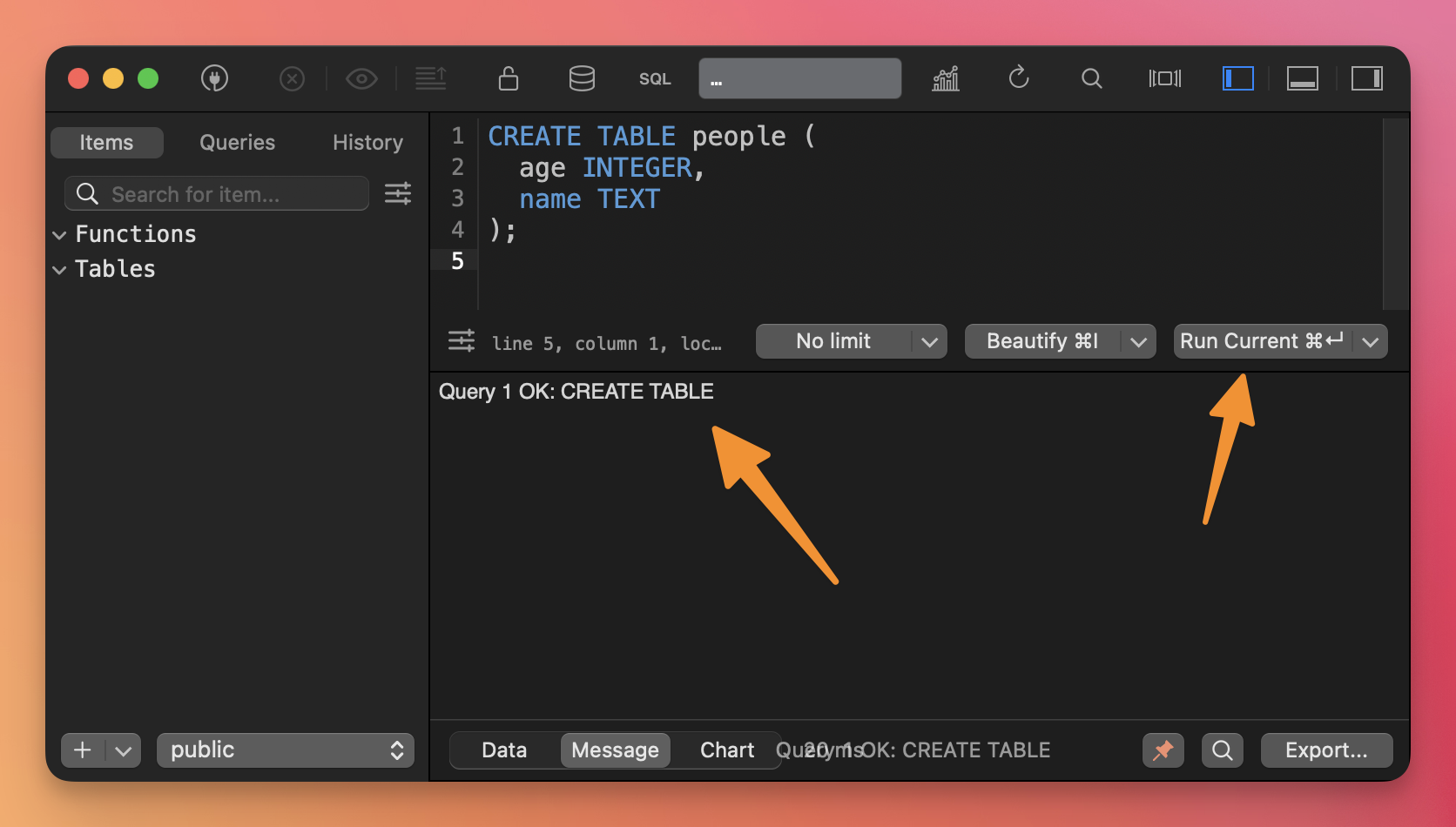
Write the query in the TablePlus SQL editor, select it with the mouse and then click “Run Current” to run the query:
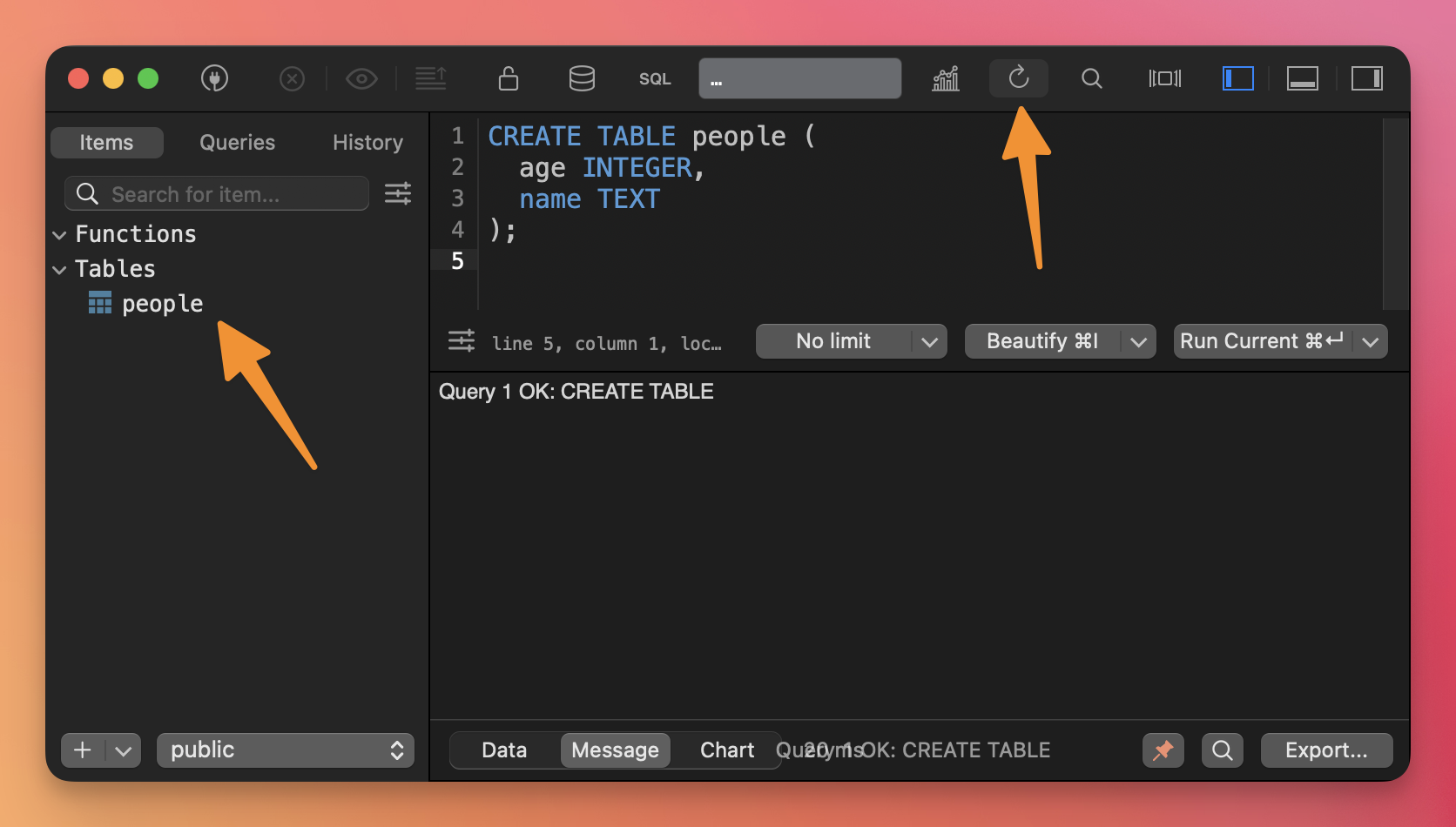
Click the refresh button to see the new table on the left:
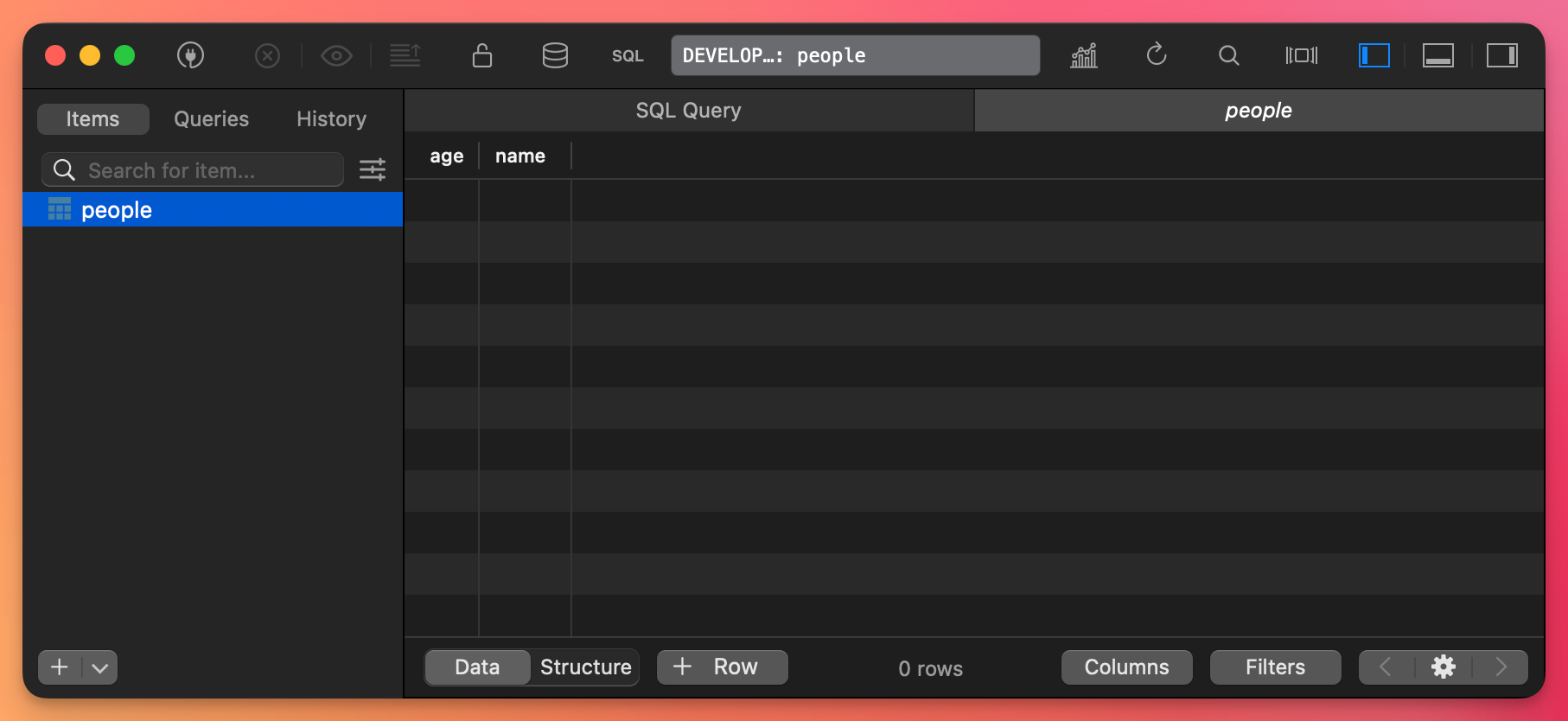
Now you can click the people table on the left and you’ll see its content, now empty:
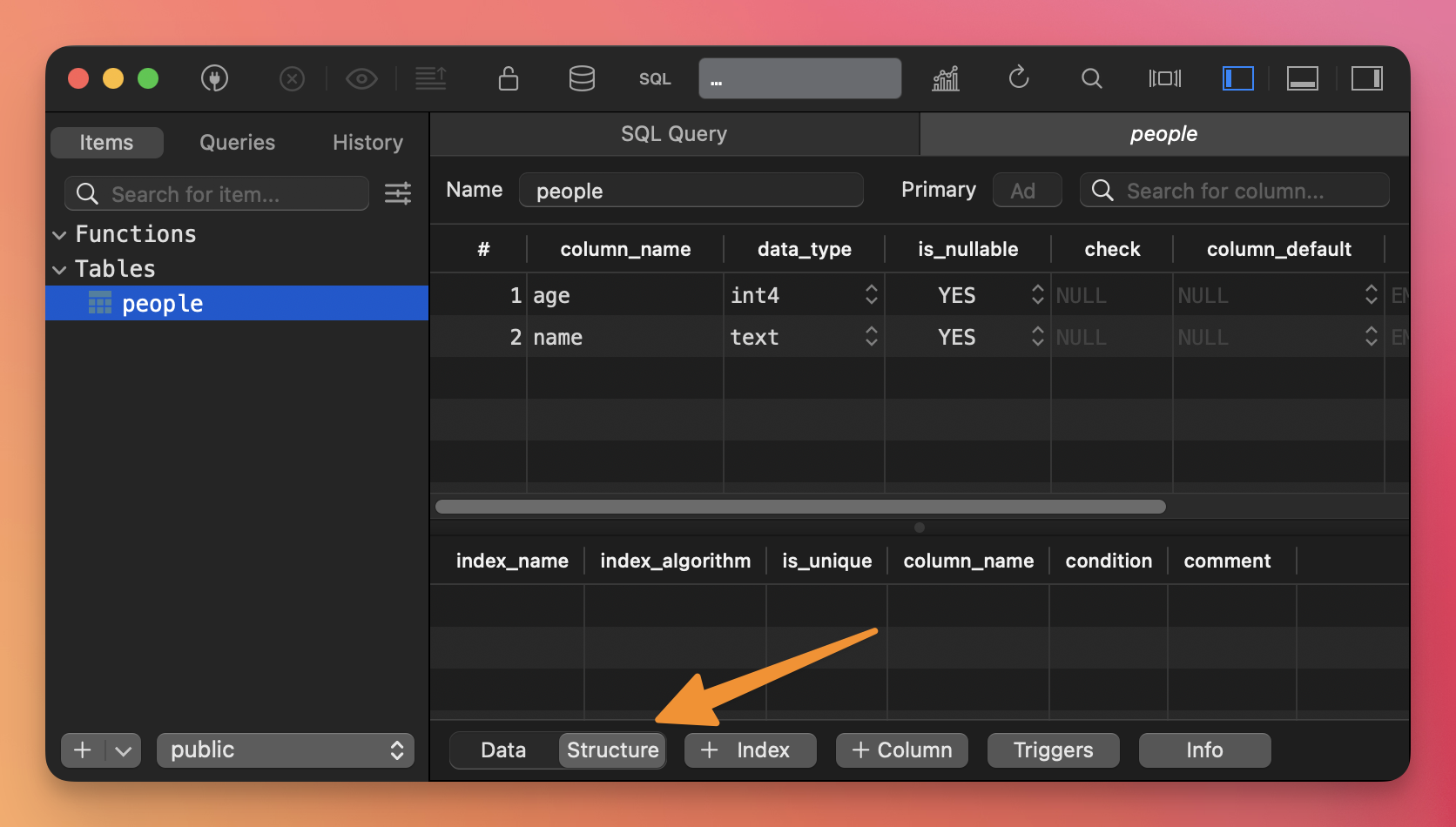
and if you click the Structure switch at the bottom you’ll see the table structure as we defined it (and from here you can change it as well, if you want)
SQL defines several kinds of data.
The most important and the ones you’ll see most often are:
CHARTEXTVARCHARDATETIMEDATETIMETIMESTAMP
Numeric types include, among others:
INT4 bytesBIGINT8 bytesDECIMALFLOAT
They all hold numbers. What changes is the range of values the number can hold. The bigger the size in bytes, the more space will be needed in storage.
HOWEVER, and it’s very important, each individual SQL database (PostgreSQL, SQLite, MySQL, MariaDB…) has its set of types, each optimized for different needs.
In PostgreSQL for example we use TIMESTAMP in Postgres, but SQLite doesn’t have that type. So we can’t easily do a single SQL query on multiple databases (we have libraries to help us abstract this kind of implementation detail).