Join the AI Workshop and learn to build real-world apps with AI. A hands-on, practical program to level up your skills.
Sets have 2 main differences with lists:
- sets are not ordered
- sets only hold an item once
Create a set using
SADD <setkey> <value>
The same command is used to add more items to the set.
Example:
SADD names "Flavio"
SADD names "Roger"
SADD names "Tony" "Mark" "Jane"
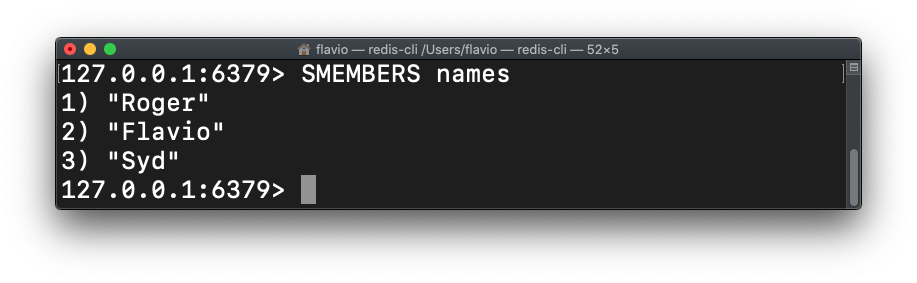
Get all the items in a set using SMEMBERS <setkey>:
Find out if a value is in a set with SISMEMBER:
SISMEMBER names "Flavio"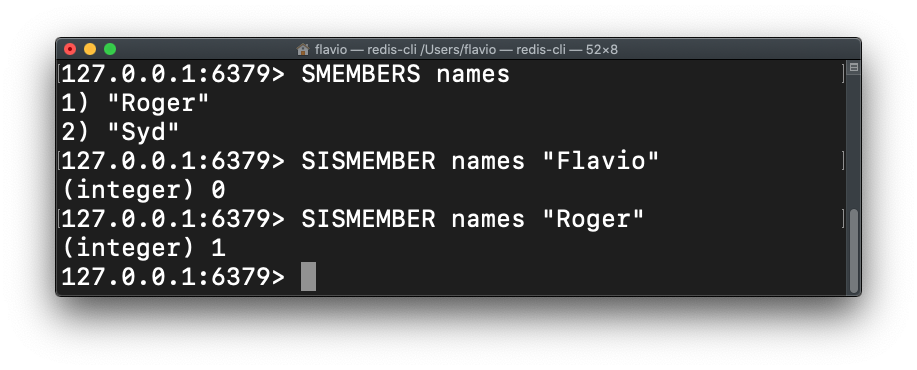
To know how many items are in a set, use SCARD:
SCARD namesGet (without removing) an item from the set, randomly:
SRANDMEMBER namesExtract (and remove) an item from the set, casually ordered:
SPOP namesYou can extract multiple items at once:
SPOP names 2Remove an item from a set by value:
SREM names "Flavio"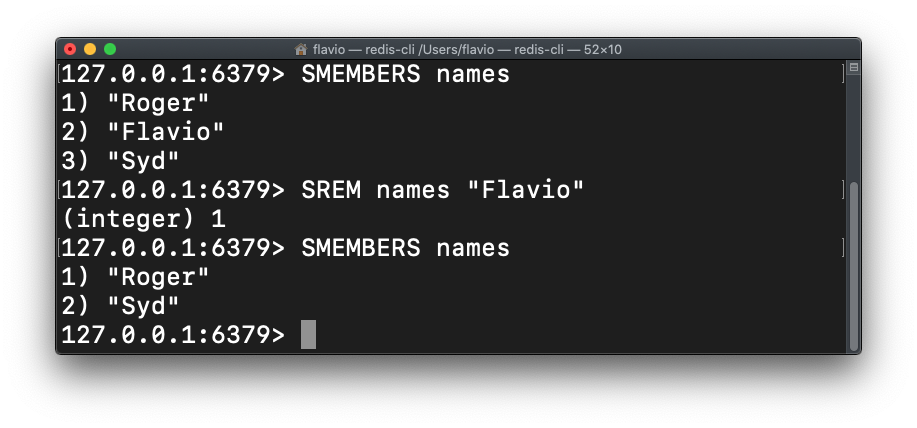
Get the items contained in both of 2 different sets (excluding elements that appear in only one) with SINTER:
SINTER set1 set2See all the sets commands here.