Join the AI Workshop and learn to build real-world apps with AI. A hands-on, practical program to level up your skills.
2021 UPDATE: I highly recommend using
electron-react-boilerplateinstead of the approach described in this post
- Install Node.js if you haven’t already
- Move to your development folder
- Create react app
- Add electron
- Install
foremanto allow executing the app from command line - Install the create-react-app dependencies
- Configure eslint
- Enough with the setup!
- Start up
- Thanks to
When I first used Electron in 2015 it was not yet clear that it would be so pervasive in modern apps, and I was kind of shocked by the resulting app size.
But, Electron is clearly here to stay and it’s not mandatory that your app should feel slow and consume tons of memory, like VS Code demonstrates every day to me (on a not blazing fast machine).
So, here’s a quick start for a React app with create-react-app, ready to roll with ESlint integration.
Install Node.js if you haven’t already
On macOS:
brew install nodeMove to your development folder
cd ~/devCreate react app
npx create-react-app app
cd app
Add electron
npm install electron
npm install --save-dev electron-builder
Install foreman to allow executing the app from command line
npm install foreman -gInstall the create-react-app dependencies
npm installConfigure eslint
.eslintrc.json
{
  "env": {
    "browser": true,
    "commonjs": true,
    "es6": true,
    "jest": true
  },
  "parserOptions": {
    "ecmaFeatures": {
      "jsx": true
    },
    "sourceType": "module"
  },
  "rules": {
    "no-const-assign": "warn",
    "no-this-before-super": "warn",
    "no-undef": "warn",
    "no-continue": "off",
    "no-unreachable": "warn",
    "no-unused-vars": "warn",
    "constructor-super": "warn",
    "valid-typeof": "warn",
    "quotes": [
      2,
      "single"
    ],
    "semi": [
      "error",
      "never"
    ]
  },
  "parser": "babel-eslint",
  "extends": "airbnb",
  "plugins": [
    "react",
    "jsx-a11y",
    "import"
  ]
}
Now add ESLint and some of its helpers
npm install eslint eslint-config-airbnb eslint-plugin-jsx-a11y eslint-plugin-import eslint-plugin-react eslint-plugin-importThis is what you should have right now:
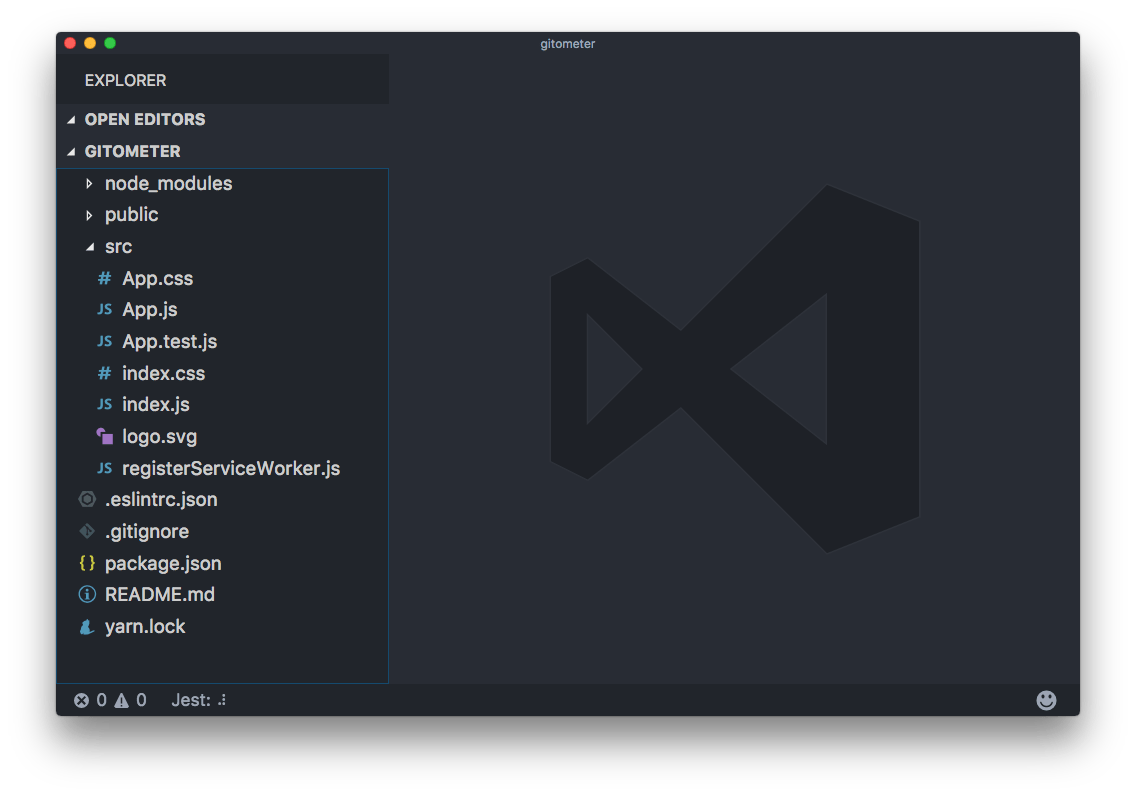
Now tweak the package.json file to add some electron helpers.
Right now its content is something like
{
  "name": "gitometer",
  "version": "0.1.0",
  "private": true,
  "dependencies": {
    "electron": "^1.7.5",
    "eslint": "^4.5.0",
    "eslint-config-airbnb": "^15.1.0",
    "eslint-plugin-import": "^2.7.0",
    "eslint-plugin-jsx-a11y": "^6.0.2",
    "eslint-plugin-react": "^7.3.0",
    "react": "^15.6.1",
    "react-dom": "^15.6.1",
    "react-scripts": "1.0.11"
  },
  "scripts": {
    "start": "react-scripts start",
    "build": "react-scripts build",
    "test": "react-scripts test --env=jsdom",
    "eject": "react-scripts eject"
  },
  "devDependencies": {
    "electron-builder": "^19.24.1"
  }
}
(don’t mind versions, outdated as soon as I publish this)
Replace the scripts property with
"scripts": {
  "start": "nf start -p 3000",
  "build": "react-scripts build",
  "test": "react-scripts test --env=jsdom",
  "eject": "react-scripts eject",
  "electron": "electron .",
  "electron-start": "node src/start-react",
  "react-start": "BROWSER=none react-scripts start",
  "pack": "build --dir",
  "dist": "npm run build && build",
  "postinstall": "install-app-deps"
},
On Windows you might need to have a
.envfile withBROWSER=nonein it as environment variables do not work like in Linux/macOS
As you can see, start was moved to react-start, but the rest is unchanged, and some electron utils were added.
BROWSER=noneinreact-starttells React not to load in a browser tab, so we only get the app in the Electron window.
Also add
"homepage": "./",
"main": "src/start.js",
and
"build": {
  "appId": "com.electron.electron-with-create-react-app",
  "win": {
    "iconUrl": "https://cdn2.iconfinder.com/data/icons/designer-skills/128/react-256.png"
  },
  "directories": {
    "buildResources": "public"
  }
}
The end result should be:
{
  "name": "gitometer",
  "version": "0.1.0",
  "private": true,
  "dependencies": {
    "electron": "^1.7.5",
    "eslint": "^4.5.0",
    "eslint-config-airbnb": "^15.1.0",
    "eslint-plugin-import": "^2.7.0",
    "eslint-plugin-jsx-a11y": "^6.0.2",
    "eslint-plugin-react": "^7.3.0",
    "react": "^15.6.1",
    "react-dom": "^15.6.1",
    "react-scripts": "1.0.11"
  },
  "devDependencies": {
    "electron-builder": "^19.24.1"
  },
  "homepage": "./",
  "main": "src/start.js",
  "scripts": {
    "start": "nf start -p 3000",
    "build": "react-scripts build",
    "test": "react-scripts test --env=jsdom",
    "eject": "react-scripts eject",
    "electron": "electron .",
    "electron-start": "node src/start-react",
    "react-start": "BROWSER=none react-scripts start",
    "pack": "build --dir",
    "dist": "npm run build && build",
    "postinstall": "install-app-deps"
  },
  "build": {
    "appId": "com.electron.electron-with-create-react-app",
    "win": {
      "iconUrl": "https://cdn2.iconfinder.com/data/icons/designer-skills/128/react-256.png"
    },
    "directories": {
      "buildResources": "public"
    }
  }
}
Now create a file named Procfile in the project root folder, with this content:
react: npm run react-start
electron: npm run electron-start
Enough with the setup!
Let’s now start writing some code.
src/start.js
const { app, BrowserWindow } = require('electron')

const path = require('path')
const url = require('url')

let mainWindow

function createWindow() {
  mainWindow = new BrowserWindow({
    width: 800,
    height: 600,
    webPreferences: {
      nodeIntegration: true
    }
  })

  mainWindow.loadURL(
    process.env.ELECTRON_START_URL ||
      url.format({
        pathname: path.join(__dirname, '/../public/index.html'),
        protocol: 'file:',
        slashes: true
      })
  )

  mainWindow.on('closed', () => {
    mainWindow = null
  })
}

app.on('ready', createWindow)

app.on('window-all-closed', () => {
  if (process.platform !== 'darwin') {
    app.quit()
  }
})

app.on('activate', () => {
  if (mainWindow === null) {
    createWindow()
  }
})
src/start-react.js
const net = require('net')
const childProcess = require('child_process')

const port = process.env.PORT ? process.env.PORT - 100 : 3000

process.env.ELECTRON_START_URL = `http://localhost:${port}`

const client = new net.Socket()

let startedElectron = false
const tryConnection = () => {
  client.connect({ port }, () => {
    client.end()
    if (!startedElectron) {
      console.log('starting electron')
      startedElectron = true
      const exec = childProcess.exec
      exec('npm run electron')
    }
  })
}

tryConnection()

client.on('error', () => {
  setTimeout(tryConnection, 1000)
})
Start up
That’s it!
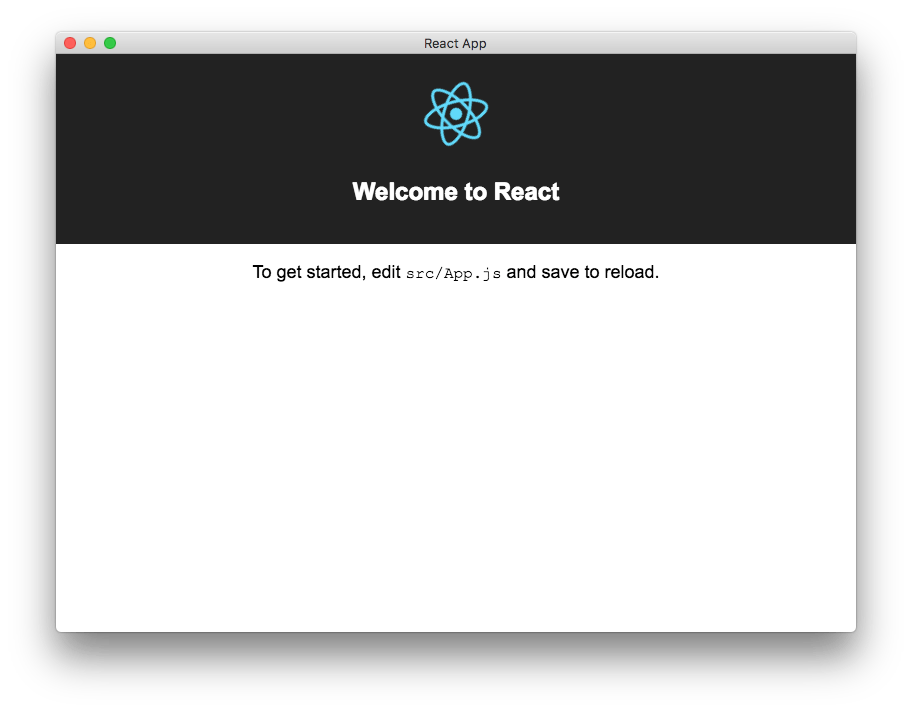
Run
npm startand you should see the React sample app coming up in a native app:
Thanks to
This post was heavily inspired by https://gist.github.com/matthewjberger/6f42452cb1a2253667942d333ff53404
Lessons in this unit:
| 0: | Introduction |
| 1: | Using Vite to create a new React app |
| 2: | ▶︎ Create an app with Electron and React |
| 3: | How to connect your React app to a backend on the same origin |