Join the AI Workshop and learn to build real-world apps with AI. A hands-on, practical program to level up your skills.
In this short tutorial we’ll build a very simple example of a counter in React, applying many of the concepts and theory outlined before.
Let’s use Codepen for this. We start by forking the React template pen.
In Codepen we don’t need to import React and ReactDOM as they are already added in the scope.
We show the count in a div, and we add a few buttons to increment this count:
const Button = ({ increment }) => {
  return <button>+{increment}</button>
}

const App = () => {
  let count = 0

  return (
    <div>
      <Button increment={1} />
      <Button increment={10} />
      <Button increment={100} />
      <Button increment={1000} />
      <span>{count}</span>
    </div>
  )
}

ReactDOM.render(<App />, document.getElementById('app'))
Let’s add the functionality that lets us change the count by clicking the buttons, by adding a onClickFunction prop:
const Button = ({ increment, onClickFunction }) => {
  const handleClick = () => {
    onClickFunction(increment)
  }
  return <button onClick={handleClick}>+{increment}</button>
}

const App = () => {
  let count = 0

  const incrementCount = increment => {
    //TODO
  }

  return (
    <div>
      <Button increment={1} onClickFunction={incrementCount} />
      <Button increment={10} onClickFunction={incrementCount} />
      <Button increment={100} onClickFunction={incrementCount} />
      <Button increment={1000} onClickFunction={incrementCount} />
      <span>{count}</span>
    </div>
  )
}

ReactDOM.render(<App />, document.getElementById('app'))
Here, every Button element has 2 props: increment and onClickFunction. We create 4 different buttons, with 4 increment values: 1, 10, 100, 1000.
When the button in the Button component is clicked, the incrementCount function is called.
This function must increment the local count. How can we do so? We can use hooks:
const { useState } = React

const Button = ({ increment, onClickFunction }) => {
  const handleClick = () => {
    onClickFunction(increment)
  }
  return <button onClick={handleClick}>+{increment}</button>
}

const App = () => {
  const [count, setCount] = useState(0)

  const incrementCount = increment => {
    setCount(count + increment)
  }

  return (
    <div>
      <Button increment={1} onClickFunction={incrementCount} />
      <Button increment={10} onClickFunction={incrementCount} />
      <Button increment={100} onClickFunction={incrementCount} />
      <Button increment={1000} onClickFunction={incrementCount} />
      <span>{count}</span>
    </div>
  )
}

ReactDOM.render(<App />, document.getElementById('app'))
useState() initializes the count variable at 0 and provides us with the setCount() method to update its value.
We use both in the incrementCount() method implementation, which calls setCount() updating the value to the existing value of count, plus the increment passed by each Button component.
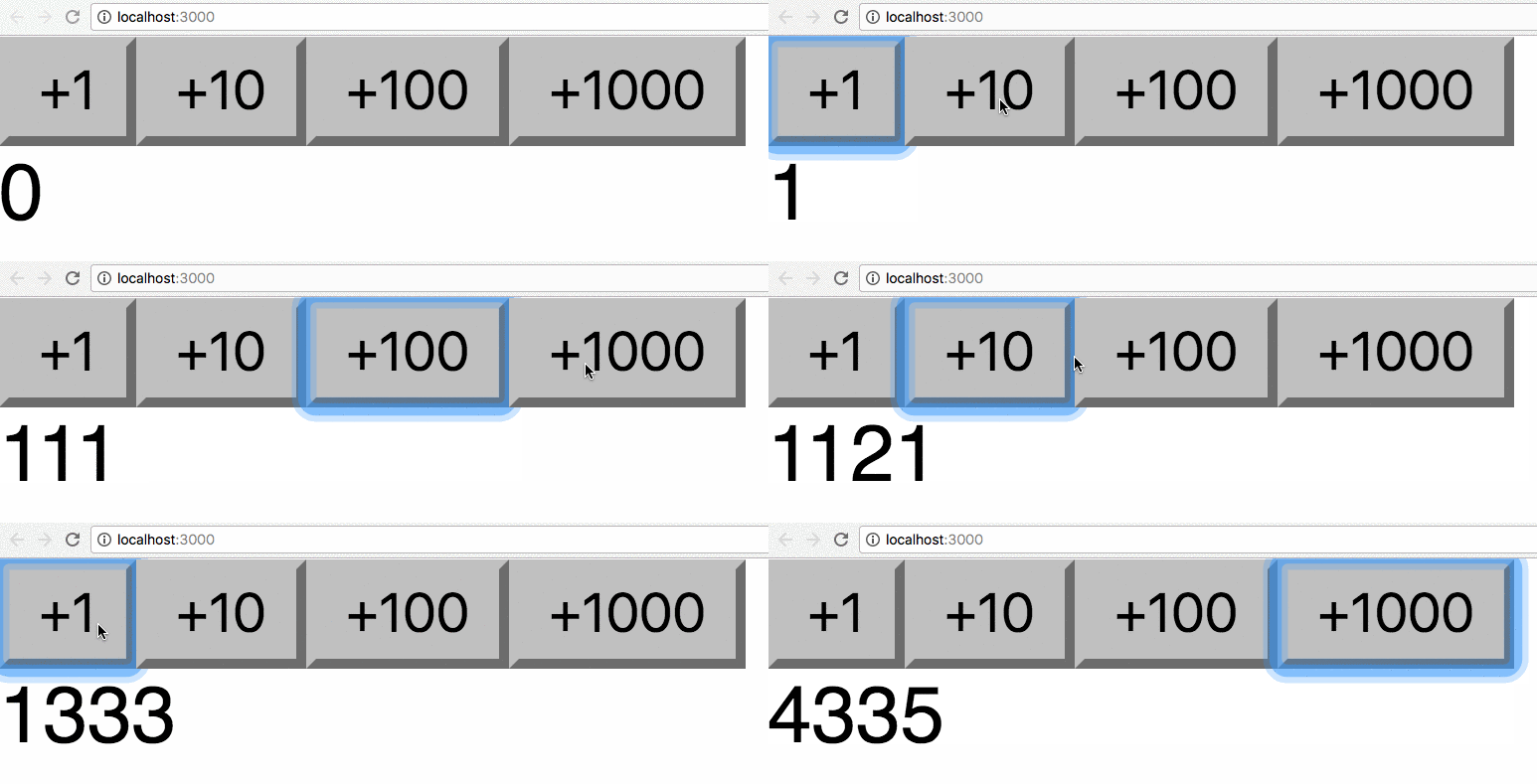
The complete example code can be seen at https://codepen.io/flaviocopes/pen/QzEQPR
Lessons in this unit:
| 0: | Introduction |
| 1: | Build a counter in React |
| 2: | ▶︎ Build a simple counter with React |
| 3: | A simple React app example: fetch GitHub users information via API |
| 4: | Tutorial: create a Spreadsheet using React |