Join the AI Workshop and learn to build real-world apps with AI. A hands-on, practical program to level up your skills.
Switching databases
Inside psql, you always have one active database, where you are “into”. By default it’s the one you connect to in the first place. When you run:
psql postgresyou’ll connect to the postgres database.
To switch database, use the \connect command, or \c:
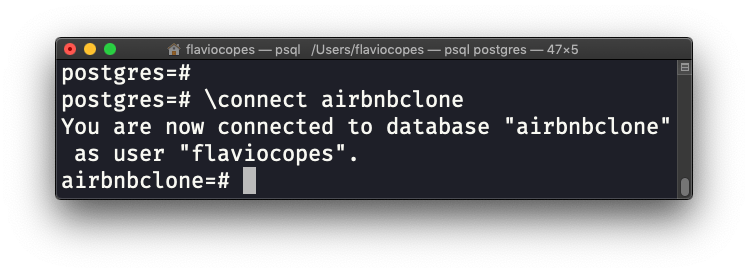
PostgreSQL will close the connection to the previous database you were connected to, and will connect to the new one you specified.
Listing all databases
You can perform this task in 2 ways.
One is using psql.
Type the command \list (or \l), and PostgreSQL will show you the list of databases (and templates):
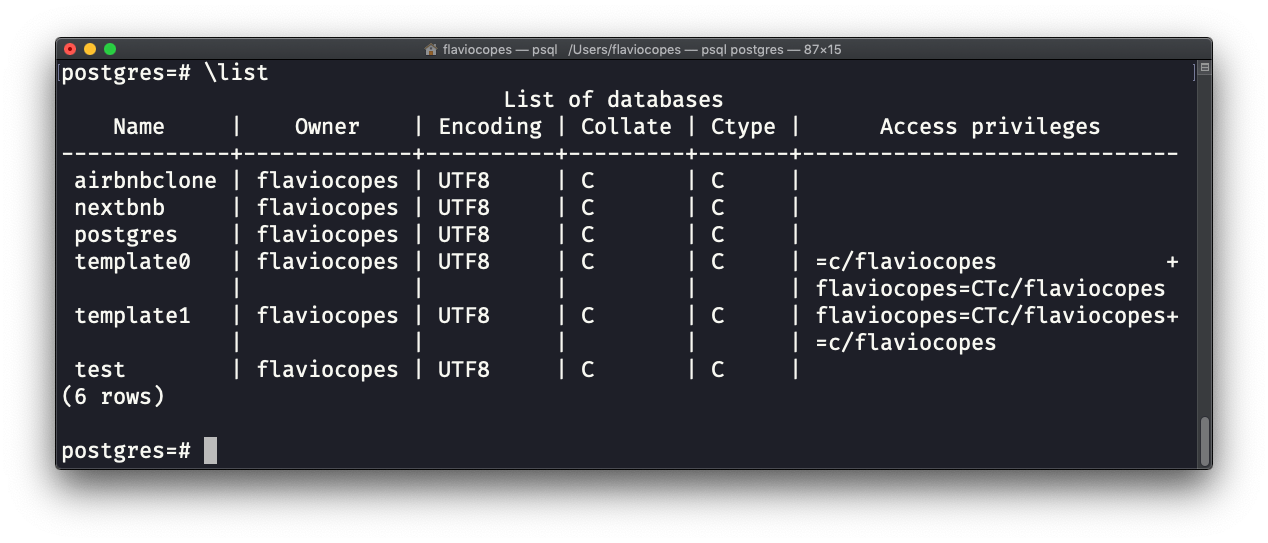
In this case, the databases list is
airbnbclonenextbnbpostgrestest
template0 and template1 are templates.
Templates are templates for new databases, and you can use them to pre-populate new databases using the syntax CREATE DATABASE databasename TEMPLATE template0.
By default, the template used when creating a new database using CREATE DATABASE databasename is template1.
It’s a topic that does not matter now, but I just want you to know what templates are.
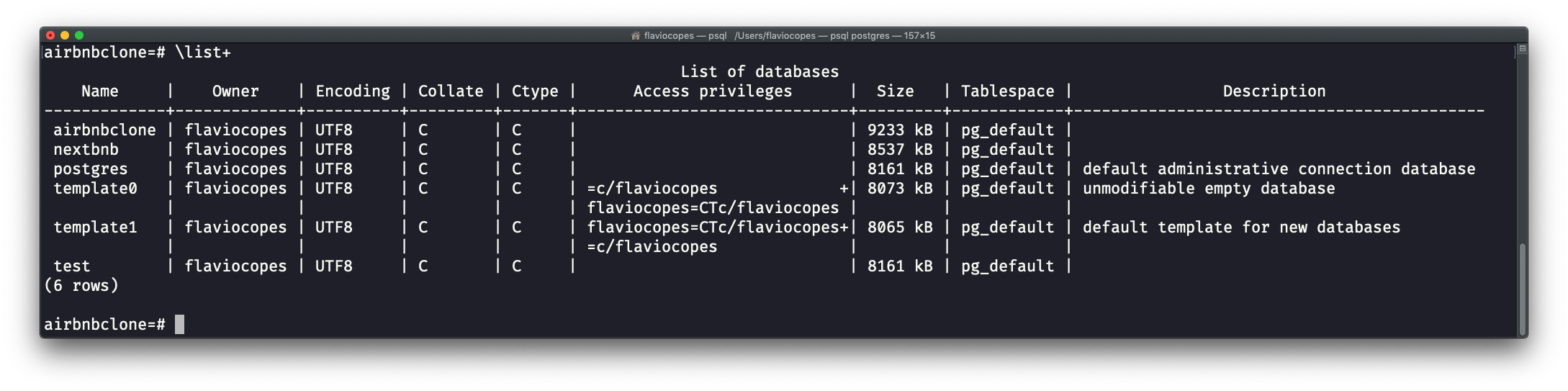
A more advanced view, which includes the disk size of each single database, can be retrieved using \list+ (or \l+):
The other way to list databases is by using a SQL query.
Run:
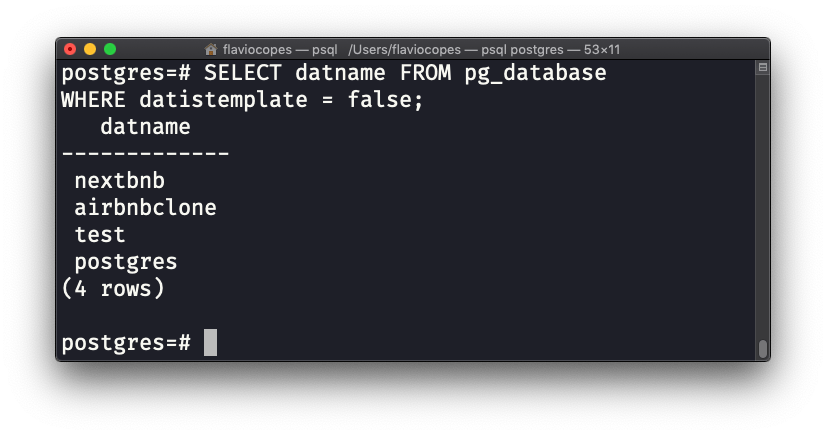
SELECT datname FROM pg_database
WHERE datistemplate = false;
This will list databases, excluding templates:
Listing tables in the current database
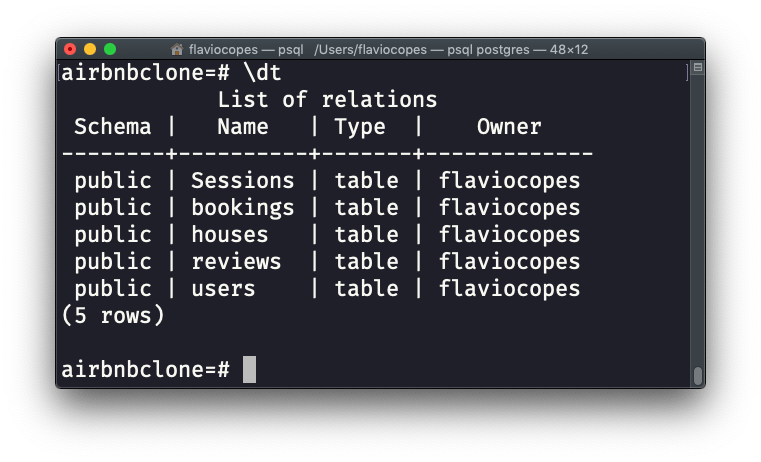
To list the tables in the current database, you can run the \dt command, in psql:
If you want to perform an SQL query instead, run this:
SELECT table_name
FROM information_schema.tables
WHERE table_schema = 'public'
ORDER BY table_name;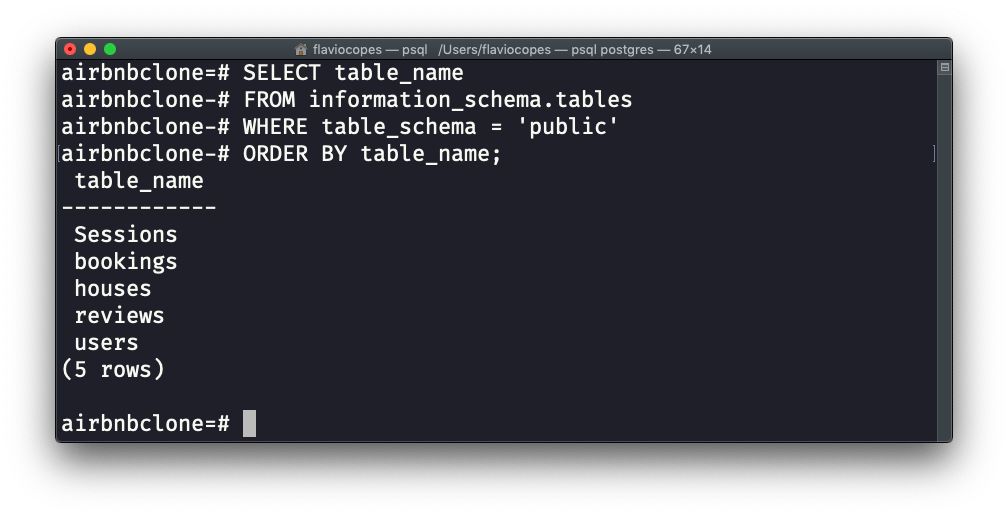
Listing all users
From the psql interface, run the \du command:
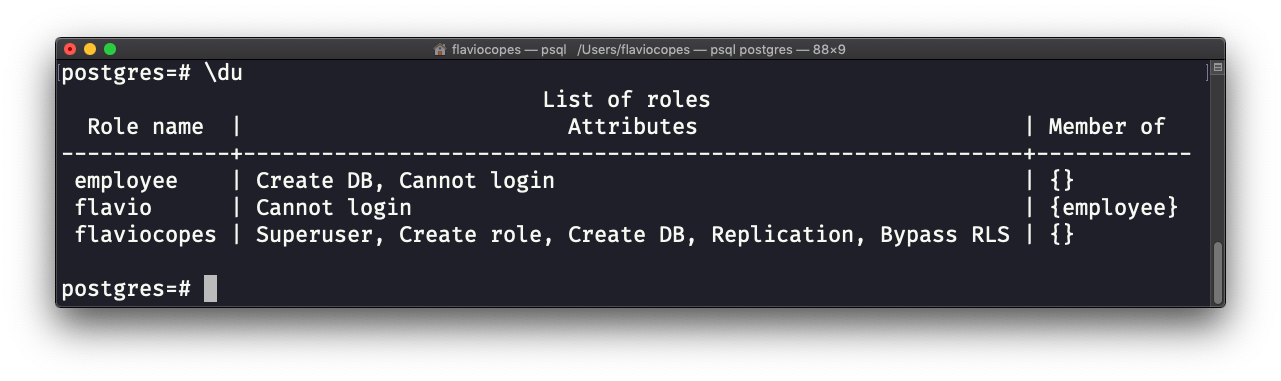
This will give you the list of all users in the system, plus their role attributes and the list of role groups they are members of.