npm: How to fix the "Missing write access" error when using npm

Join the AI Workshop to learn more about AI and how it can be applied to web development. Next cohort February 1st, 2026

The AI-first Web Development BOOTCAMP cohort starts February 24th, 2026. 10 weeks of intensive training and hands-on projects.


The first time you try to install a package globally using npm, using the syntax npm install -g <package> on a Mac, or Linux, you might get a weird error, saying something like

Missing write access to /usr/local/lib/node_modules
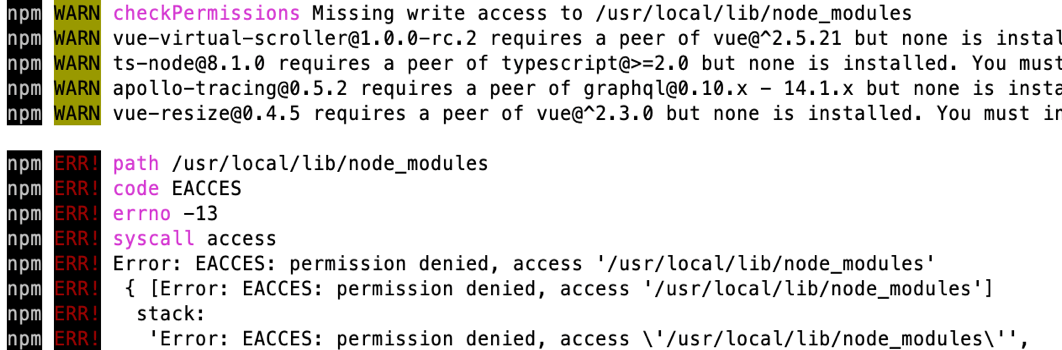
npm error message

or something along those lines, followed by a long list of other errors of warnings, a consequence of the first error that’s printed to you.

This error is preventing us to install the package.

How do you fix this? It’s a permission error, which means you don’t have write access to that folder.

This is how to solve it. Run this command:

sudo chown -R $USER /usr/local/lib/node_modules

Let’s break it down:

sudo means we are running this command as root, the system super user. This is because we don’t have permission to write to that folder, but root will be able to fix any permission. This command also means the system will ask for your password to confirm.

chown is the command we use to change the owner of a file or folder. We set the -R option to change the owner recursively, so we also get owner access to all the files already contained in there.

$USER is an environment variable automatically set to your username.

And the final piece is the folder path.

Running this path will make the folder yours, so you can safely run your npm install -g <package> commands!

Pay attention to the folder listed by the error message. If it’s different, update the chown command accordingly.

This tip applies to single user systems. On a multi-user system, you might want to create a dedicated directory for npm modules, see https://docs.npmjs.com/resolving-eacces-permissions-errors-when-installing-packages-globally.

Lessons in this unit:

0: Introduction
1: How to use or execute a package installed using npm
2: npm dependencies and devDependencies
3: ▶︎ How to fix the "Missing write access" error when using npm
4: npm can install packages in the parent folder
5: Install an older version of an npm package
6: Find the installed version of an npm package
7: How to test an npm package locally
8: npm global or local packages
9: What are peer dependencies in a Node module?
10: `npm run dev` is a long-running program
11: Semantic Versioning using npm
12: Uninstalling npm packages with `npm uninstall`
13: An introduction to the npm package manager
14: The npx Node Package Runner
15: The package.json guide
16: The package-lock.json file
17: What is pnpm?
18: Should you commit the node_modules folder to Git?
19: Update all the Node dependencies to their latest version
20: Where does npm install the packages?
21: Bumping Node.js dependencies
22: Run package.json scripts upon any file changes in a folder