Join the AI Workshop and learn to build real-world apps with AI. A hands-on, practical program to level up your skills.
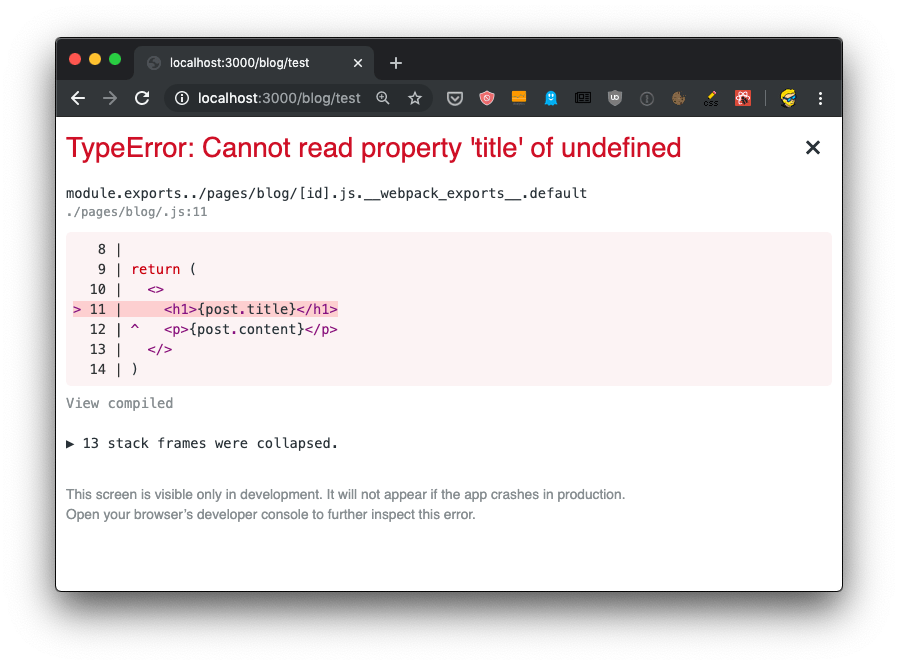
When I talked about adding dynamic content to Next.js we had an issue with dynamically generating the post page, because the component required some data up front, and when we tried to get the data from the JSON file:
import { useRouter } from 'next/router'
import posts from '../../posts.json'

export default () => {
  const router = useRouter()

  const post = posts[router.query.id]

  return (
    <>
      <h1>{post.title}</h1>
      <p>{post.content}</p>
    </>
  )
}
we got this error:
How do we solve this? And how do we make SSR work for dynamic routes?
We must provide the component with props, using a special function called getInitialProps() which is attached to the component.
To do so, first we name the component:
const Post = () => {
  //...
}

export default Post
then we add the function to it:
const Post = () => {
  //...
}

Post.getInitialProps = () => {
  //...
}

export default Post
This function gets an object as its argument, which contains several properties. In particular, the thing we are interested in now is that we get the query object, the one we used previously to get the post id.
So we can get it using the object destructuring syntax:
Post.getInitialProps = ({ query }) => {
  //...
}
Now we can return the post from this function:
Post.getInitialProps = ({ query }) => {
  return {
    post: posts[query.id]
  }
}
And we can also remove the import of useRouter, and we get the post from the props property passed to the Post component:
import posts from '../../posts.json'

const Post = props => {
  return (
    <div>
      <h1>{props.post.title}</h1>
      <p>{props.post.content}</p>
    </div>
  )
}

Post.getInitialProps = ({ query }) => {
  return {
    post: posts[query.id]
  }
}

export default Post
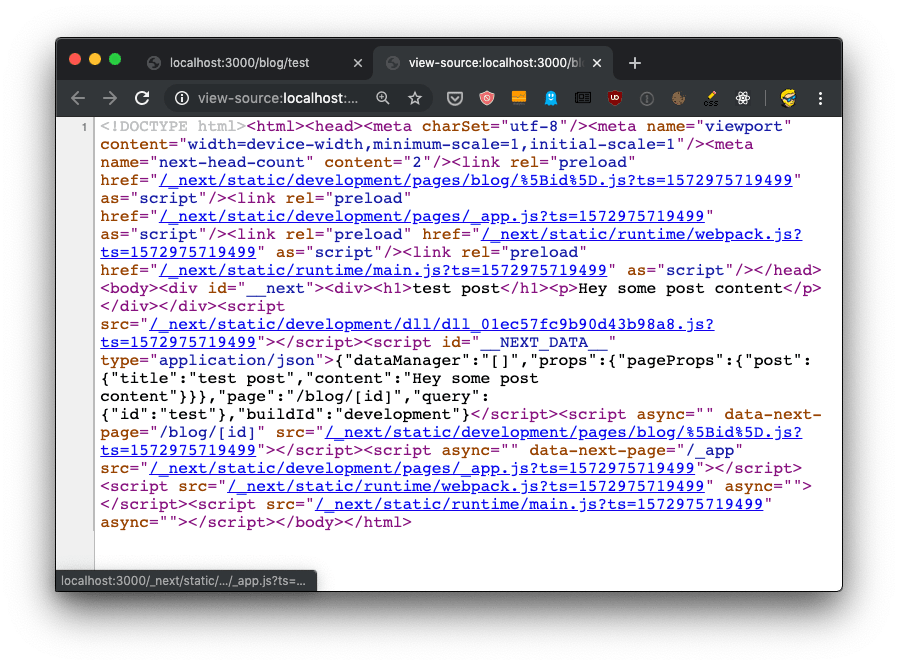
Now there will be no error, and SSR will be working as expected, as you can see checking view source:
The getInitialProps function will be executed on the server side, but also on the client side, when we navigate to a new page using the Link component as we did.
It’s important to note that getInitialProps gets, in the context object it receives, in addition to the query object these other properties:
pathname: thepathsection of URLasPath- String of the actual path (including the query) as shown in the browser
which in the case of calling http://localhost:3000/blog/test will respectively result in:
/blog/[id]/blog/test
And in the case of server side rendering, it will also receive:
req: the HTTP request objectres: the HTTP response objecterr: an error object
req and res will be familiar to you if you’ve done any Node.js coding.