Join the AI Workshop and learn to build real-world apps with AI. A hands-on, practical program to level up your skills.
If you’ve used Next.js with a database you’ve surely run into an issue like this.
You fetch some data in getServerSideProps() or getStaticProps(), for example like this with Prisma:
export async function getServerSideProps() {
  let cars = await prisma.car.findMany()

  return {
    props: {
      cars,
    },
  }
}
Now if the database table has a field that contains a date, that’s converted to a Date object in JavaScript and you’ll get an error like this:
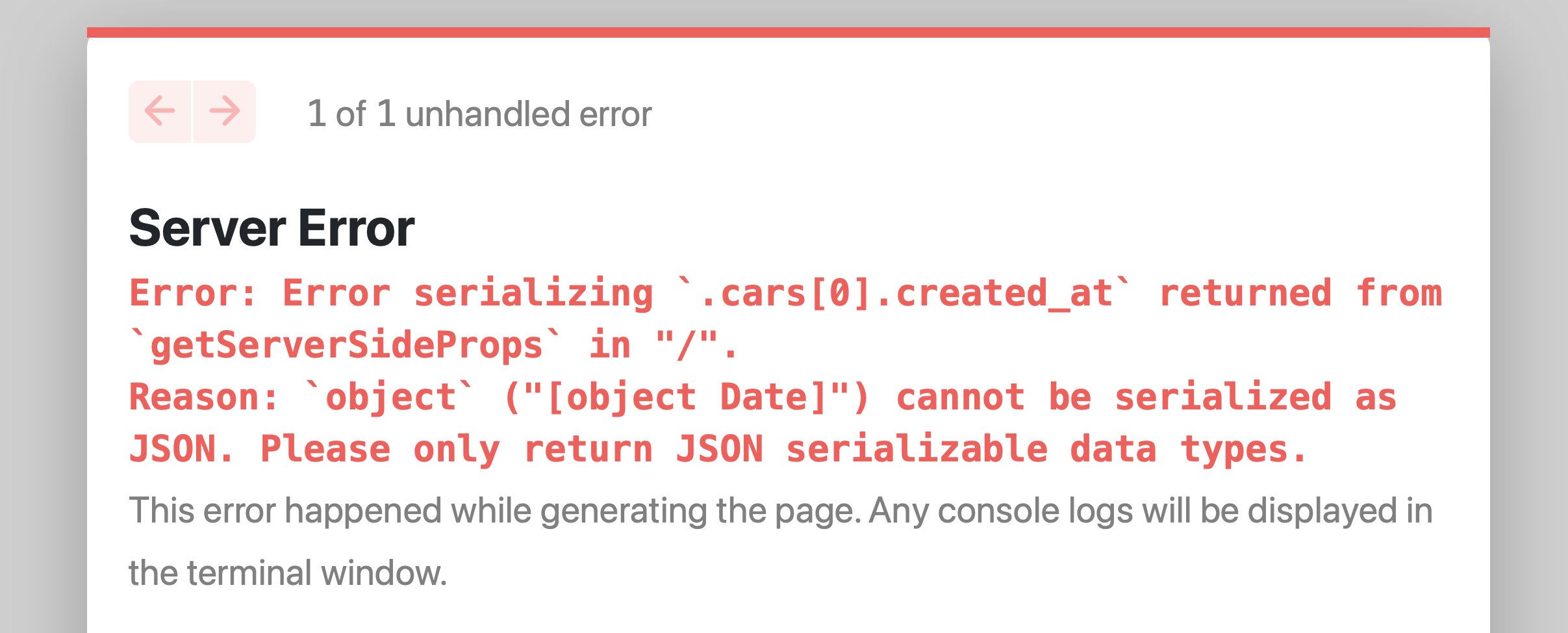
This is because you must return a JSON-serializable object. A Date object cannot be natively transformed into JSON.
In this case the solution can be as simple as this:
export async function getServerSideProps() {
  let cars = await prisma.car.findMany()

  cars = JSON.parse(JSON.stringify(cars))

  return {
    props: {
      cars,
    },
  }
}
This has the effect of converting the Date object to a string.
I like this solution because it’s obvious, visible, and not intrusive.
Another solution is to use a library called superjson and its Next.js adapter next-superjson:
npm install next-superjson superjsonand add it to next.config.js:
/** @type {import('next').NextConfig} */
const nextConfig = {
  reactStrictMode: true,
}

const { withSuperjson } = require('next-superjson')

module.exports = withSuperjson()(nextConfig)
I found it in a James Perkins blog post Dealing with Date objects in Next data fetching.
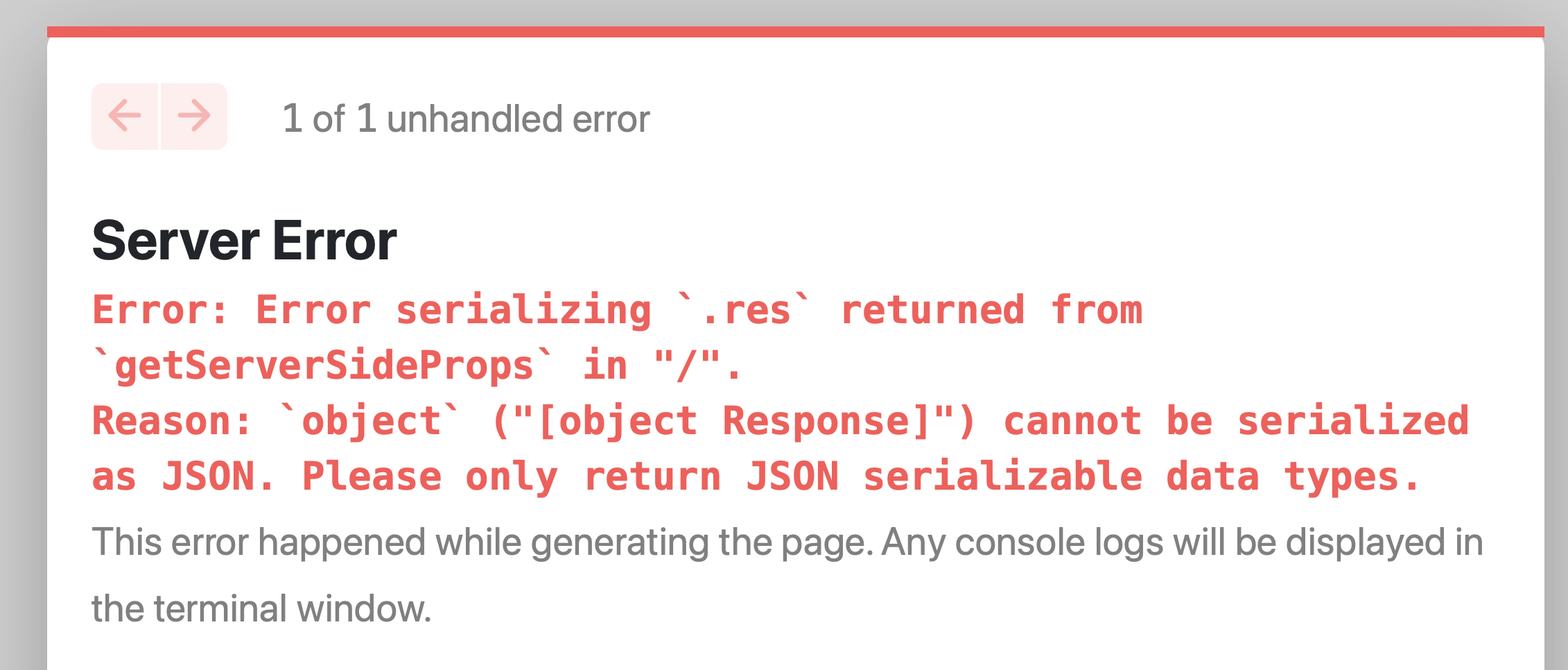
A similar error happens for example, if you try to return a complex object like a Fetch response:
export async function getServerSideProps() {
  const res = await fetch(...)

  return {
    props: {
      res
    },
  }
}
But in this case the fix is not that easy.
You need to first parse the response, for example:
export async function getServerSideProps() {
  const res = await fetch(...)
  const data = await res.json()

  return {
    props: {
      data
    },
  }
}