Join the AI Workshop and learn to build real-world apps with AI. A hands-on, practical program to level up your skills.
A JavaScript application running in the browser can usually only access HTTP resources on the same domain (origin) that serves it.
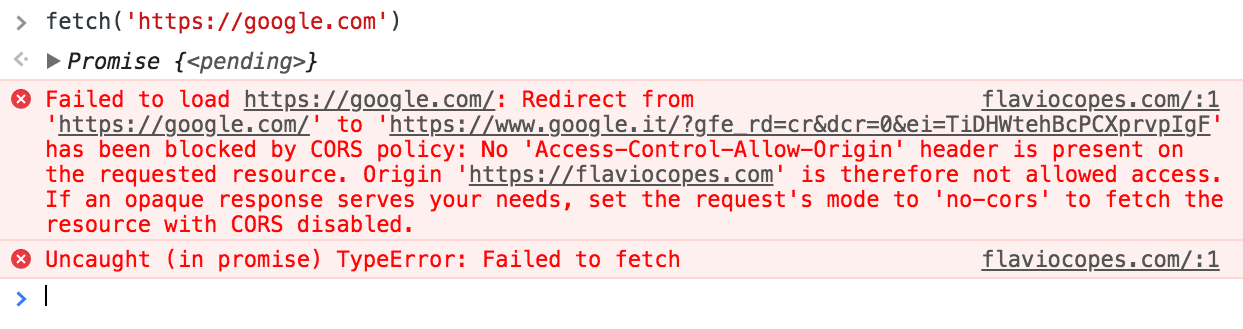
Loading images or scripts/styles always works, but XHR and Fetch calls to another server will fail, unless that server implements a way to allow that connection.
This way is called CORS, Cross-Origin Resource Sharing.
Loading web fonts with @font-face is also subject to the same-origin policy by default, and other less popular things (like WebGL textures and drawImage resources loaded in the Canvas API).
ES Modules also require CORS when loading from another origin.
If you don’t set up a CORS policy on the server that allows serving requests from other origins, the request will fail.
Fetch example:
XHR example:
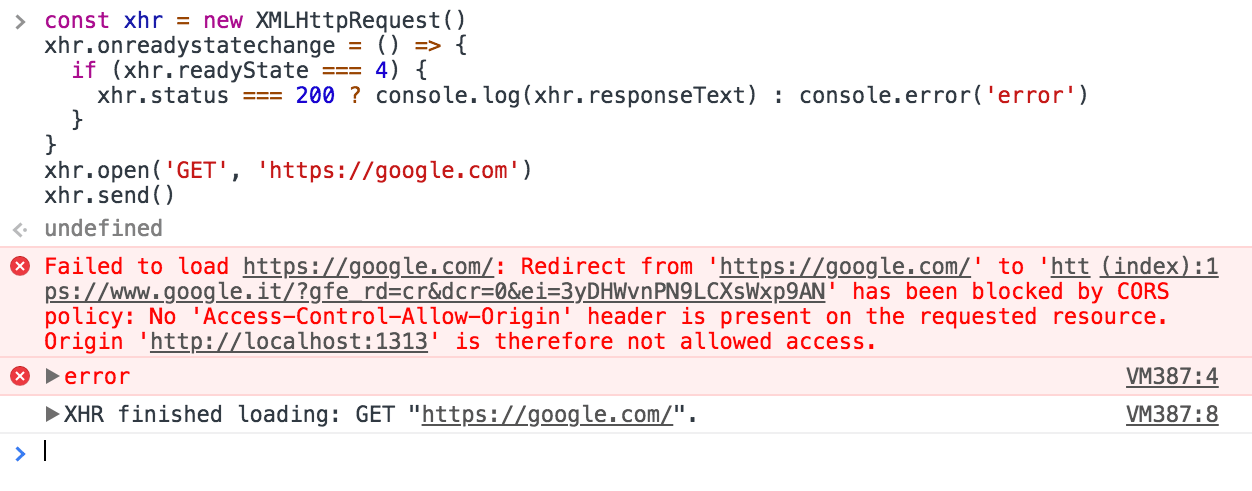
A Cross-Origin resource fails if it’s:
- to a different domain
- to a different subdomain
- to a different port
- to a different protocol
It exists for security, to limit cross-origin access. If you control both server and client, you can allow cross-origin requests.
How?
It depends on your server-side stack.
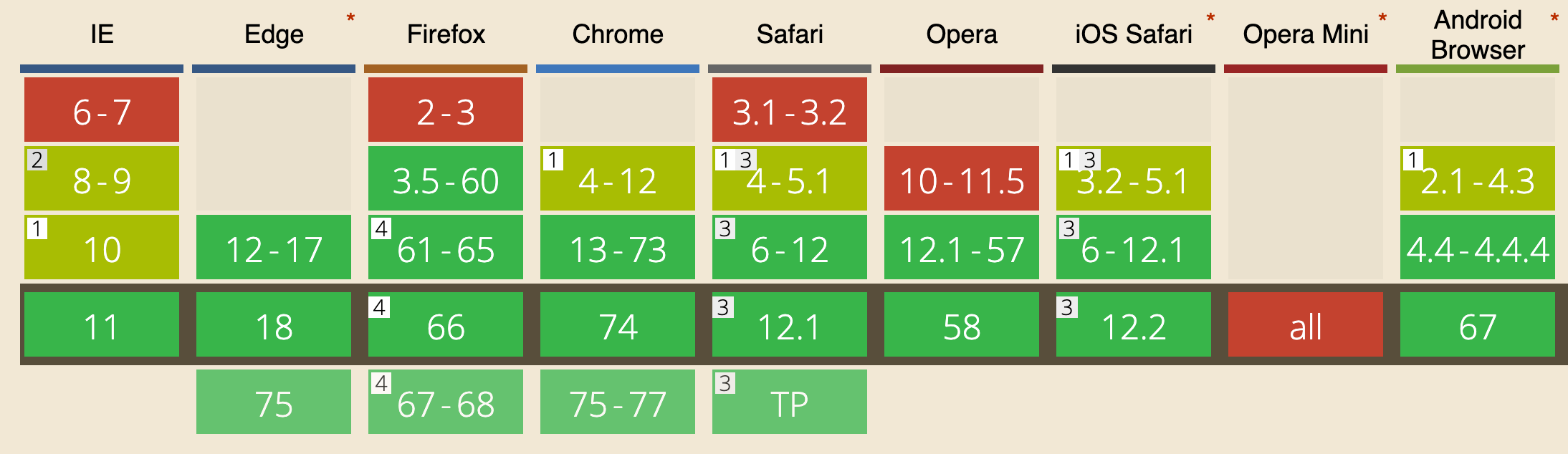
Browser support
Good support (all modern browsers except IE < 10):
Example with Express
With Node.js and Express, use the cors middleware. Example Express server without CORS:
const express = require('express')
const app = express()

app.get('/without-cors', (req, res, next) => {
  res.json({ msg: '😞 no CORS, no party!' })
})

const server = app.listen(3000, () => {
  console.log('Listening on port %s', server.address().port)
})
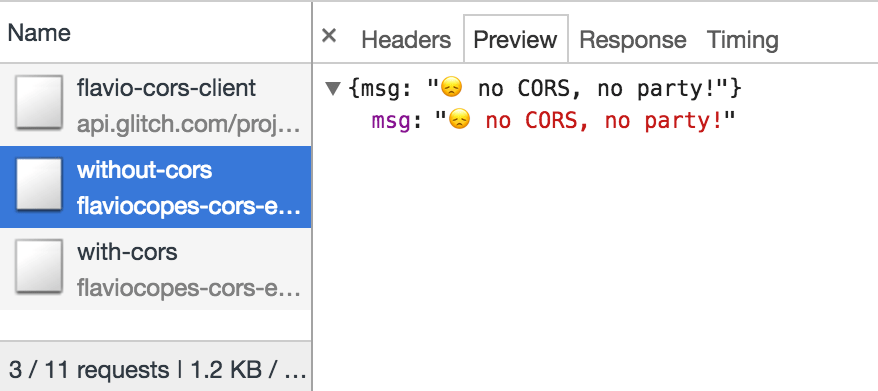
A request from another origin to /without-cors will fail due to CORS. To fix it, add the cors middleware:
const express = require('express')
const cors = require('cors')
const app = express()

app.get('/with-cors', cors(), (req, res, next) => {
  res.json({ msg: 'WHOAH with CORS it works! 🔝 🎉' })
})

/* the rest of the app */
Example Glitch projects: client, server.
The failed request still appears in the Network panel; the response is blocked by the browser:
Allow only specific origins
Using cors() with no options allows any origin. In production, restrict allowed origins. The response will include Access-Control-Allow-Origin: * when all origins are allowed:
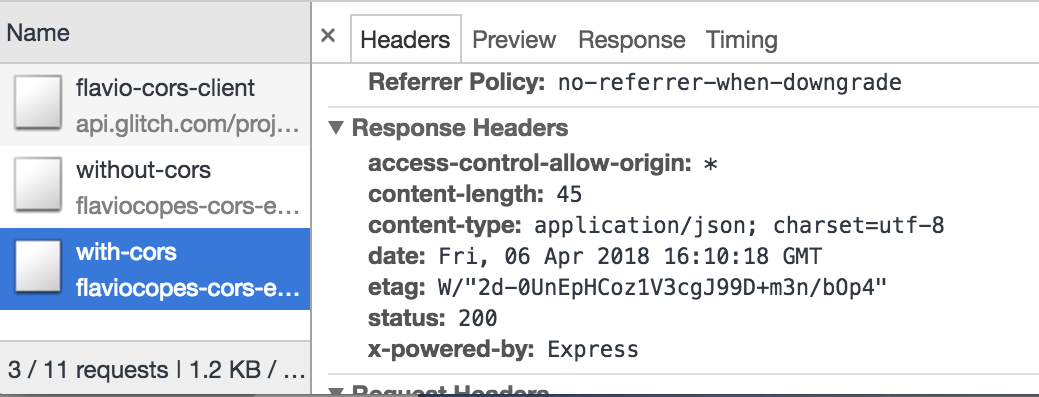
Configure the server to allow specific origins. With the cors package:
const cors = require('cors')

const corsOptions = {
  origin: 'https://yourdomain.com',
}

app.get('/products/:id', cors(corsOptions), (req, res, next) => {
  //...
})
To allow multiple origins:
const whitelist = ['http://example1.com', 'http://example2.com']
const corsOptions = {
  origin: function (origin, callback) {
    if (whitelist.indexOf(origin) !== -1) {
      callback(null, true)
    } else {
      callback(new Error('Not allowed by CORS'))
    }
  },
}
Preflight
Some requests are “simple” and do not trigger a preflight: all GET requests, and some POST and HEAD requests. POST is simple if the Content-Type is one of
application/x-www-form-urlencodedmultipart/form-datatext/plain
All other requests trigger a preflight: the browser sends an OPTIONS request first to check if the actual request is allowed.
A preflight request contains a few headers that the server will use to check permissions (irrelevant fields omitted):
OPTIONS /the/resource/you/request
Access-Control-Request-Method: POST
Access-Control-Request-Headers: origin, x-requested-with, accept
Origin: https://your-origin.com
The server will respond with something like this (irrelevant fields omitted):
HTTP/1.1 200 OK
Access-Control-Allow-Origin: https://your-origin.com
Access-Control-Allow-Methods: POST, GET, OPTIONS, DELETE
The server response indicates which methods and headers are allowed. With Express, handle OPTIONS for the route or all routes:
var express = require('express')
var cors = require('cors')
var app = express()

// OPTIONS for one route
app.options('/the/resource/you/request', cors())

// OPTIONS for all routes
app.options('*', cors())Lessons in this unit:
| 0: | Introduction |
| 1: | The Fetch API |
| 2: | XMLHttpRequest |
| 3: | ▶︎ CORS |
| 4: | Streams API |