Join the AI Workshop and learn to build real-world apps with AI. A hands-on, practical program to level up your skills.
The xargs command is used in a UNIX shell to convert input from standard input into arguments to a command.
In other words, through the use of xargs the output of a command is used as the input of another command.
Here’s the syntax you will use:
command1 | xargs command2We use a pipe (|) to pass the output to xargs. That runs command2, using the output of command1 as its argument(s).
Let’s do a simple example. You want to remove some specific files from a directory. Those files are listed inside a text file.
We have 3 files: file1, file2, file3.
In todelete.txt we have a list of files we want to delete, in this example file1 and file3:
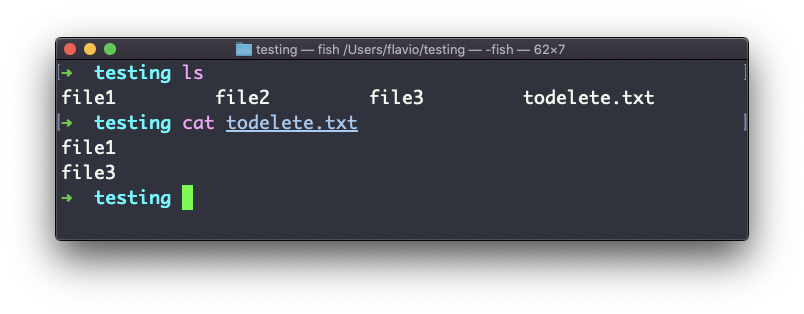
We will channel the output of cat todelete.txt to the rm command, through xargs.
In this way:
cat todelete.txt | xargs rmThe files we listed are now deleted:
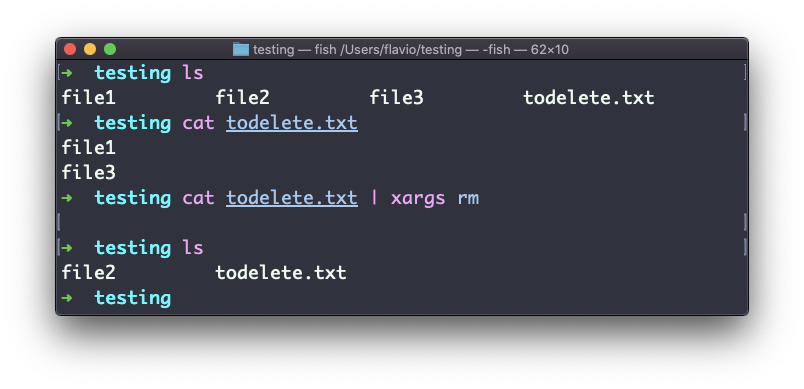
The way it works is that xargs runs rm once for each line returned by cat.
This is the simplest usage of xargs. There are several options we can use.
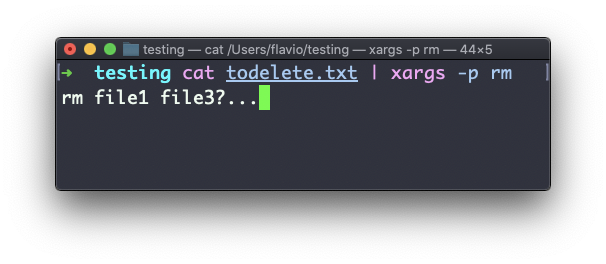
One of the most useful in my opinion, especially when starting to learn xargs, is -p. Using this option will make xargs print a confirmation prompt with the action it’s going to take:
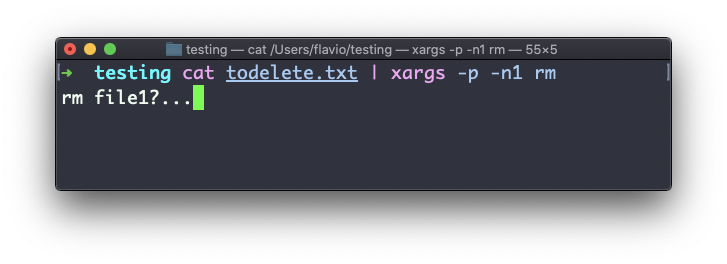
The -n option lets you tell xargs to perform one iteration at a time, so you can individually confirm them with -p. Here we tell xargs to perform one iteration at a time with -n1:
The -I option is another widely used one. It allows you to use the input in a placeholder, and then you can do various things.
One of them is to run multiple commands:
command1 | xargs -I % /bin/bash -c 'command2 %; command3 %'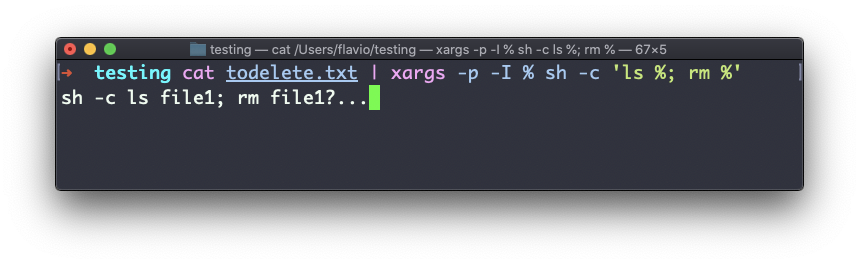
You can swap the
%symbol I used above with anything else, it’s a variable
The xargs command works on Linux, macOS, WSL, and anywhere you have a UNIX environment
Lessons in this unit:
| 0: | Introduction |
| 1: | grep - Search Text |
| 2: | find - Search Files |
| 3: | sort - Sort Lines |
| 4: | uniq - Remove Duplicates |
| 5: | diff - Compare Files |
| 6: | wc - Word Count |
| 7: | ▶︎ xargs - Build Command Lines |