Join the AI Workshop and learn to build real-world apps with AI. A hands-on, practical program to level up your skills.
diff is a handy command. Suppose you have 2 files, which contain almost the same information, but you can’t find the difference between the two.
diff will process the files and show you the differences.
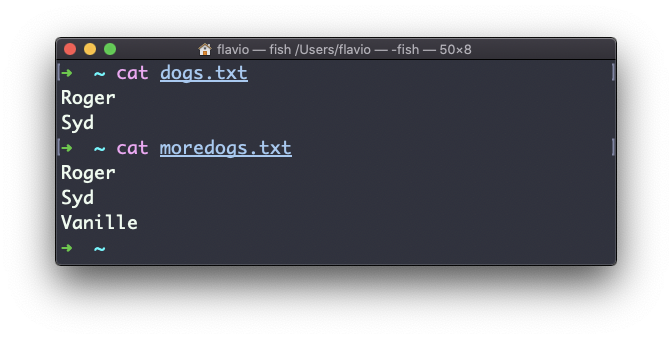
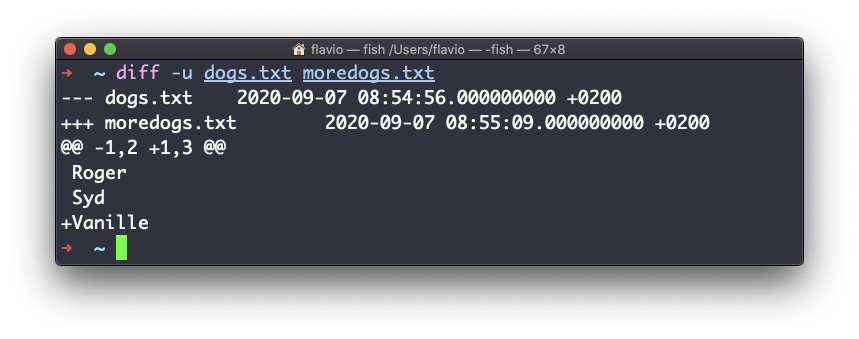
Suppose you have 2 files: dogs.txt and moredogs.txt. The difference is that moredogs.txt contains one more dog name:
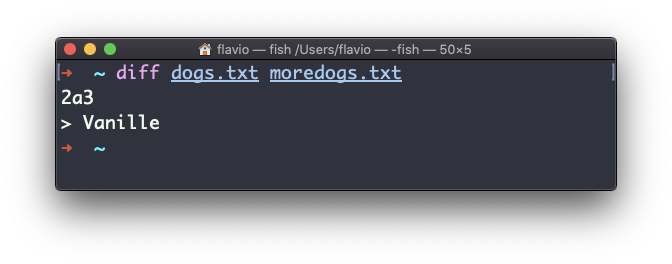
diff dogs.txt moredogs.txt will show that the second file has one more line, line 3 with the line Vanille:
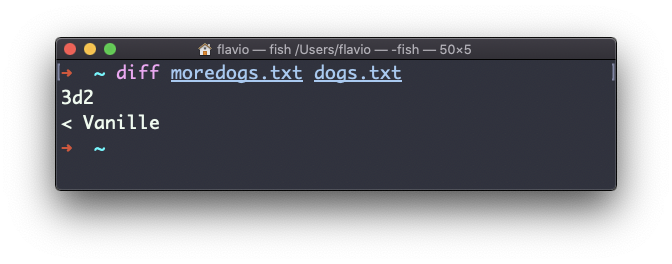
If you invert the order of the files, it will tell you that the second file is missing line 3, whose content is Vanille:
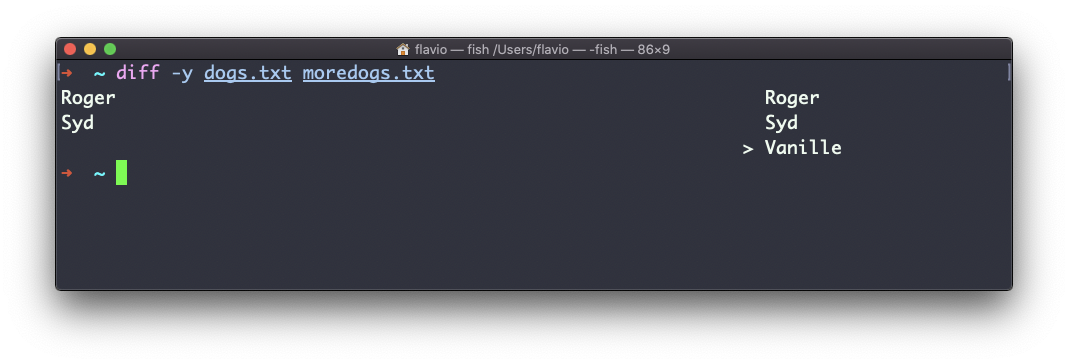
Using the -y option will compare the 2 files line by line:
The -u option however will be more familiar to you, because that’s the same used by the Git version control system to display differences between versions:
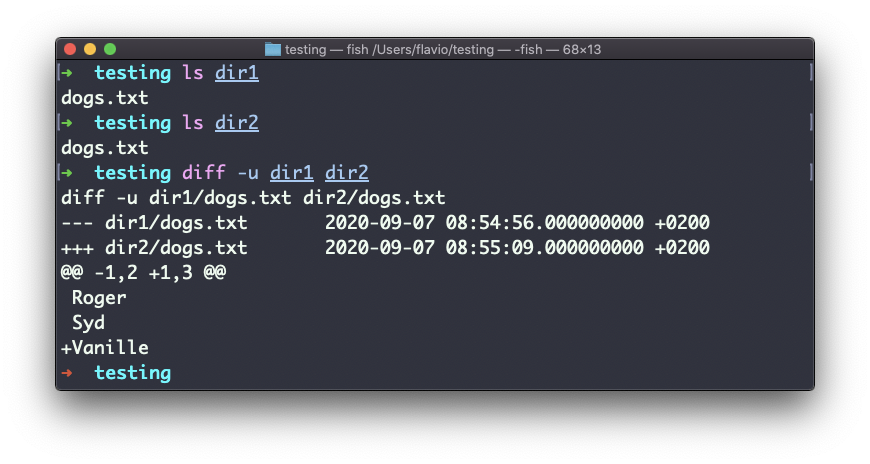
Comparing directories works in the same way. You must use the -r option to compare recursively (going into subdirectories):
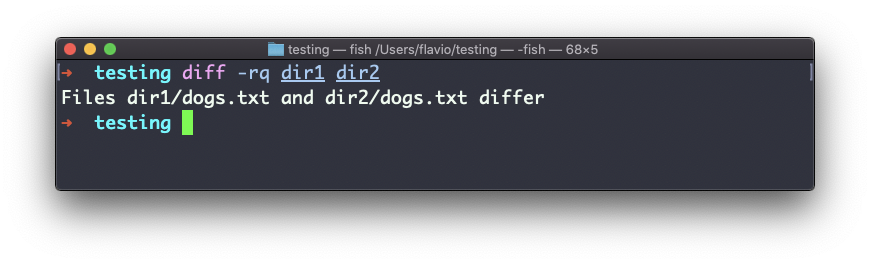
If you’re interested in which files differ rather than the content, use the -r and -q options:
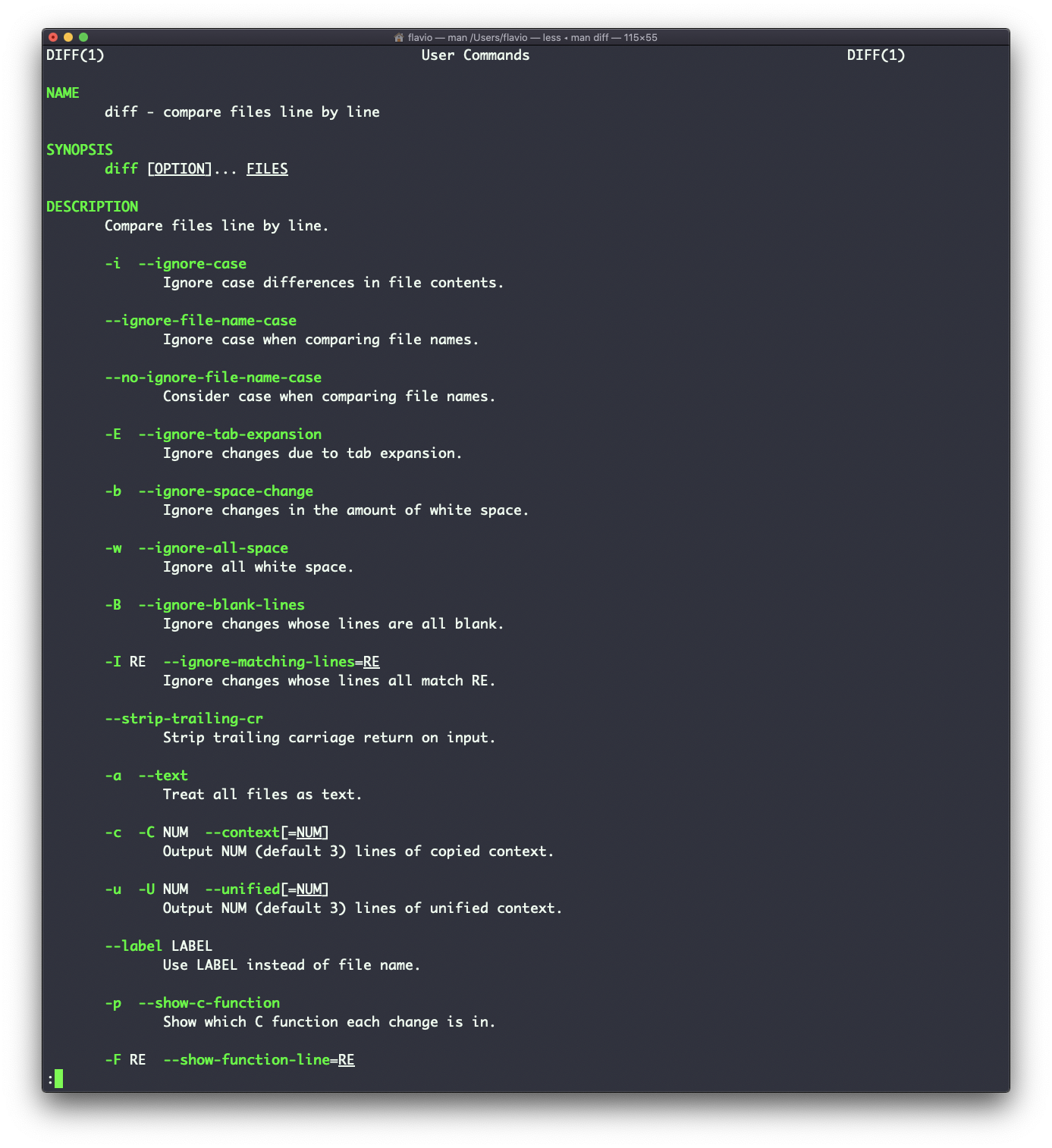
There are many more options you can explore by running man diff:
The diff command works on Linux, macOS, WSL, and anywhere you have a UNIX environment
Lessons in this unit:
| 0: | Introduction |
| 1: | grep - Search Text |
| 2: | find - Search Files |
| 3: | sort - Sort Lines |
| 4: | uniq - Remove Duplicates |
| 5: | ▶︎ diff - Compare Files |
| 6: | wc - Word Count |
| 7: | xargs - Build Command Lines |