Join the AI Workshop and learn to build real-world apps with AI. A hands-on, practical program to level up your skills.
The env command can be used to pass environment variables without changing the current shell’s environment.
Suppose you want to run a Node.js app and set the USER environment variable for it.
You can run
env USER=flavio node app.jsand the USER environment variable will be accessible from the Node.js app via the Node process.env interface.
You can also run the command clearing all the environment variables already set, using the -i option:
env -i node app.jsIn this case you will get an error saying env: node: No such file or directory because the node command is not reachable, as the PATH variable used by the shell to look up commands in the common paths is unset.
So you need to pass the full path to the node program:
env -i /usr/local/bin/node app.jsTry with a simple app.js file with this content:
console.log(process.env.NAME)
console.log(process.env.PATH)
You will see the output is:
undefined
undefined
You can set an environment variable for the command:
env -i NAME=flavio node app.jsand the output will be
flavio
undefined
Removing the -i option will make PATH available again inside the program:
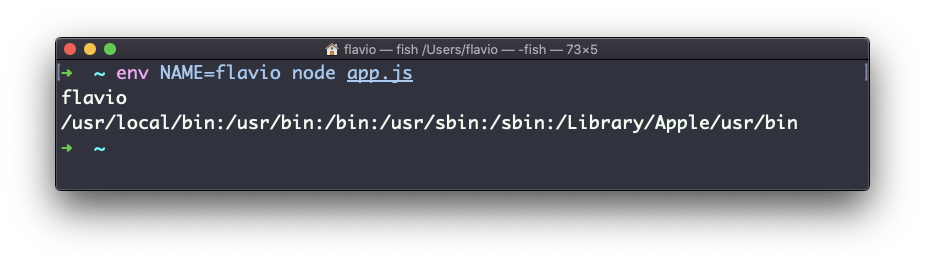
The env command can also print all environment variables when run with no options:
envIt will print a list of the environment variables set, for example:
HOME=/Users/flavio
LOGNAME=flavio
PATH=/usr/local/bin:/usr/bin:/bin:/usr/sbin:/sbin:/Library/Apple/usr/bin
PWD=/Users/flavio
SHELL=/usr/local/bin/fish
You can also make a variable inaccessible inside the program you run, using the -u option, for example, this command removes the HOME variable from the command environment:
env -u HOME node app.jsThe env command works on Linux, macOS, WSL, and anywhere you have a UNIX environment