Join the AI Workshop and learn to build real-world apps with AI. A hands-on, practical program to level up your skills.
A command can be one of those 4 types:
- an executable
- a shell built-in program
- a shell function
- an alias
The type command can help figure out this, in case we want to know or we’re just curious. It will tell you how the command will be interpreted.
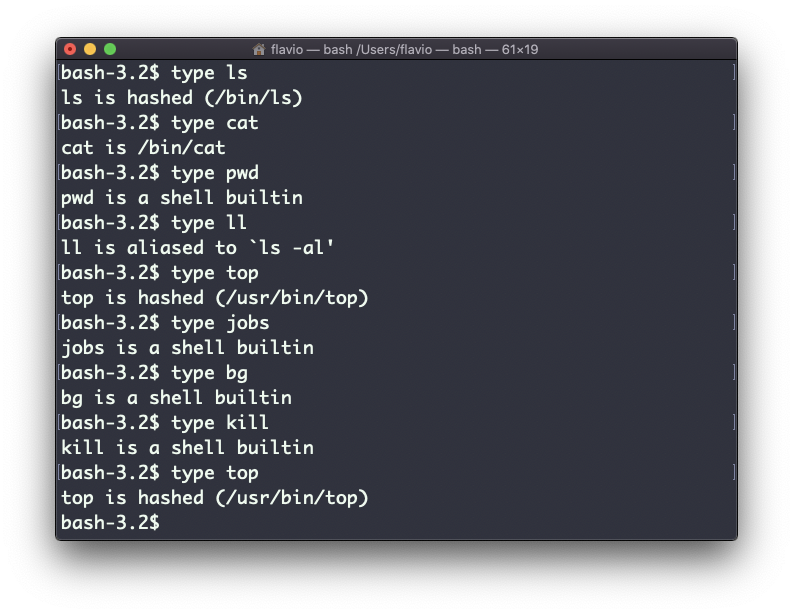
The output will depend on the shell used. This is Bash:
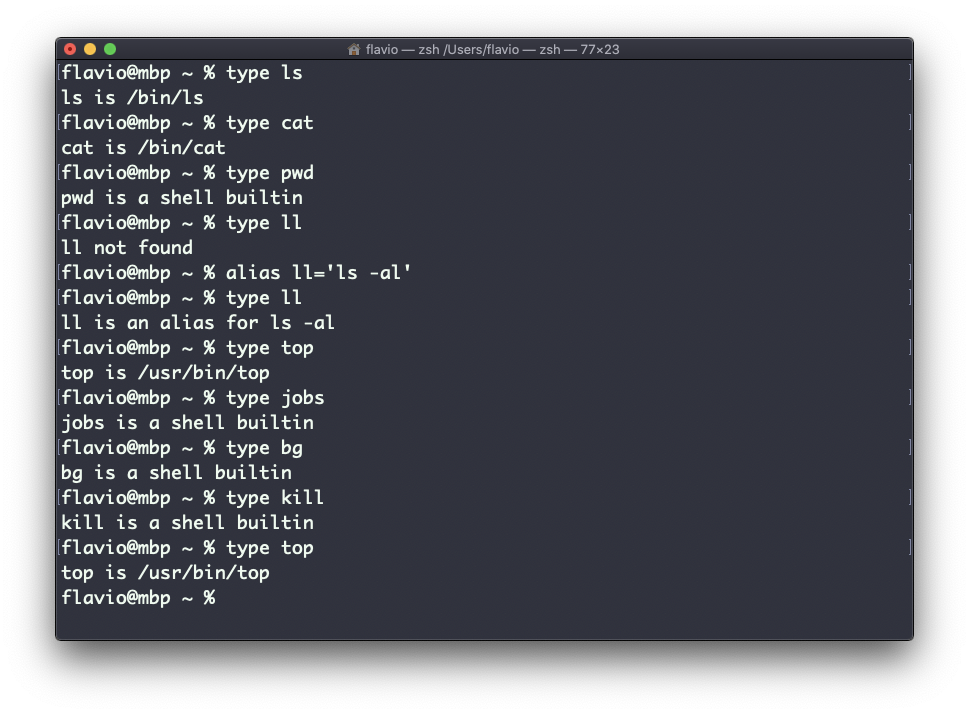
This is Zsh:
This is Fish:
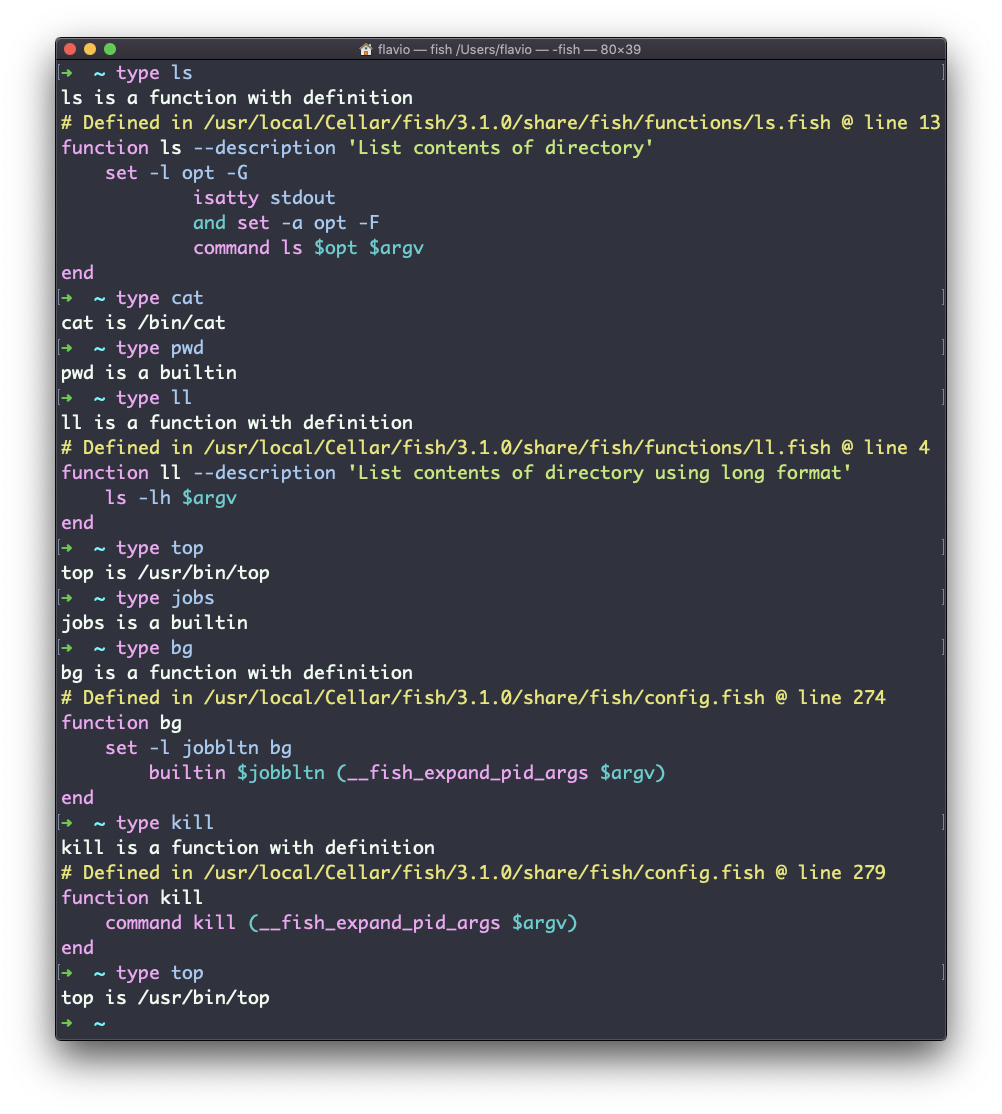
One of the most interesting things here is that for aliases it will tell you what the alias is set to. You can see the ll alias, in the case of Bash and Zsh, but Fish provides it by default, so it will tell you it’s a built-in shell function.
The
typecommand works on Linux, macOS, WSL, and anywhere you have a UNIX environment