Join the AI Workshop and learn to build real-world apps with AI. A hands-on, practical program to level up your skills.
In a previous lesson I introduced what a Pull Request (PR) is.
Starting from your repository, a person forks it, makes some changes, then creates a PR to ask you to merge those changes.
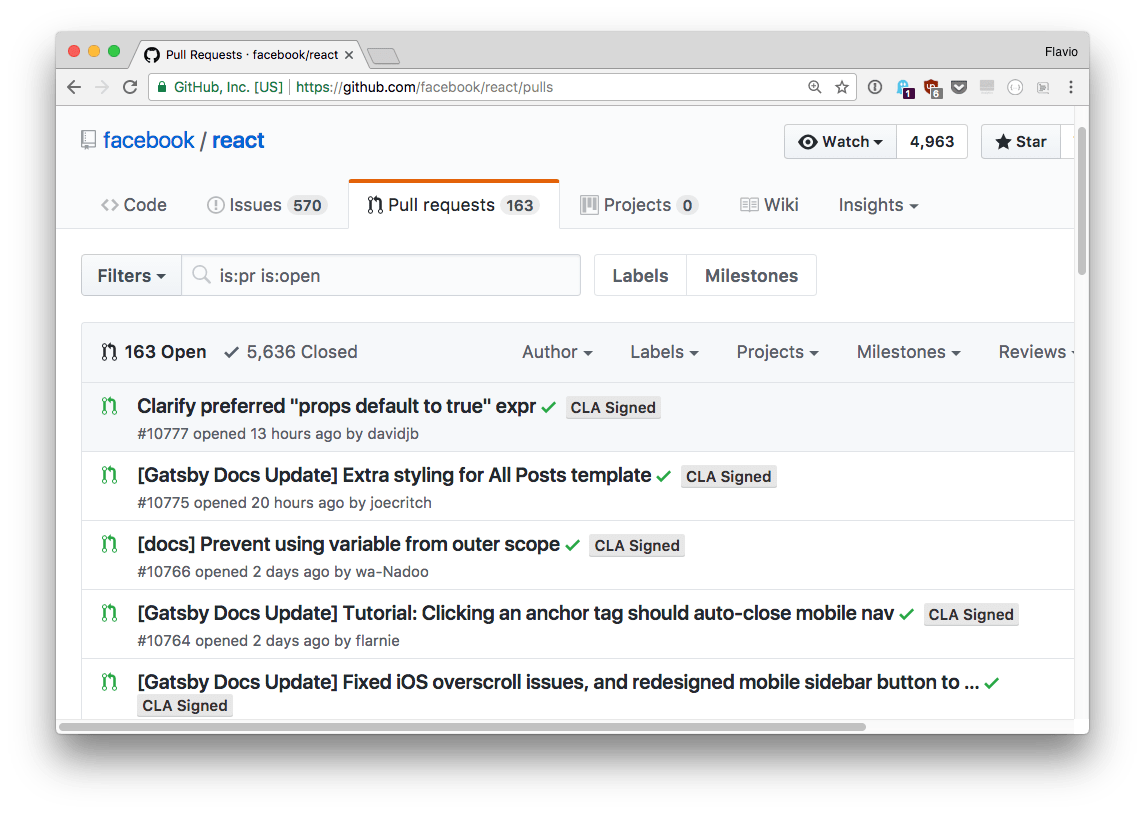
A project might have hundreds of PRs; generally, the more popular a project, the more PRs, like the React project:
Once a person submits a PR, an easy process using the GitHub interface, it needs to be reviewed by the core maintainers of the project.
Depending on the scope of your PR (the number of changes, or the number of things affected by your change, or the complexity of the code touched) the maintainer might need more or less time to make sure your changes are compatible with the project.
A project might have a clear timeline of changes they want to introduce. The maintainer might like to keep things simple while you are introducing a complex architecture in a PR.
This is to say that a PR does not always get accepted quickly, and also there is no guarantee that the PR will even get accepted.
In the example I posted above, there is a PR in the repo that dates back 1.5 years. And this happens in all the projects.