Join the AI Workshop and learn to build real-world apps with AI. A hands-on, practical program to level up your skills.
The 1602 LCD display is an alphanumeric display with 2 lines each containing 16 characters.
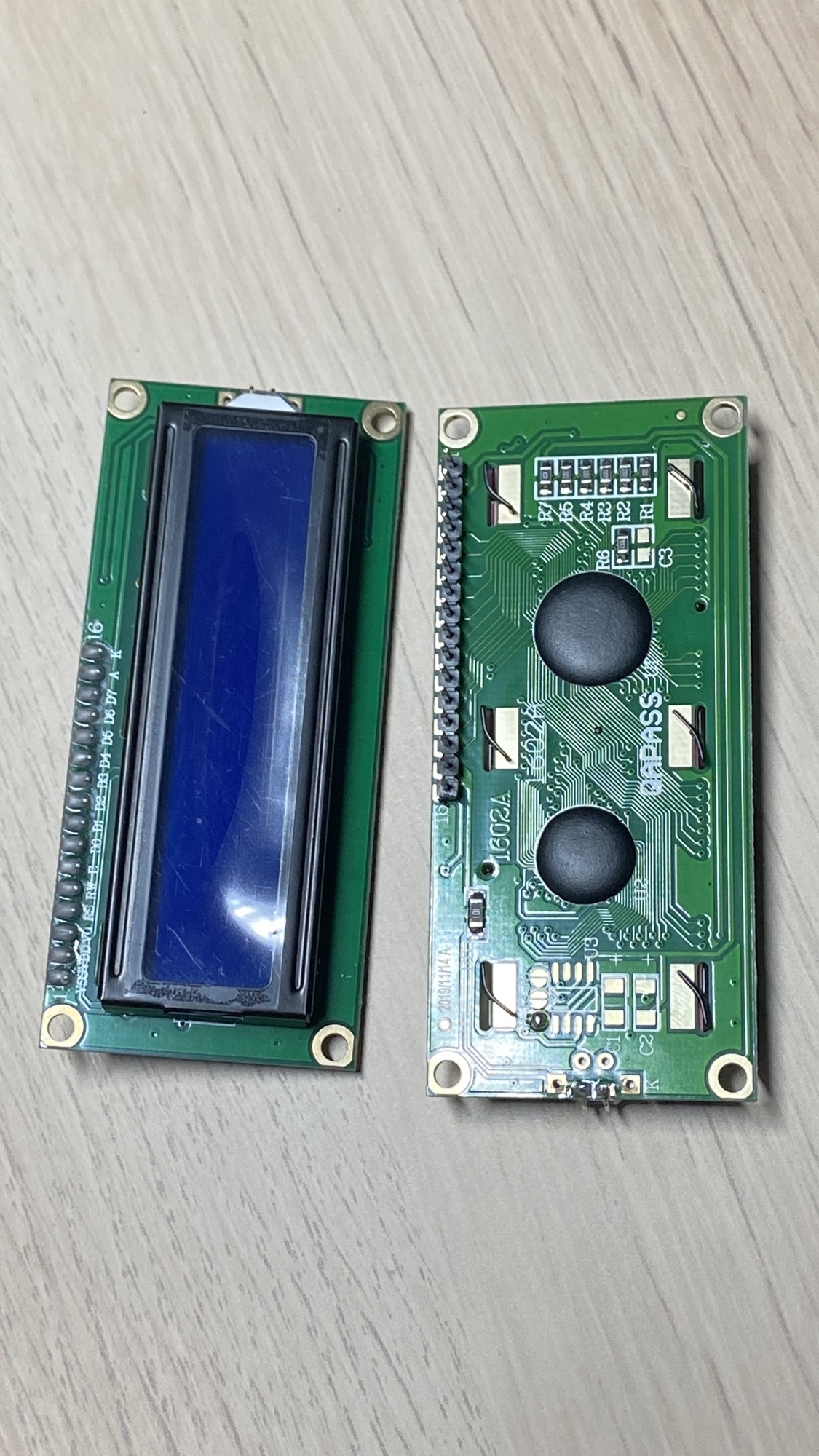
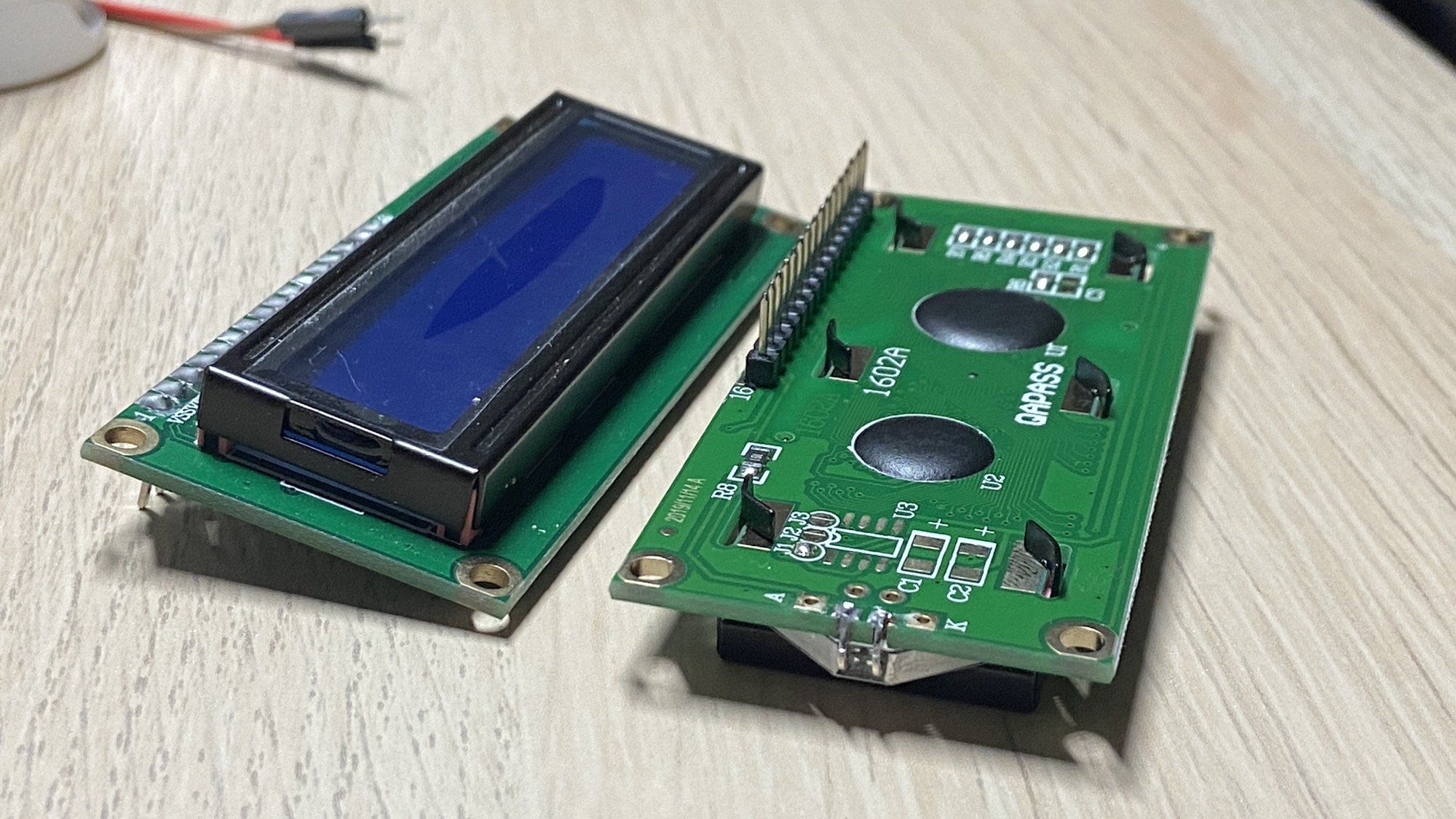
It finds application in a large number of scenarios, from vending machines to train stations.
This LCD display model is commonly included in Arduino kits, but these instructions work with any LCD display that has a 16-pin interface compatible with the Hitachi HD44780 LCD controller.
This controller is emulated via software by the LiquidCrystal Arduino library.
In this lesson we’ll show the simplest possible usage of the display to print Hello, World!.
The LCD display has 16 input pins. From left to right:
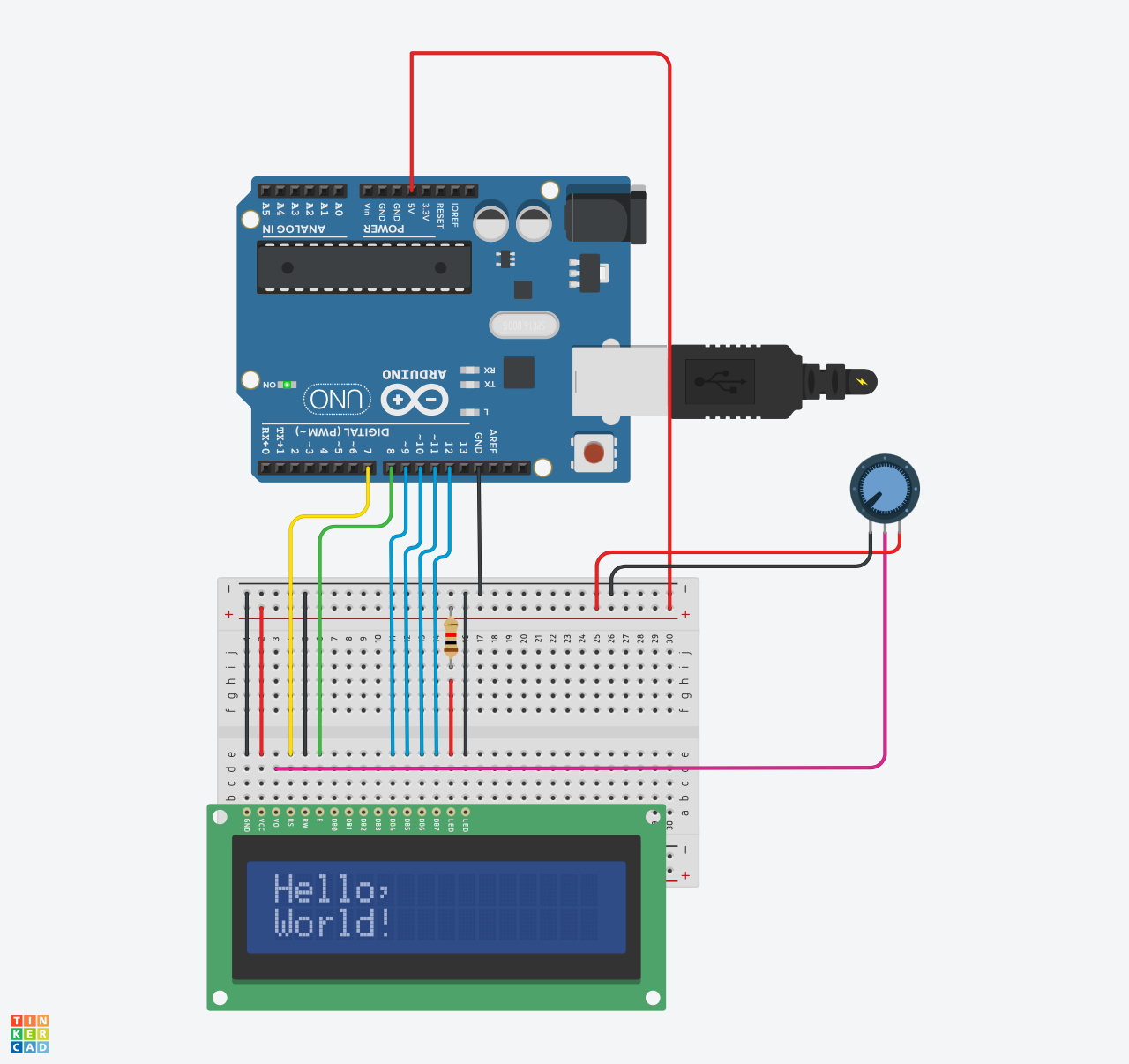
VSSthe-connectionVDDthe+connectionVOadjusts the contrast (we connect that to a potentiometer in our project)RSis connected to pin 7 of the ArduinoR/Wis connected to-to set the LCD in “write mode”Eis connected to pin 8 of the ArduinoD0-D7are data pins. We’ll just useD4,D5,D6andD7in this example.AandKcontrol the LED backlight. ConnectAto+via a 220Ω resistor,Kto-.
To print the Hello, World! line I built this simple program and uploaded it to the Arduino:
#include <LiquidCrystal.h>

LiquidCrystal lcd(7, 8, 9, 10, 11, 12);

void setup() {
  lcd.begin(16, 2);
  lcd.print("Hello,");
  lcd.setCursor(0, 1);
  lcd.print("World!");
}

void loop() {

}
There’s an initial configuration of the lcd object, passing the pins of RS, R/W, E, then D4, D5, D6 and D7 (see more details here).
Then we call the lcd.begin() method, and we pass the key characteristics of the LCD display, number of columns and number of rows.
The lcd.print() method prints the string, starting at the position (0, 0).
We can move the cursor using lcd.setCursor(), passing the index of the column and the index of the row we want to move to.
The circuit is built as follows:
And here’s the real-world implementation:
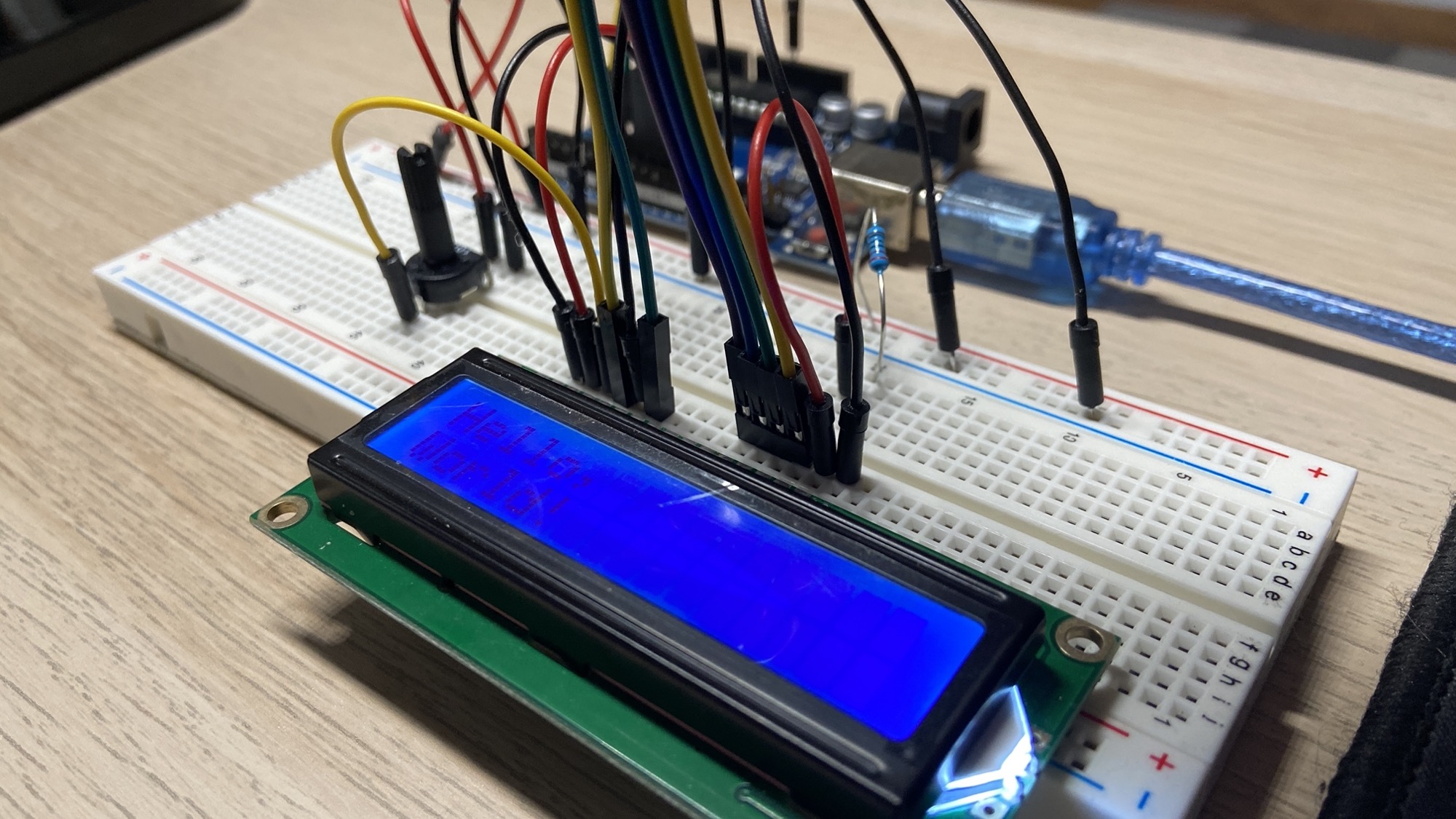
You can trim the potentiometer to adjust the contrast. Once you find your preferred setting, you can replace it with a fixed resistor.
Lessons in this unit:
| 0: | Introduction |
| 1: | Breadboard Power Supply Module |
| 2: | Resistors |
| 3: | LEDs |
| 4: | RGB LEDs |
| 5: | Diodes |
| 6: | Buttons |
| 7: | Potentiometers |
| 8: | Buzzers |
| 9: | Servo Motors |
| 10: | Analog Joystick |
| 11: | The DHT11 temperature and humidity sensor |
| 12: | ▶︎ The 1602 LCD Display |