Join the AI Workshop and learn to build real-world apps with AI. A hands-on, practical program to level up your skills.
The document object represents the DOM tree loaded in a window.
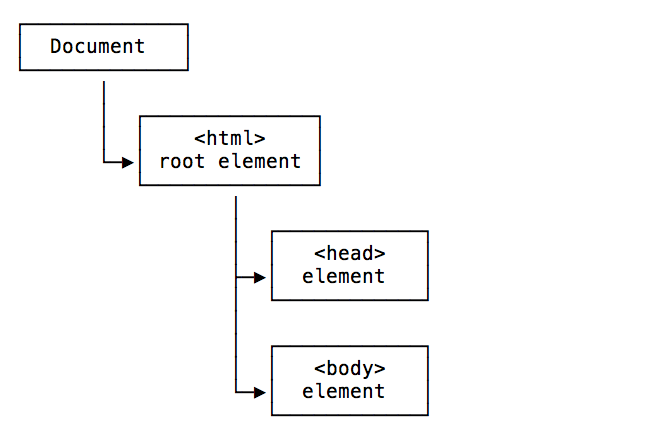
Here is a representation of a portion of the DOM showing the head and body tags:
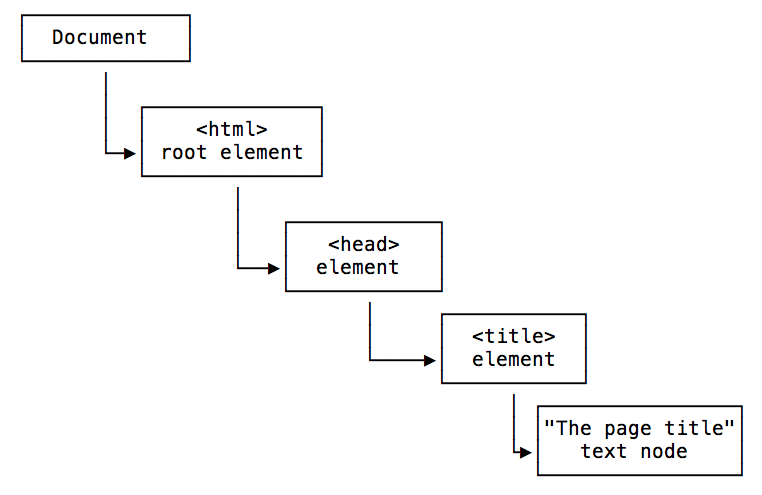
Here is a representation of a portion of the DOM showing the head tag, containing a title tag with its value:
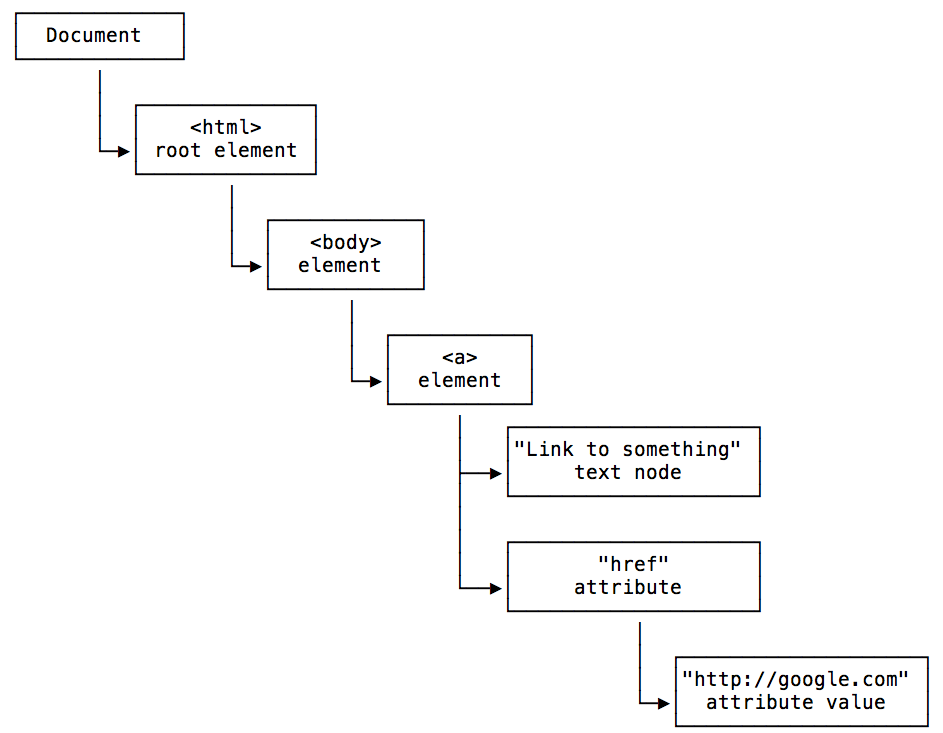
Here is a representation of a portion of the DOM showing the body tag, containing a link with its text and the href attribute with its value:
The Document object can be accessed from window.document, and since window is the global object, you can use the shortcut document object directly from the browser console, or in your JavaScript code.
This Document object has a ton of properties and methods. The Selectors API methods are the ones you’ll likely use the most:
document.getElementById()document.querySelector()document.querySelectorAll()document.getElementsByTagName()document.getElementsByClassName()
You can get the document title using document.title, and the URL using document.URL. The referrer is available in document.referrer, the domain in document.domain.
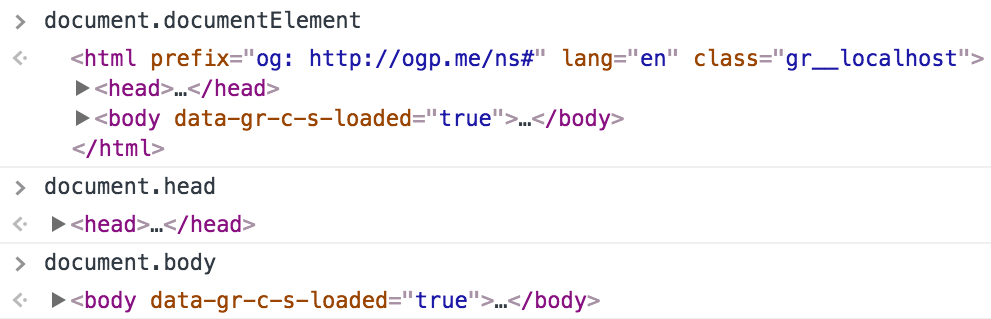
From the document object you can get the body and head Element nodes:
document.documentElement: the roothtmlElement nodedocument.body: thebodyElement nodedocument.head: theheadElement node
You can also get a list of all the element nodes of a particular type, like an HTMLCollection of all the links using document.links, all the images using document.images, all the forms using document.forms.
The document cookies are accessible in document.cookie. You can get the last modified date from document.lastModified.
You can do much more—even get old school and use document.write(), a method that was used a lot in the early days of JavaScript to interact with the page.