CSS Tips: Fix extra space after inline element

Join the AI Workshop to learn more about AI and how it can be applied to web development. Next cohort February 1st, 2026

The AI-first Web Development BOOTCAMP cohort starts February 24th, 2026. 10 weeks of intensive training and hands-on projects.


Let me write this because I’m going to forget.

I was designing a page and hit a problem, I had this markup:

<span class='mr-2 px-0.5 py-0 rounded-sm 
  text-sm font-bold text-black bg-yellow-400'>
  DEMO
</span>

Problem was, I had an extra space on the right of the span element:
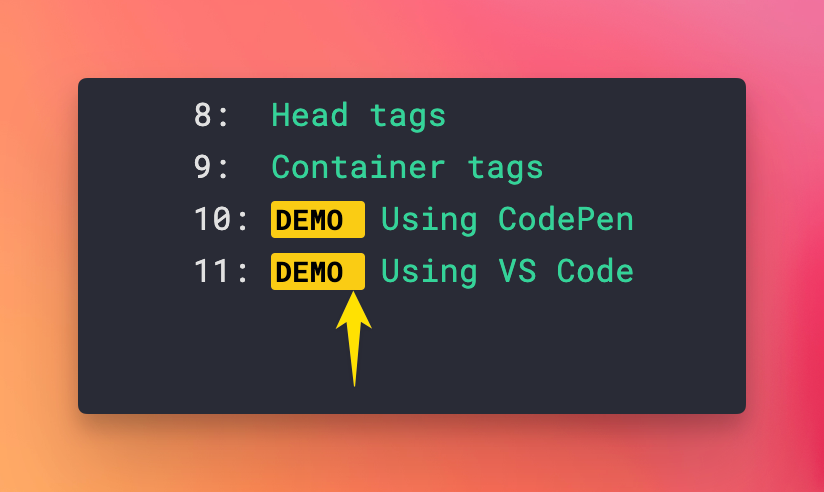
Prettier autoformatter made the tag content go on its own line, and I didn’t want to fight that.

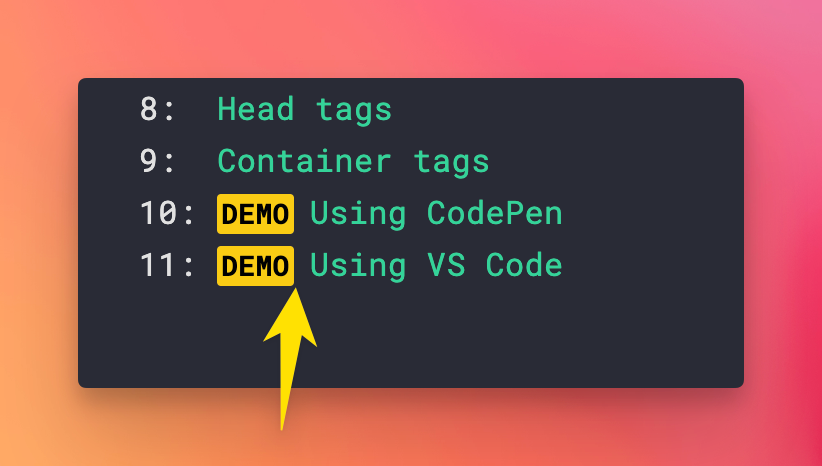
To fix this, I set the element to be display: inline-block by adding the inline-block Tailwind CSS class.

Problem solved:
Lessons in this unit:

0: Introduction
1: How to center an element with CSS
2: CSS Border inside the element
3: What are good CSS Breakpoint values for Responsive Design?
4: How to debug CSS by bisecting
5: How to disable text selection using CSS
6: How to put an item at the bottom of its container using CSS
7: CSS, how to select elements that do NOT have a class
8: How to stick an element on the bottom of the page with flexbox
9: How to apply padding to multiple lines in CSS
10: Making a table responsive using CSS
11: CSS url()
12: How to make an element smaller or bigger with CSS
13: Customizing visited links
14: ▶︎ Fix extra space after inline element
15: How to create a sidebar that’s sticky but also scrolls
16: How to embed YouTube videos using the correct aspect ratio
17: Responsive pre tags in CSS
18: Responsive YouTube Video Embeds
19: How to remove all CSS from a page at once
20: How I added Dark Mode to my website
21: How to add a simple dark mode