Join the AI Workshop and learn to build real-world apps with AI. A hands-on, practical program to level up your skills.
I was considering adding some “special styling” to visited links, like this:
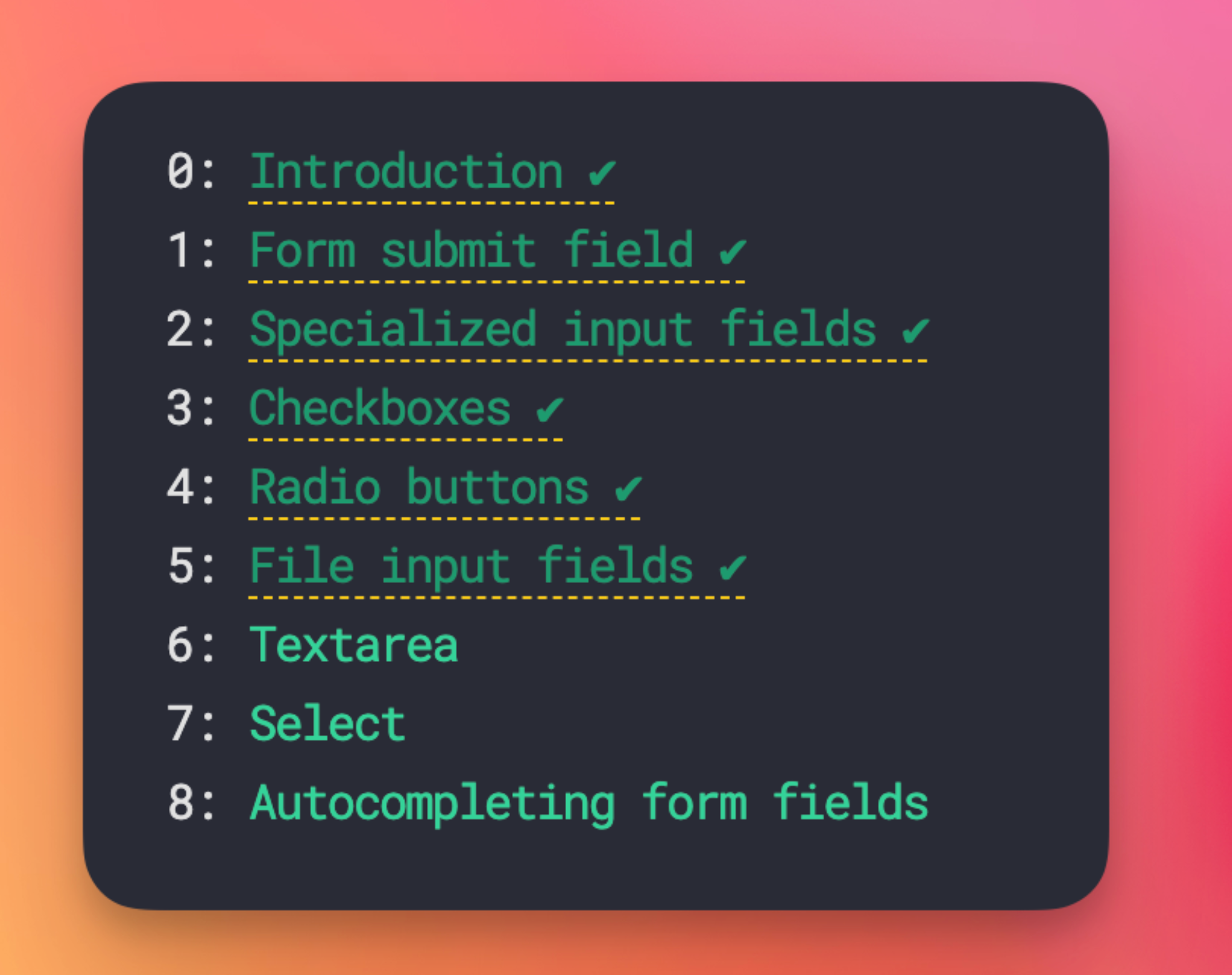
…when I remembered :visited links cannot use all CSS properties, just a few:
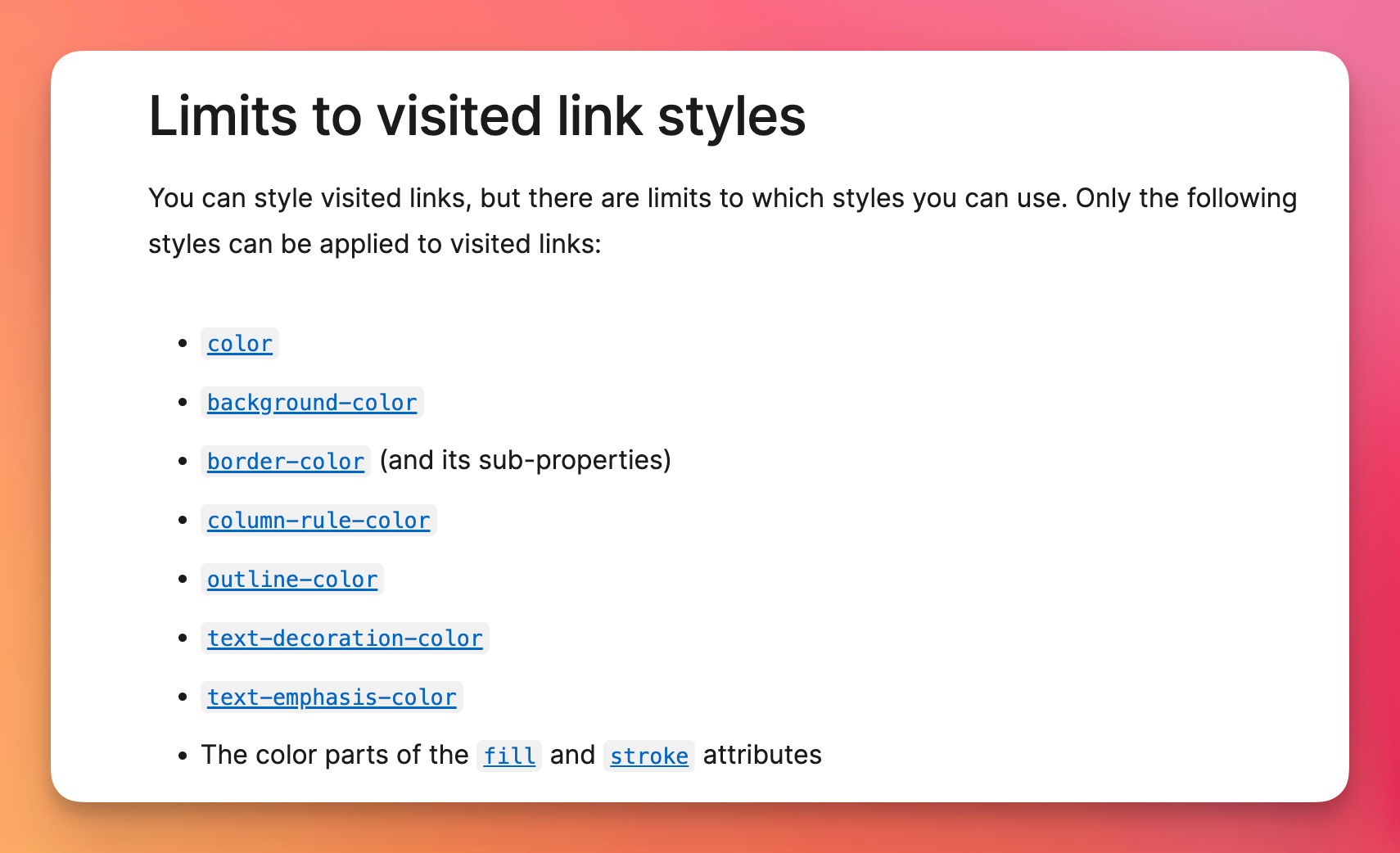
(source: MDN)
So I was searching and found this cool article that describes a technique to store visited links in localStorage, and then style as you want. This only applies to links visited after you implement the strategy, unfortunately.
But here’s an implementation - credits: using that article strategy - which I tried but then haven’t committed, writing this so I don’t forget.
You save to local storage when someone visits a page:
<script>
  localStorage.setItem(
    'visited-' + window.location.pathname,
    true
  )
</script>
Once the page that hosts the links loads (which might be different, for example a homepage or a blog posts list page), you add data-visited=true to all links that have been visited:
<script>
  window.addEventListener(
    'DOMContentLoaded',
    () => {
      const links =
        document.getElementsByTagName('a')
      for (let i = 0; i < links.length; i++) {
        var link = links[i]
        if (
          link.host == window.location.host &&
          localStorage.getItem(
            'visited-' + link.pathname
          )
        ) {
          link.dataset.visited = true
        }
      }
    }
  )
</script>
Now you can style them with any CSS property:
a[data-visited] {
  border-bottom: 1px dashed rgb(250, 204, 21);
}
a[data-visited]:after {
  content: ' ✔︎';
}