CSS Tips: CSS Border inside the element

Join the AI Workshop to learn more about AI and how it can be applied to web development. Next cohort February 1st, 2026

The AI-first Web Development BOOTCAMP cohort starts February 24th, 2026. 10 weeks of intensive training and hands-on projects.


I had a list of boxes, and on hover I wanted to invert the colors;

div {
  background-color: #000;
  color: #fff;
}
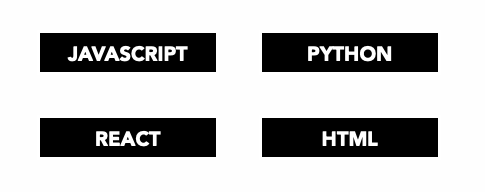
So I went on and added

div:hover {
  background-color:#fff;
  color:#000;
}
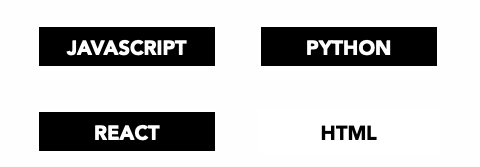
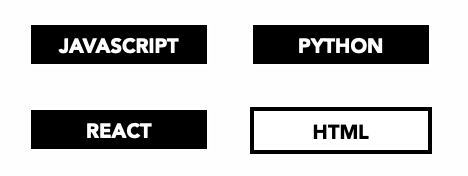
But then.. the box didn’t look “as a box”. So I added a border:

div:hover {
  background-color:#fff;
  color:#000;
  border: 4px solid #000;
}

but it looked weird because of course the border is added outside the box.
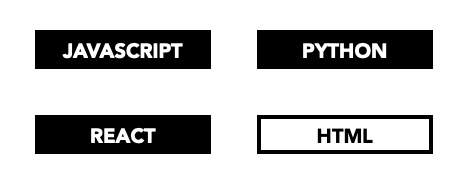
The best way I found was to use the box-shadow property in this way:

div:hover {
  background-color:#fff;
  color:#000;
  box-shadow: inset 0px 0px 0px 4px #000;
}

Here’s the result:
Lessons in this unit:

0: Introduction
1: How to center an element with CSS
2: ▶︎ CSS Border inside the element
3: What are good CSS Breakpoint values for Responsive Design?
4: How to debug CSS by bisecting
5: How to disable text selection using CSS
6: How to put an item at the bottom of its container using CSS
7: CSS, how to select elements that do NOT have a class
8: How to stick an element on the bottom of the page with flexbox
9: How to apply padding to multiple lines in CSS
10: Making a table responsive using CSS
11: CSS url()
12: How to make an element smaller or bigger with CSS
13: Customizing visited links
14: Fix extra space after inline element
15: How to create a sidebar that’s sticky but also scrolls
16: How to embed YouTube videos using the correct aspect ratio
17: Responsive pre tags in CSS
18: Responsive YouTube Video Embeds
19: How to remove all CSS from a page at once
20: How I added Dark Mode to my website
21: How to add a simple dark mode