Join the AI Workshop and learn to build real-world apps with AI. A hands-on, practical program to level up your skills.
Tables in the past were greatly overused in CSS, as they were one of the only ways we could create a fancy page layout.
Today with Grid and Flexbox we can move tables back to the job they were intended to do: styling tables.
Let’s start from the HTML. This is a basic table:
<table>
  <thead>
    <tr>
      <th scope="col">Name</th>
      <th scope="col">Age</th>
    </tr>
  </thead>
  <tbody>
    <tr>
      <th scope="row">Flavio</th>
      <td>36</td>
    </tr>
    <tr>
      <th scope="row">Roger</th>
      <td>7</td>
    </tr>
  </tbody>
</table>
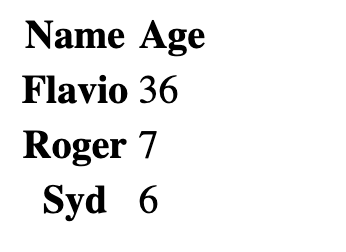
By default it’s not very attractive. The browser provides some standard styles, and that’s it:
We can use CSS to style all the elements of the table, of course.
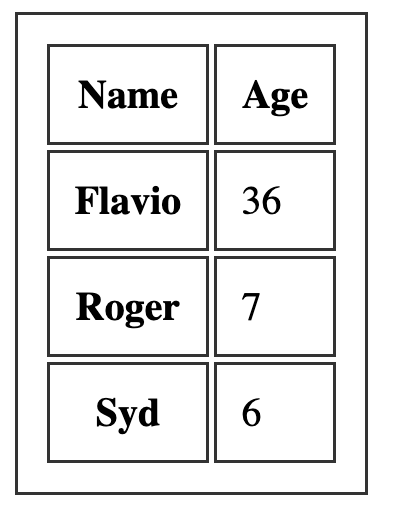
Let’s start with the border. A nice border can go a long way.
We can apply it on the table element, and on the inner elements too, like th and td:
table, th, td {
  border: 1px solid #333;
}
If we pair it with some margin, we get a nice result:
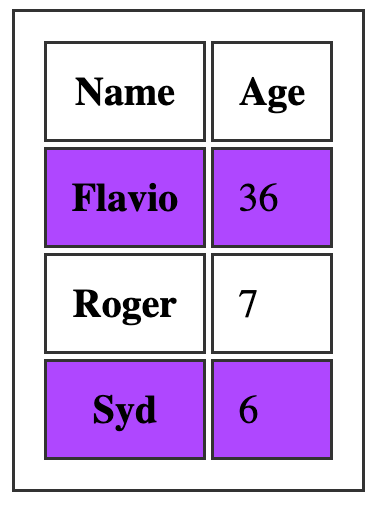
One common thing with tables is the ability to add a color to one row, and a different color to another row. This is possible using the :nth-child(odd) or :nth-child(even) selector:
tbody tr:nth-child(odd) {
  background-color: #af47ff;
}
This gives us:
If you add border-collapse: collapse; to the table element, all borders are collapsed into one: