CSS Grid: Gap between the cells

Join the AI Workshop to learn more about AI and how it can be applied to web development. Next cohort February 1st, 2026

The AI-first Web Development BOOTCAMP cohort starts February 24th, 2026. 10 weeks of intensive training and hands-on projects.


Unless specified, there is no space between the cells.

You can add spacing by using those properties:

  • column-gap
  • row-gap

or the shorthand syntax gap.

Example:

.container {
  display: grid;
  grid-template-columns: 100px 200px;
  grid-template-rows: 100px 50px;
  column-gap: 25px;
  row-gap: 25px;
}
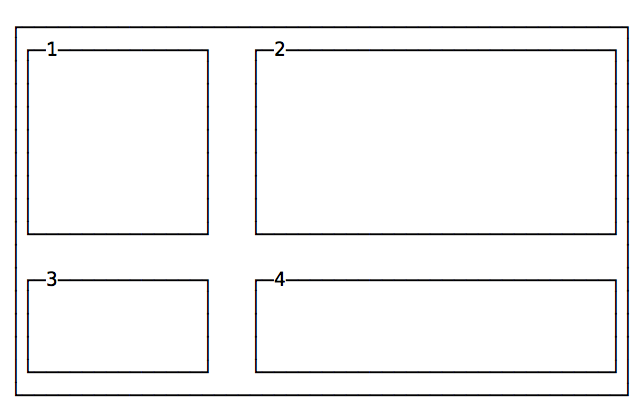
A grid with gap between rows and columns

The same layout using the shorthand:

.container {
  display: grid;
  grid-template-columns: 100px 200px;
  grid-template-rows: 100px 50px;
  gap: 25px;
}

Lessons in this unit:

0: Introduction
1: grid-template-columns and grid-template-rows
2: Setting columns and rows dimensions
3: ▶︎ Gap between the cells
4: Span items on multiple columns and/or rows
5: Minimum row width
6: Layout using grid-template-areas
7: Example: simple grid layout
8: Example: grid layout with header, sidebar, content and footer