Flexbox: Moving items before / after another one using order

Join the AI Workshop to learn more about AI and how it can be applied to web development. Next cohort February 1st, 2026

The AI-first Web Development BOOTCAMP cohort starts February 24th, 2026. 10 weeks of intensive training and hands-on projects.


Items are ordered based on an order they are assigned. By default every item has order 0 and the appearance in the HTML determines the final order.

You can override this property using order on each separate item. This is a property you set on the item, not the container. You can make an item appear before all the others by setting a negative value.
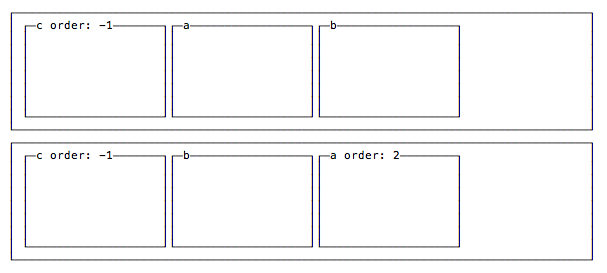
Moving items before or after another one

Lessons in this unit:

0: Introduction
1: Align rows or columns
2: Vertical and horizontal alignment
3: Wrap
4: ▶︎ Moving items before / after another one using order
5: Vertical alignment using align-self
6: Grow or shrink an item if necessary
7: Create a layout using Flexbox
8: How to have a flex child not fill entire height